


Bykski


5V ARGB Hub and Fan Controller — Bykski B-RBW-C8-V5, 6 Fan Ports and 1 Pump Port
5V ARGB lighting, fan, and pump hub
The Bykski B-RBW-C8-V5 brings 5V 3-pin addressable RGB lighting and cooling controls together on one board. Connect compatible fans, a pump, and their lighting leads at the hub. Use the remote to change lighting effects and brightness, or connect the hub to a compatible motherboard ARGB header to synchronize the lighting.
Compatibility
Check the voltage and connector on each lead.
- ✓Lighting devices with a matching 5V 3-pin ARGB (RBW) connector
- ✓Fans and a pump with matching 2510 4-pin motor connectors
- ✓For lighting sync, a motherboard with a 5V 3-pin ARGB header
Not compatible:
- ✗12V 4-pin RGB lights or motherboard lighting headers
The 12V specification is for the fan motor connections. The lighting connections use 5V.
Design Highlights
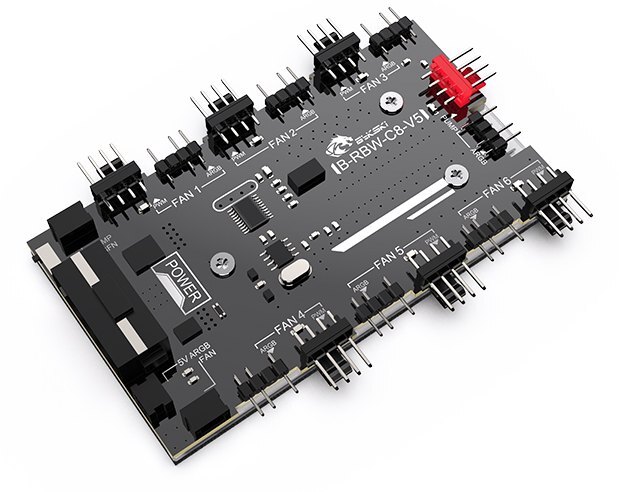
Separate connections for motors and lighting
Each of the six fan positions pairs a fan motor header with an ARGB header. The pump position has its own motor and ARGB headers. FAN1 and PUMP send back real-time speed readings.
Lighting control at the remote or motherboard
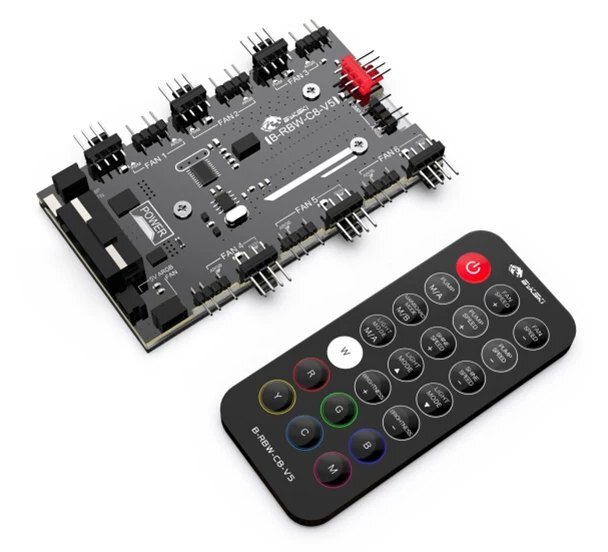
Use the remote to pick a solid color, switch effects, or adjust brightness and effect speed. It also has separate buttons for fan and pump speed.
Key Specifications
| Model | Bykski B-RBW-C8-V5 |
|---|---|
| Lighting | 5V DC, 3-pin addressable RGB (RBW) |
| Fan connections | 6 × 2510 4-pin, 12V DC |
| Pump connection | 1 × 2510 4-pin |
| Speed feedback | FAN1 and PUMP |
| Power input connector | 4-pin peripheral Molex |
| Published module load limits | 6 A maximum load current, 72 W supported power |
| Lighting control | Remote or 5V 3-pin motherboard ARGB sync |
Which Version Do I Need?
Match both the device connectors and the power lead to the hub.
What's in the Box
Installation & Use
You’ll need a PC power supply with a 4-pin peripheral Molex lead and devices with the matching connectors above.
FAQ
Can I use this hub with 12V RGB lights?
Use 5V 3-pin ARGB lights only. For motherboard lighting sync, use a 5V 3-pin ARGB header.
Do I need an ARGB header on my motherboard?
The remote can control the lighting directly. A 5V 3-pin ARGB header is required for motherboard lighting sync.
How do I switch to motherboard lighting control?
Use a compatible sync cable to connect the hub to the motherboard’s 5V 3-pin ARGB header. Align the arrow on the sync connector with the motherboard header’s +5V pin. After powering on, press MAINBOARD MODE on the remote.
Which ports report fan and pump speed?
The FAN1 and PUMP ports provide real-time speed feedback.
When should I use GFM mode?
Use GFM mode for a compatible Granzon pump and normal mode for a compatible standard 4-pin pump. Power-cycle the hub after changing the mode.
- Not responsible for any damage caused by or when using this product. Please use at your own risk.








