


Bykski


ASUS ROG Hyperion GR701 Distro Plate with Pump Option | Bykski RGV-AS-GR701-P
Acrylic distro plate for a GR701 custom loop
The Bykski RGV-AS-GR701-P is an acrylic distro plate made for custom liquid cooling in the ASUS ROG Hyperion GR701. Its built-in channels give the CPU block, GPU block, and radiators a central place to connect. Choose the plate with a pump or order it without one to use your own compatible pump.
Compatibility
- ✓ASUS ROG Hyperion GR701
Check your exact case model before ordering. Bykski's reference layout shows the plate next to the motherboard with CPU and single-GPU water blocks.
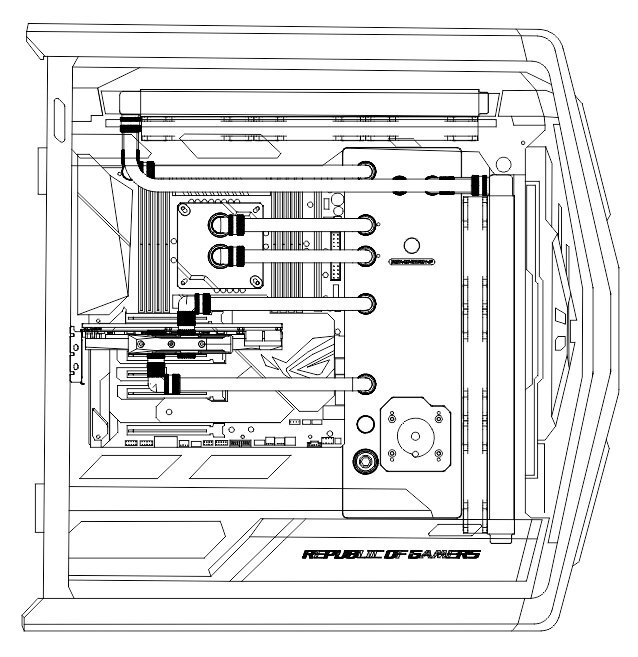
Bykski's GR701 routing diagram with an example CPU and single-GPU loop.
Design Highlights
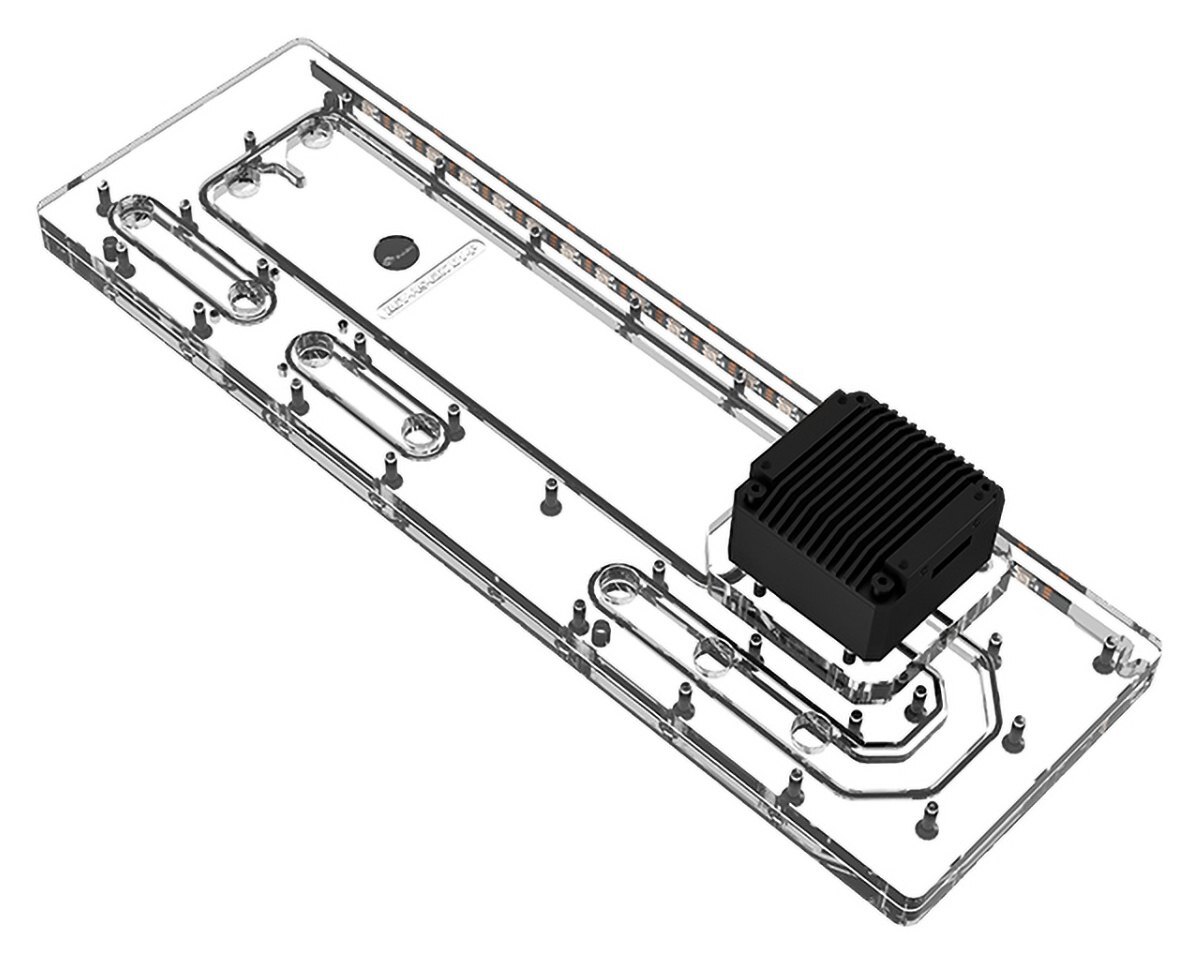
Visible coolant channels
The clear acrylic shows the coolant paths through the plate. G1/4 ports give you connection points for the tubing runs to your water blocks and radiators.
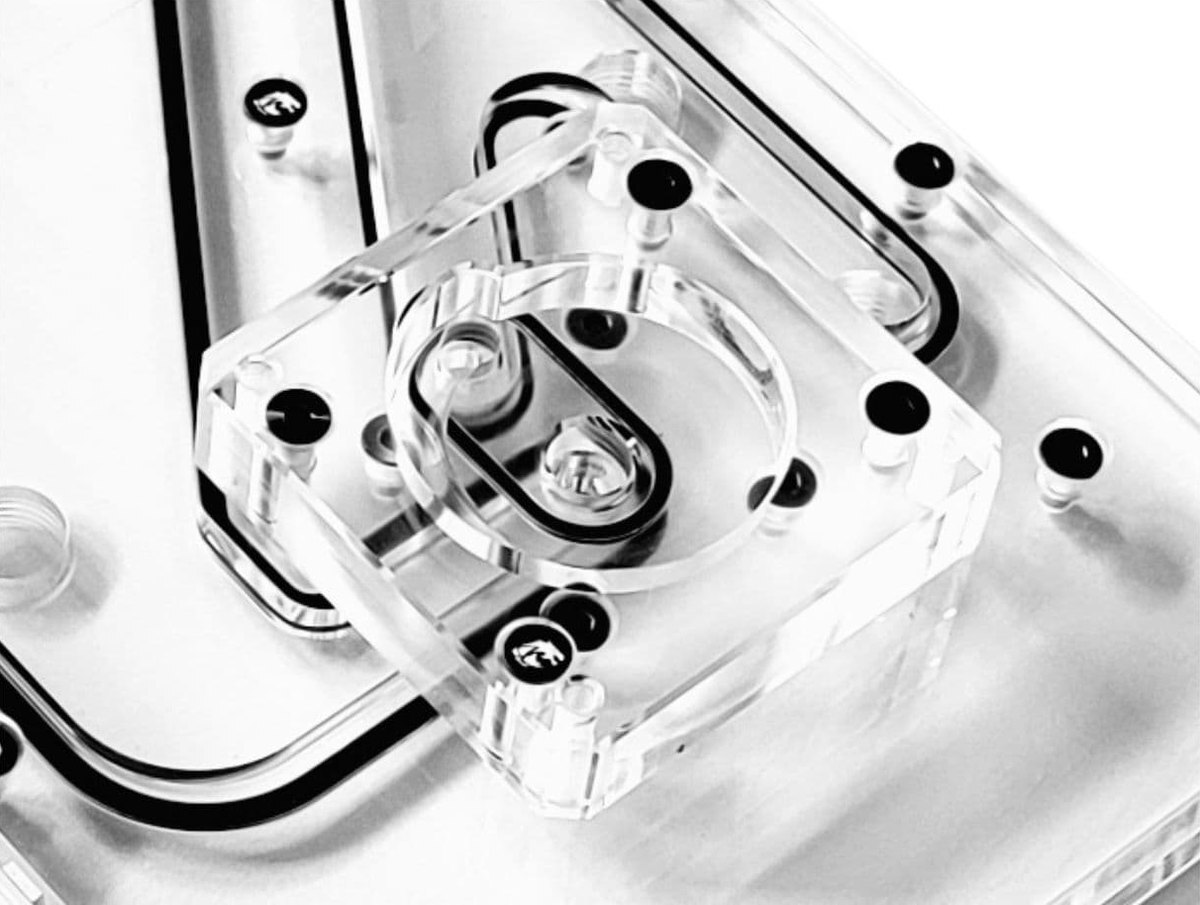
Pump mount shown with the pump removed.
One pump mounts directly to the plate
The plate has a single mount for a compatible DDC pump, including Bykski PMD3 pumps of the supported design. If you plan to supply your own DDC pump, check its exact model before ordering.
Key Specifications
| Bykski model | RGV-AS-GR701-P |
|---|---|
| Plate material and finish | Clear acrylic (PMMA) |
| Acrylic covers | 8 mm upper cover, 10 mm lower cover |
| Rear mounting plate | Aluminum alloy |
| Plate dimensions (L × W × T) | 397.5 × 128 × 30.5 mm |
| Plate weight without pump | 1,020 g |
| Port thread | G1/4 |
| Pump mount | Single DDC / Bykski PMD3 mount |
| Order options | With pump or without pump |
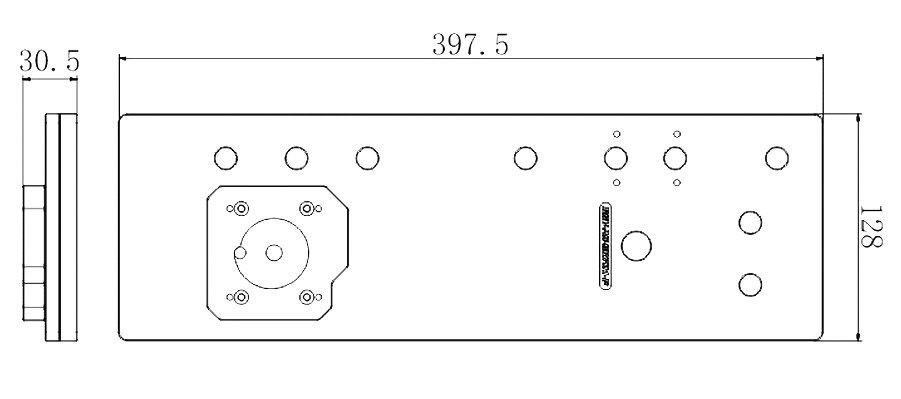
Plate dimensions in millimeters. The drawing shows the plate before a pump is installed.
Which Version Do I Need?
Choose a plate if you are selecting your own loop parts, or pick a kit that includes water blocks and radiators.
What's in the Box
The with-pump option includes one pump. A standalone lighting controller is sold separately.
Installation & Use
For the pictured loop, source CPU and GPU water blocks, radiators and fans, G1/4 fittings, matching tubing, and coolant separately.
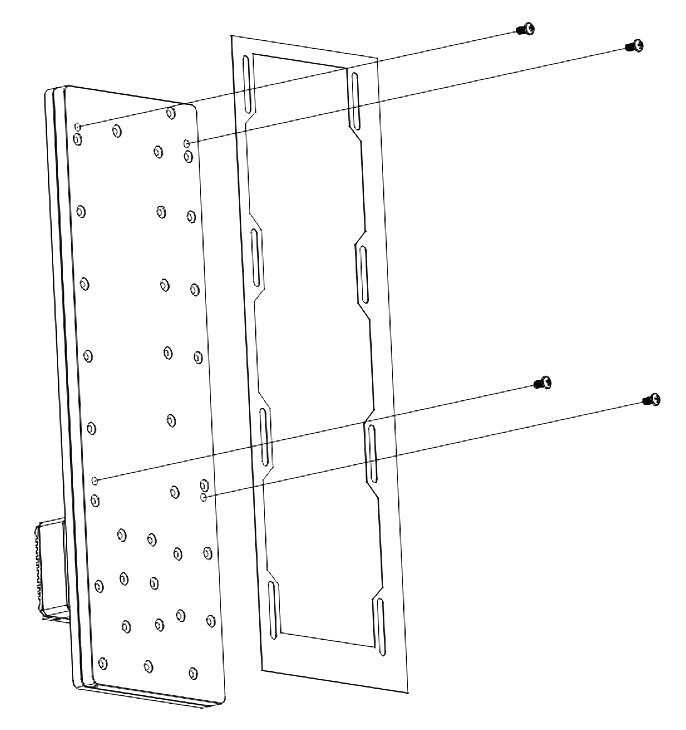
Manufacturer's diagram of the rear mounting plate and screw positions.
FAQ
Does the plate take two onboard pumps?
Bykski provides one onboard mounting position for a compatible DDC or PMD3 pump.
Can I order the plate without a pump?
Yes. Select the no-pump option if you already have a DDC pump that fits the plate's mount.
What fittings should I use?
Use G1/4 fittings at the plate. Choose fittings that match the size and type of tubing you plan to run.
What does a CPU port adjustment module do?
It helps line up the plate's CPU connections with the tubing runs to your CPU water block.
- This block is designed specifically for this case. Depending on the motherboard, blocks, fittings used, and layout, the connecting tubing may not appear as pictured (perfectly horizontal). Not responsible for any hardware damage. Use at your own risk.
- The with-pump option includes one pump. Other equipment shown in the detail photos is for illustration.
- As Bykski upgrades or adjusts the contents of the kit from time to time, such as product updates version, model or appearance, adjustments to the layout, etc..
If not notified in time, the Bykski's latest real object shall prevail.








