


Granzon


Square Water Reservoir and DDC Pump Combo for PCs, Granzon GE-A180, 5V ARGB
Square water reservoir with a digital DDC pump
The Granzon GE-A180 combines a square reservoir and a digital DDC pump for a custom PC cooling loop. It mounts at a 120 mm case fan position and keeps coolant storage and circulation in one unit. Its G1/4 ports sit on several faces, so you can route the tubing where your case has room.
Case Fit and Connections
- ✓120 mm case fan mounting position
- ✓G1/4 fittings sized for your tubing
- ✓12 V DC pump power from a 4-pin Molex PSU lead
- ✓Motherboard PWM header for automatic pump speed control
- ✓Compatible 5V 3-pin ARGB header for motherboard lighting control using the included adapter cable
Keep the reservoir lighting lead off 12V RGB headers.
Before ordering, check that the case has room for the reservoir, pump, and tubing bends around the chosen ports.
Design Highlights
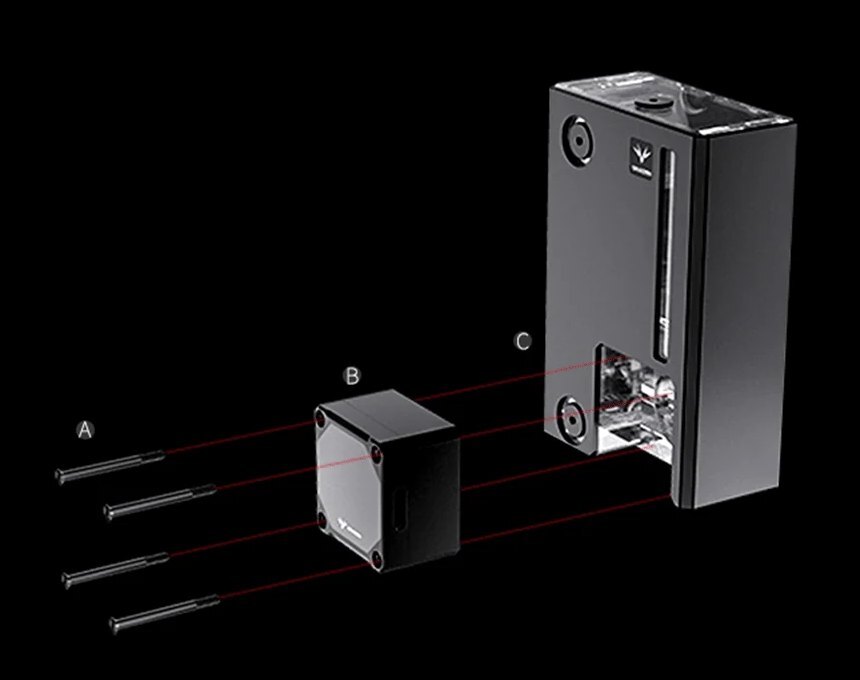
A marks the pump screws, B the GFM pump, and C the reservoir.
The pump mounts directly to the reservoir
The front-mounted GFM pump and square reservoir share one assembly. A splash guard inside the reservoir helps limit splashing during filling.
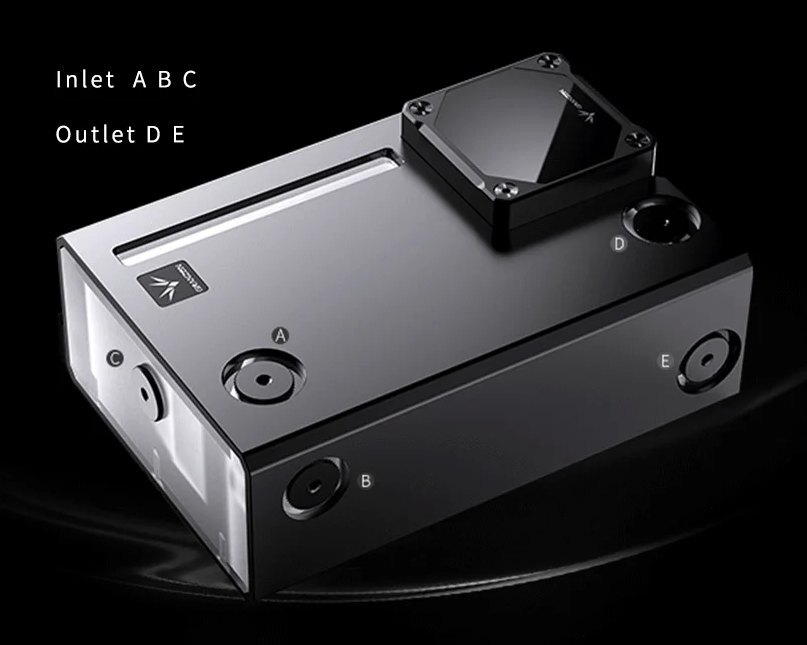
A, B, and C are inlets. D and E are outlets.
Route tubing from several sides
Return coolant through the inlet that suits your tubing run. Use one of the two outlets to send coolant from the pump into the loop.
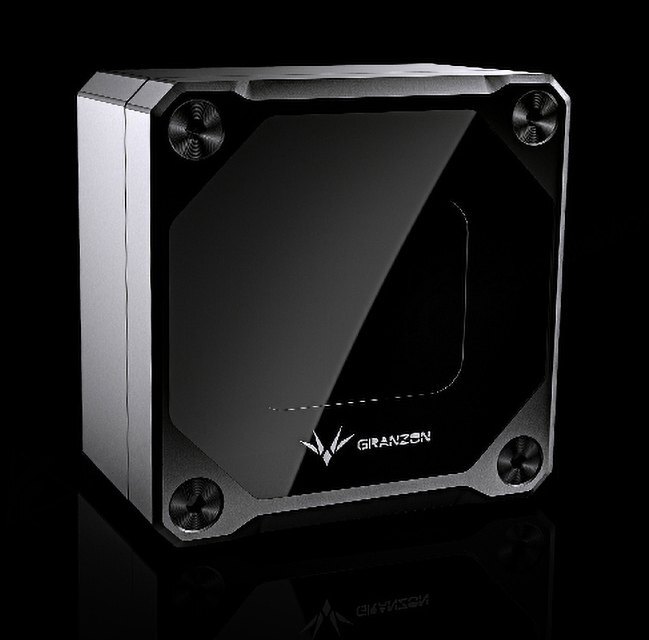
Read pump speed at a glance
The display shows pump speed, voltage, load, and estimated flow. Manual mode adjusts speed in 100 RPM steps. Automatic mode follows the motherboard's PWM signal.
Key Specifications
| Model | GE-A180 |
|---|---|
| Exterior | Matte black aluminum shell |
| Height × width | 180 × 124.5 mm |
| Case mount | 120 mm fan mounting position |
| Ports | G1/4 · 3 inlets, 2 outlets |
| Pump | GFM DDC · CP-D3PB-X core |
| Pump speed | 1,800–4,800 RPM |
| Rated pump flow | 700 L/h |
| Rated pump head | 6 m |
| Pump power | 12 V DC via 4-pin Molex |
| Pump control | Manual adjustment or motherboard PWM |
| Lighting (system side) | 5V 3-pin ARGB |
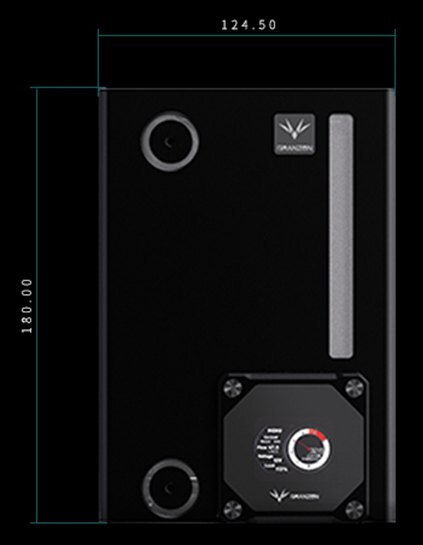
Manufacturer front view showing height and width in millimeters.
Which Version Do I Need?
Choose by reservoir shape and whether you already have a tank.
What's in the Box
Installation & Use
To complete the loop, you also need a radiator with matching fans, a water block, tubing, G1/4 fittings, and coolant.
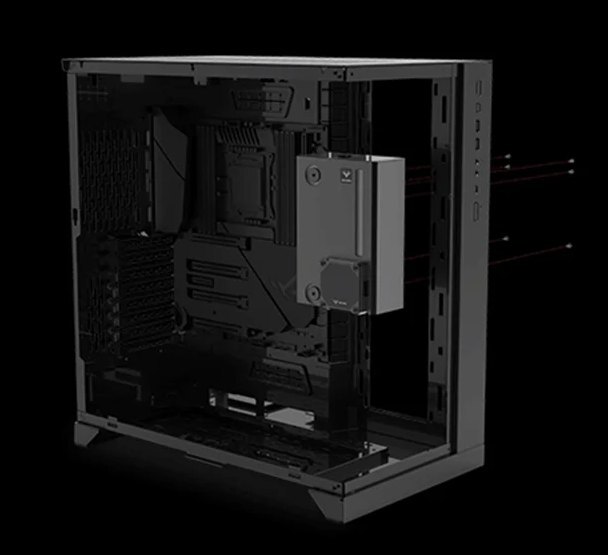
Manufacturer example of mounting to a 120 mm case fan position.
FAQ
Will it fit a 120 mm fan position?
The reservoir uses a 120 mm case fan mounting pattern. Check that the case has clearance for the 180 × 124.5 mm front face, the pump, and your fittings and tubing.
Which ports should I connect?
Use the port diagram above to identify the connections. Connect the return line to A, B, or C and the pump discharge to D or E. Seal unused ports before filling.
How do I control the pump speed?
Manual mode adjusts speed in 100 RPM steps, and automatic mode follows the motherboard's PWM signal. The pump draws power from a 4-pin Molex connector.
Does the display measure coolant flow?
The display estimates flow from the current pump speed. The actual flow through your loop depends on its resistance.
What RGB connection does the reservoir use?
The reservoir lighting uses 5V ARGB. For motherboard control, use the included adapter cable with a compatible 5V 3-pin ARGB header.
- Not responsible for any hardware damage. Use at your own risk.
- The case, tubes, fittings, etc. in the picture are only for display reference.
- In case of upgrading to the appearance and structure, no further notice, the real object shall prevail








