


Granzon


PWM DDC Water Pump with Digital Display — Granzon GFM III
Add-on PWM DDC water pump with a digital display
The Granzon GFM III is an add-on PWM DDC pump that circulates coolant in a custom PC water-cooling loop. It mounts to a compatible DDC housing, such as the Granzon GY-M radiator bridge. Its 2-inch display lets you check pump speed, voltage, load, and estimated flow at the pump.
Compatibility
The GFM III requires a compatible part with a DDC pump mount.
- ✓Granzon GY-M radiator bridge for GH120N, GH240N, GH360N, or GH480N radiators
- ✓Granzon GE-A180 reservoir
- ✓Bykski DDC distro plates with confirmed GFM III fitment
Check the model of your bridge, reservoir, or distro plate before ordering.
Design Highlights
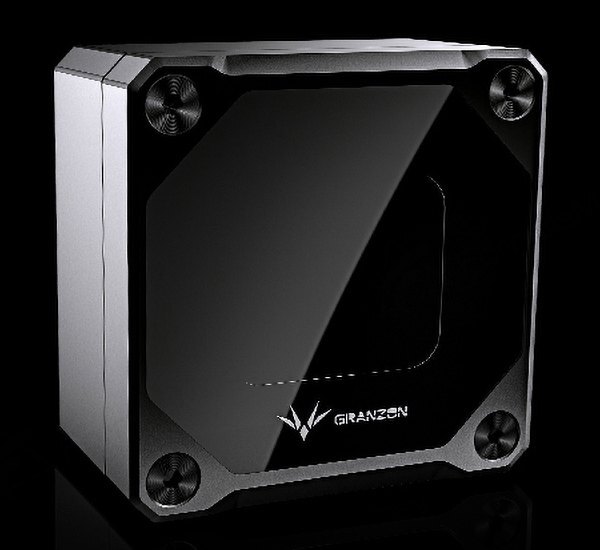
Read pump speed at a glance
The screen shows live RPM, input voltage, pump load, and an estimated flow value based on speed. The dial changes color as the pump speeds up or slows down.
Adjust the speed in 100 RPM steps in manual mode, or use automatic mode to follow your motherboard’s PWM signal.
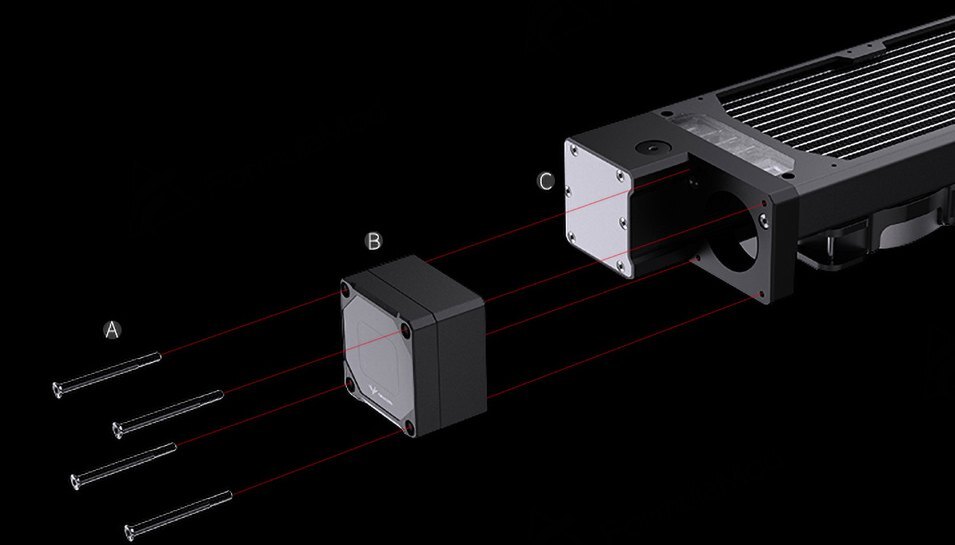
A. Mounting screws · B. Pump · C. GY-M bridge on the radiator
Mount the pump at the radiator with GY-M
The GY-M bridge mounts the pump at the end of a supported Granzon GH-series radiator. The bridge and radiator are sold separately from the pump.
Key Specifications
| Model | GFM III |
|---|---|
| Pump type | Add-on DDC |
| Pump core | CP-D3PB-X |
| Pump body (W × H × D) | 62.00 × 62.00 × 40.30 mm, excluding screw protrusion |
| Speed range | 1,800–4,800 RPM |
| Rated flow | 700 L/h |
| Rated head | 6 m |
| Power | 12 V DC via 4-pin Molex |
| Speed control | Wireless manual control or motherboard PWM |
| Display | 2 inches |
Which Version Do I Need?
Choose based on what you already have in your loop.
What's in the Box
Pair the pump with your own compatible bridge, reservoir, or distro plate.
Installation & Use
You also need a compatible DDC mount, fittings and tubing for your loop, and PC coolant. For a radiator-mounted setup, use the GY-M bridge and a compatible GH-series radiator.
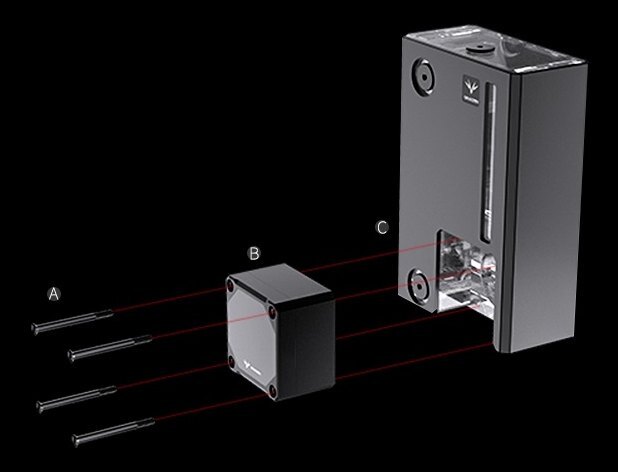
GE-A180 installation example. A. Screws · B. Pump · C. Reservoir.
FAQ
Is GFM 3.0 the same as GFM III?
Yes. GFM 3.0 is the option label for the GFM III on this listing.
Can I control the pump speed from my motherboard?
Yes. Connect the pump’s PWM lead to the motherboard and select automatic mode. The pump takes power from a separate 12 V DC, 4-pin Molex connection.
How does manual speed control work?
With a compatible remote, you can adjust the pump speed in 100 RPM steps.
What does the flow readout show?
The display estimates flow from pump speed. The accuracy of that estimate depends on the resistance of your loop.
What do I need to mount it on a GH radiator?
Use the GY-M bridge to mount the pump to a Granzon GH120N, GH240N, GH360N, or GH480N radiator.
- Compatibility is only confirmed for Granzon and Bykski devices listed above.
- Not responsible for any hardware damage. Use at your own risk.








