


Granzon


Intel & AMD CPU Water Block with Temperature Display, Granzon GAIS / GAMS
CPU water block with a built-in temperature gauge
Granzon GAIS and GAMS are CPU water blocks for custom liquid cooling loops. Choose GAIS for supported Intel LGA sockets or GAMS for AMD sockets such as AM4 and AM5. Both put a digital temperature gauge on the block, so you can check the reading at a glance while the system runs.
Compatibility
Select Intel or AMD based on your motherboard socket.
- ✓Intel GAIS · LGA115x (LGA1150, LGA1151, LGA1155, LGA1156)
- ✓Intel GAIS · LGA1200, LGA2011, LGA2066
- ✓AMD GAMS · AM3, AM3+, AM4, AM5
Check the exact socket and clearance around it before ordering. For AM5, contact FormulaMod before ordering to confirm the mounting hardware for your board.
Design Highlights
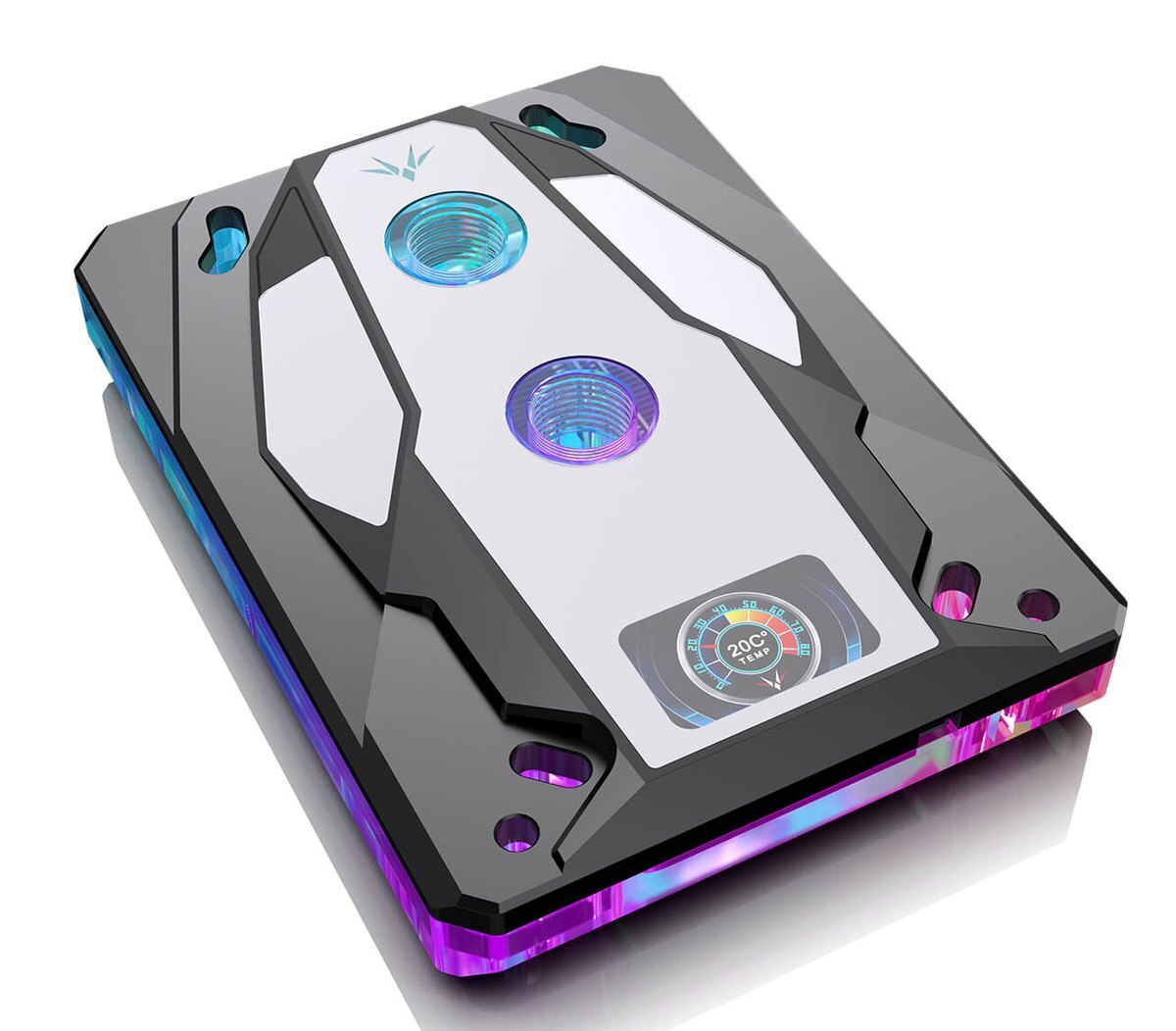
Read the temperature on the block
The digital gauge sits behind the mirrored face and shows a live reading when powered. The addressable lighting runs along the edge of the housing.
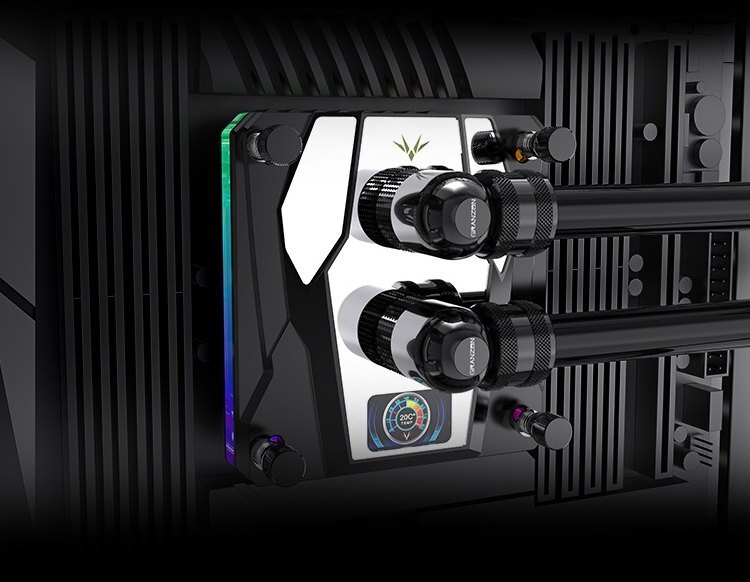
Granzon’s GAIS installation illustration.
Connect it to your custom loop
The copper cold plate transfers heat from the CPU into the loop. The inlet and outlet take G1/4 fittings. Choose fittings that match your tubing and follow the block’s flow direction.
Key Specifications
| Intel model | GAIS |
|---|---|
| AMD model | GAMS |
| Cold plate | Copper |
| Housing | Aluminum alloy |
| Port thread | G1/4 |
| Ports | 1 inlet and 1 outlet |
| Display | Built-in digital temperature gauge |
| Lighting | 5V 3-pin ARGB |
| GAIS (L × W × H) | 97.00 × 95.00 × 24.56 mm |
| GAMS (L × W × H) | 120.00 × 87.00 × 24.56 mm |
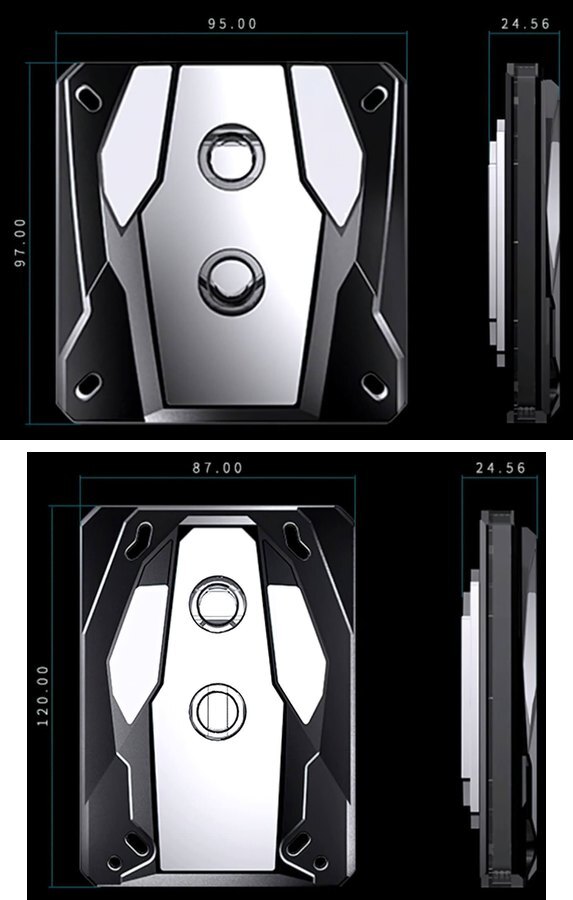
Granzon drawings in millimeters. GAIS above, GAMS below.
Which Version Do I Need?
Choose the temperature gauge or the secondary display based on what you want to see on the block.
What's in the Box
Thermal paste is not included (it cannot be shipped by air). Please use your own thermal paste during installation.
Installation & Use
You’ll also need a pump, reservoir, radiator and fans, G1/4 fittings, matching tubing, and coolant.
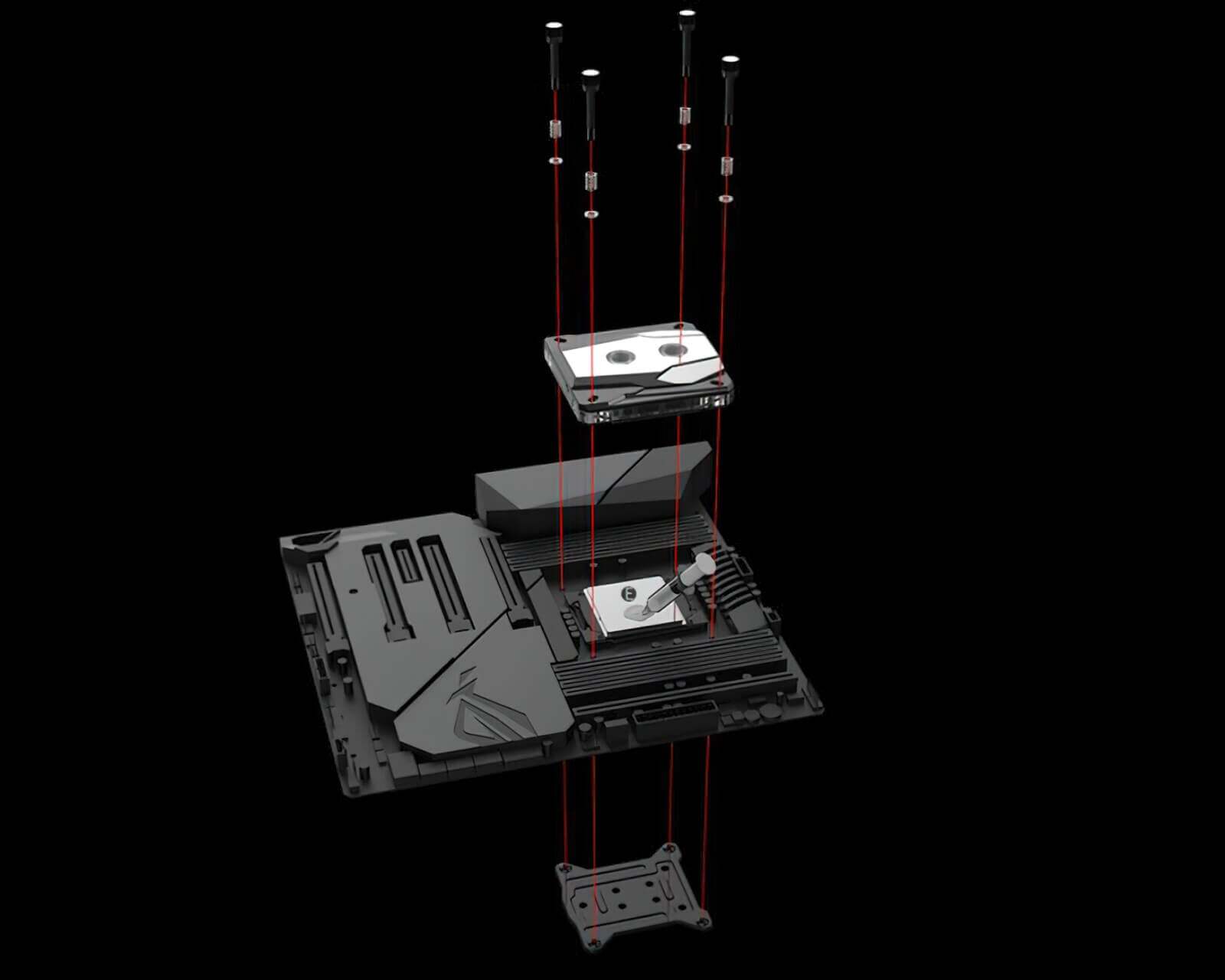
Granzon’s GAIS mounting example. Use the hardware for your exact socket.
FAQ
Which version should I choose for AM5?
Select AMD GAMS. Tell FormulaMod your motherboard model before ordering so we can confirm the mounting hardware.
Which fittings do I need?
Use G1/4 fittings matched to your tubing. Identify the inlet before routing the tubing.
Can I use a 12V RGB header for the lighting?
No. The lighting uses 5V 3-pin ARGB. A 12V 4-pin RGB header can damage it.
Which model should I buy for an AIDA64 secondary screen?
Compare the Granzon GAISC and GAMSC listing above for the HDMI display model. GAIS and GAMS have a built-in temperature gauge.
- In case of upgrading to the appearance and structure, no further notice, the real object shall prevail.
- Manufacturer reserves right to alter block design to expand compatibility.
- Delivered item may not 100% match pictured item.
- Product does NOT include English installation instructions.
- Not responsible for any damage caused by or when using this product. Please use at your own risk.








