


FormulaMod


12VHPWR Cable, 90° GPU Plug, 700 mm, 16-Pin to 16-Pin | FormulaMod Fm-M124P
90° 12VHPWR PSU-to-GPU cable
The FormulaMod Fm-M124P is a 700 mm sleeved cable that connects a compatible ATX 3.0 power supply with a native 12VHPWR port directly to a supported graphics card with a 12VHPWR power socket. The 90° GPU plug lets the cable turn at the socket. Match the plug orientation to your card and check the available clearance.
Compatibility
Check the power supply and graphics card before ordering.
- ✓PSU requirement: ATX 3.0 with a native 16-pin 12VHPWR port.
- ✓GPU requirement: a 12VHPWR power socket with room for the angled plug.
Not compatible:
- ✗Power supplies with only 8-pin modular ports.
Confirm with your power supply manufacturer that your exact PSU model supports this cable. If compatibility is unconfirmed, use a cable approved by your PSU manufacturer.
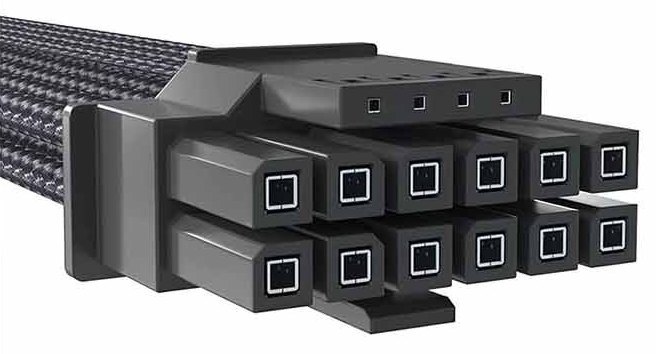
Straight 16-pin plug style for the PSU end.
Design Highlights
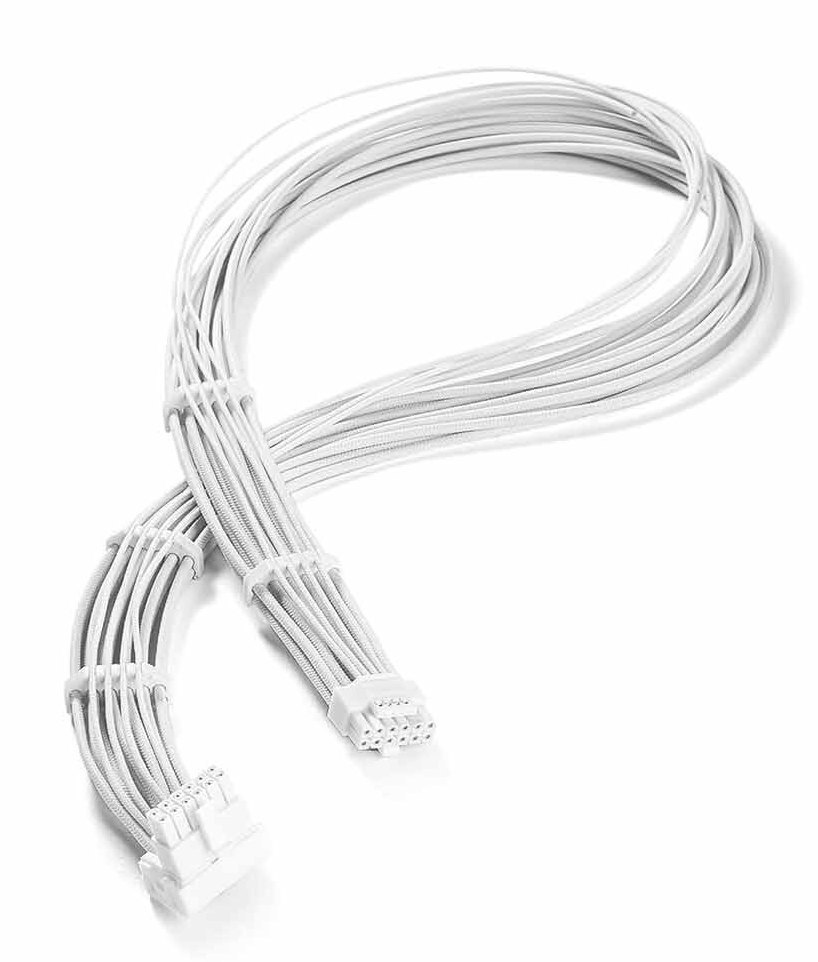
One cable from the PSU to the GPU
The straight plug connects at the power supply. At the graphics card, the angled plug turns the cable along the card.
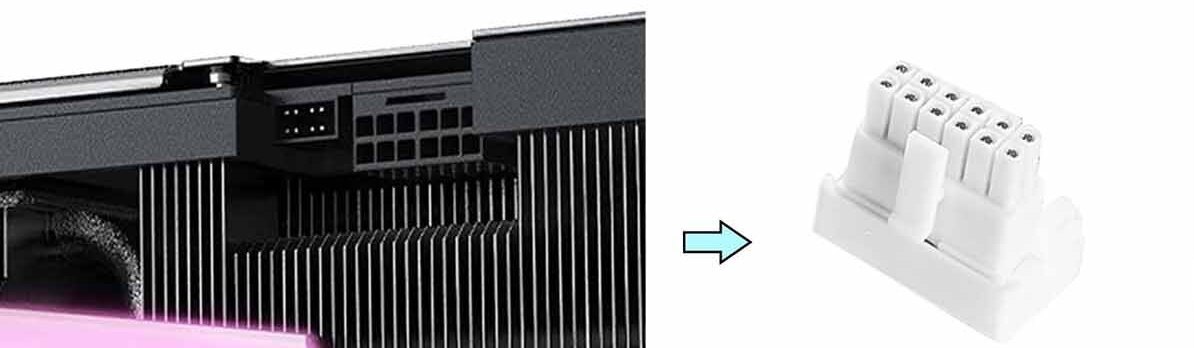
Type-Z (Forward)
Choose Type-Z if the four small signal contacts on your GPU power socket are on the side closest to the backplate.
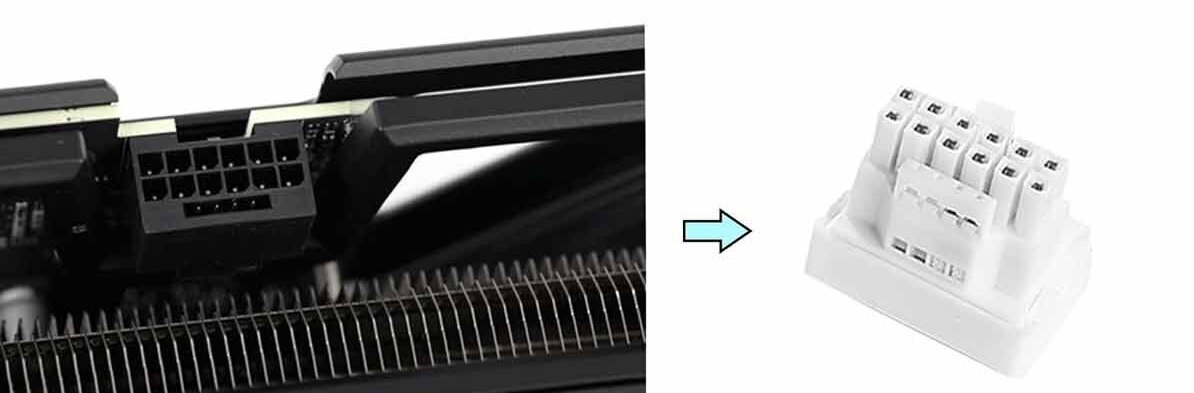
Type-F (Reverse)
Choose Type-F if the latch side of your GPU power socket is closest to the backplate.
Key Specifications
| Model series | Fm-M124P |
|---|---|
| Cable length | 700 mm |
| GPU power interface | PCIe 5.0 12VHPWR |
| GPU plug | 90° 16-pin (12+4) male |
| PSU plug | Straight 16-pin (12+4) male |
| Wire | 16 AWG tinned copper |
| Sleeving | Individually braided |
| Type-Z, black | Fm-M124P-BKP124-BK-90Z-700 |
| Type-Z, white | Fm-M124P-WTP124-WT-90Z-700 |
| Type-F, black | Fm-M124P-BKP124-BK-90F-700 |
| Type-F, white | Fm-M124P-WTP124-WT-90F-700 |
Which Version Do I Need?
Start with where the cable needs to connect. A 16-pin male-to-female extension adds length to an existing compatible GPU cable.
What's in the Box
Installation & Use
You need a compatible power supply and graphics card, plus enough room around the GPU socket for the selected plug orientation.
FAQ
Is the 90° plug on the GPU end?
Yes. The right-angle plug connects to the graphics card, and the straight plug connects to the power supply.
How do I choose between Type-Z and Type-F?
Look at the side of the GPU power socket nearest the backplate. Choose Type-Z if the four small signal contacts are on that side, or Type-F if the latch is on that side.
Can I use this cable with a PSU that has only 8-pin modular ports?
This cable requires a native 16-pin 12VHPWR port on a compatible ATX 3.0 power supply. Confirm support for this cable with the manufacturer of your exact PSU model.
How should I route the cable near the GPU?
Leave enough room for the plug to sit flush and latch fully. Route the cable with slack so the side panel can close without pressing on the plug or the cable.
- Follow the graphics card manufacturer’s power requirements for your exact card.








