


Bykski


120mm 3000 RPM PWM Fan for Cases and Radiators, Bykski CF-AP3000EX-X / CF-RBW3000EX-X
120 mm PWM fans for PC cases and radiators
The Bykski CF-AP3000EX-X and CF-RBW3000EX-X move air through PC cases or liquid cooling radiators with 120 mm fan mounts. Both use a 4-pin PWM connection so you can adjust fan speed from a compatible motherboard. Choose black blades without lighting or white blades with a separate 5 V ARGB lead.
Compatibility
- ✓120 mm fan mounts on PC cases and liquid cooling radiators
- ✓Motherboard 4-pin fan headers with PWM support for either motor
- ✓5 V 3-pin ARGB motherboard header or Bykski B-RBW-C8-V5 for the white fan’s LEDs
Not compatible:
- ✗12 V 4-pin RGB headers for the white fan’s lighting lead
Check the available fan clearance in your case, including space alongside the radiator if you use one.
Design Highlights
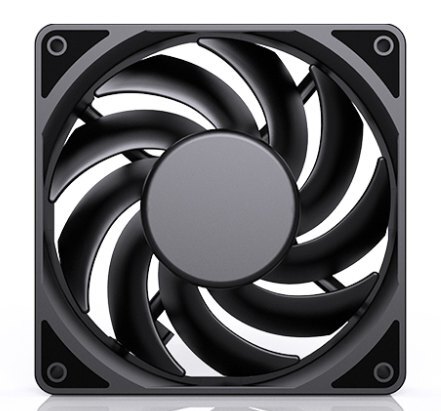
Black blades with no lighting
The CF-AP3000EX-X uses one 4-pin lead for motor power and PWM speed control.
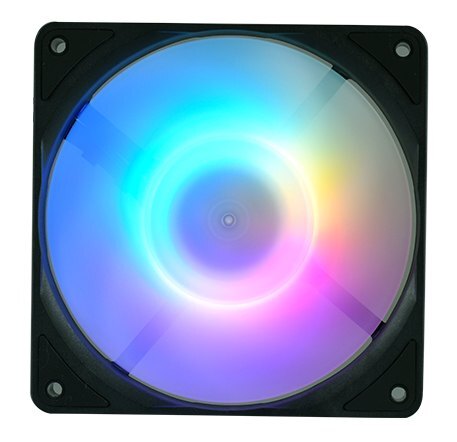
White blades with addressable lighting
The CF-RBW3000EX-X has a separate 5 V 3-pin ARGB lead for the LEDs, so lighting and motor speed can be controlled separately.
Key Specifications
| Fan models | CF-AP3000EX-X CF-RBW3000EX-X |
|---|---|
| Frame (W × H) | 120 × 120 mm |
| Blade count | 9 per fan |
| Material | PBT (Bykski specification) |
| Motor connector | 4-pin PWM (2510) |
| Motor voltage | 12 V DC |
| Rated power | 5.4 W (CF-AP3000EX-X) 6.24 W (CF-RBW3000EX-X) |
| Maximum speed | About 3,000 RPM |
| Maximum static pressure | 5.27 mmH₂O |
| Rated noise | 45.6 dBA |
| Fan weight | 190 g per fan |
| Lighting | None (CF-AP3000EX-X) 5 V 3-pin ARGB (CF-RBW3000EX-X) |
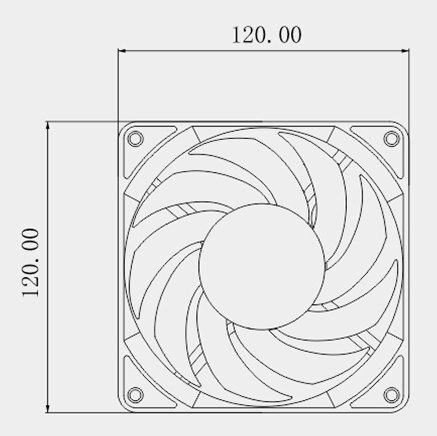
Bykski’s front-view drawing. Measurements are in millimeters.
Which Version Do I Need?
What's in the Box
The fan and the controller are separate options.
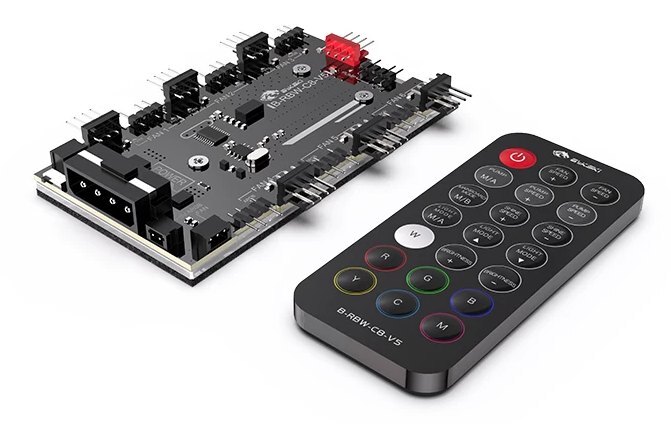
B-RBW-C8-V5 controller option.
Installation & Use
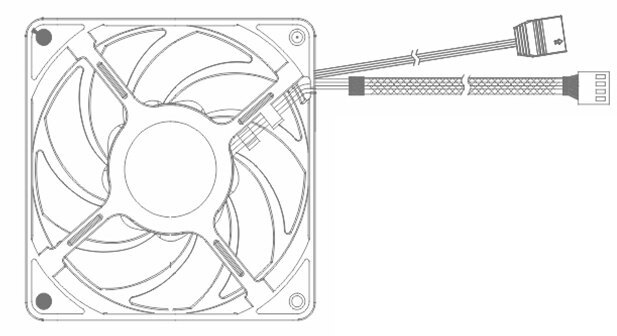
White fan wiring. The upper plug is for ARGB lighting. The lower plug is for PWM motor power and speed control.
FAQ
How many CFM is 3,000 RPM?
RPM measures how fast the blades turn. CFM measures airflow. To find airflow at a given speed, use the fan’s performance curve and the static pressure of your setup.
Do I need the controller to use the white fan?
You can connect the motor to a PWM fan header and the lights to a 5 V 3-pin ARGB header on the motherboard. The optional B-RBW-C8-V5 adds remote lighting control.
How do I connect multiple fans?
Use separate compatible fan headers or the labeled FAN ports on the B-RBW-C8-V5. The controller has six paired fan and ARGB connections.
- Use the screw thread and length specified by your radiator manufacturer. Screws that go in too far can damage the radiator.








