


Bykski


NZXT H9 Flow Distro Plate (2023) - Bykski RGV-NZXT-H9 Flow-P, 5V A-RGB
Distro plate for an NZXT H9 Flow custom loop
The Bykski RGV-NZXT-H9 Flow-P is a clear acrylic distro plate for the NZXT H9 Flow (2023). Its built-in reservoir and coolant channels bring the connections for a CPU block, a GPU block, and radiators together on one plate. Choose the version with a preinstalled DDC pump or supply your own compatible DDC pump.
Compatibility
Match the model number on your NZXT H9 Flow (2023) before ordering.
- ✓Black · CM-H91FB-01
- ✓White · CM-H91FW-01
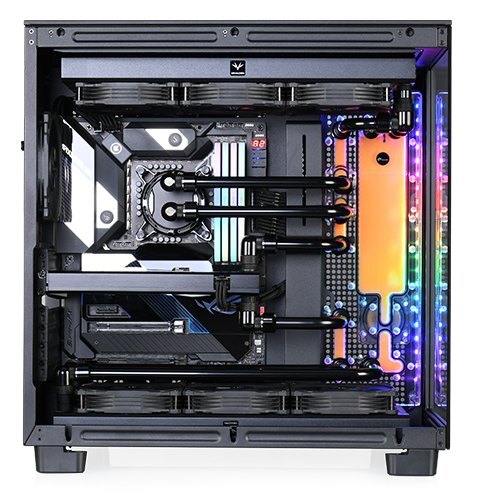
Example loop in the NZXT H9 Flow (2023).
Design Highlights
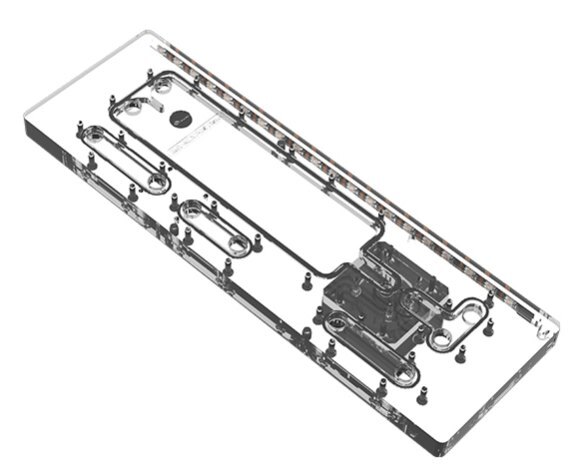
Reservoir and coolant channels in one plate
The clear acrylic lets you see the coolant level and the channels that route coolant between components. Bykski’s example connects a CPU block and one GPU block, with radiators at the top and bottom of the case.
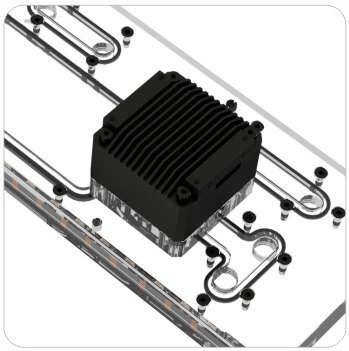
Direct-mount DDC pump option
Choose Pump with heat dissipation cover for a DDC pump already mounted on the plate. No Pump leaves the mounting position free for a compatible DDC pump you supply.
Key Specifications
| Model | RGV-NZXT-H9 Flow-P |
|---|---|
| Construction | Clear PMMA acrylic with an aluminum rear mount |
| Plate dimensions (L × W × D) | 380 × 123 × 30.5 mm |
| Coolant port thread | G1/4 |
| Pump mount | Direct-mount DDC |
| Lighting | 5V 3-pin addressable RGB (Bykski RBW) |
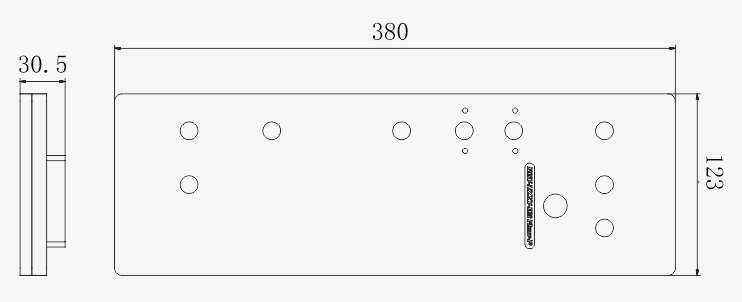
Plate dimensions in millimeters. Allow extra clearance for the pump and cover.
Which Version Do I Need?
What's in the Box
Installation & Use
For the pictured loop, supply CPU and GPU blocks, radiators, fans, tubing, G1/4 fittings, and coolant. Check that you have enough G1/4 stop plugs for any unused ports.
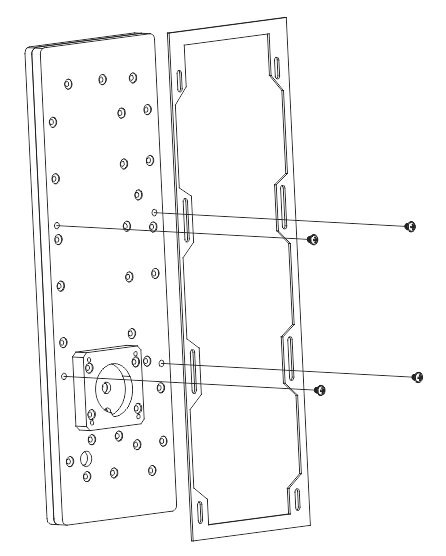
Manufacturer drawing of the rear mount and fasteners.
FAQ
How can I check which H9 Flow I have?
Look for CM-H91FB-01 or CM-H91FW-01 on the case label. Those are the black and white model numbers for the H9 Flow (2023).
Which pump option should I order?
Select Pump with heat dissipation cover for a preinstalled DDC pump. Choose No Pump if you have confirmed that the DDC pump you plan to mount fits this plate.
Do I need a separate reservoir?
The distro plate already has a reservoir chamber. Use G1/4 fittings to connect it to the rest of your loop.
Can I sync the lighting with my motherboard?
Connect the included sync cable to a 5V 3-pin addressable RGB header. A standalone lighting controller is sold separately.
How do I check radiator clearance?
Measure the space for the radiator and fans together. Include any radiator gaskets in the measurement.
- All pumps, radiators, reservoirs, cases, fittings and other products in details photos are for reference only. A pump is included only with the covered-pump option.
- As Bykski upgrades or adjusts the contents of the kit from time to time, such as product updates version, model or appearance, adjustments to the layout, etc..
- If not notified in time, the Bykski's latest real object shall prevail.








