


Bykski


SPD Touchscreen Control Panel for Liquid Cooling, Bykski B-SPD-SYS-X
stars, based on ( 0 ) review
FormulaMod Official Store
Bykski · B-SPD-SYS-X
External SPD touchscreen controller for liquid cooling
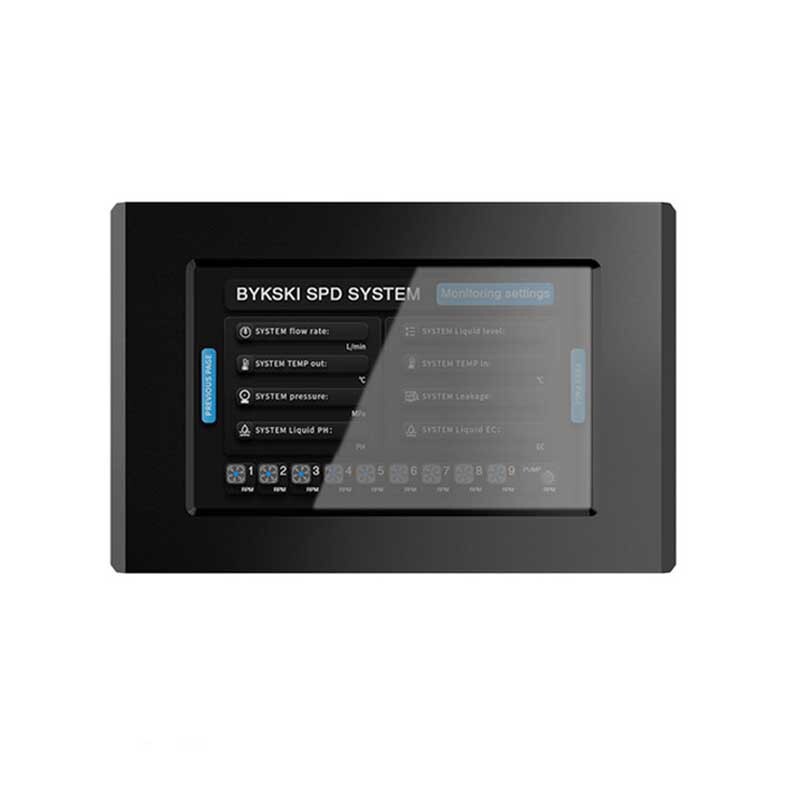
The Bykski B-SPD-SYS-X is an external SPD control panel for liquid-cooling loops. Use the touchscreen to check readings such as coolant temperature and fan or pump speed in real time. From the same panel, you can set fan and pump PWM output and configure alerts for readings that cross your thresholds.
Display
Touchscreen
Speed control
Fan and pump PWM
Fan readouts
9 RPM channels
Overall size
157 × 102 × 62 mm
Key Specifications
| Model | B-SPD-SYS-X |
|---|---|
| Dimensions (W × H × D) | 157 × 102 × 62 mm |
| Front bezel | Aluminum alloy |
| Loop readings | Flow rate, inlet and outlet coolant temperatures, pressure, liquid level, leak status, pH, and conductivity |
| Speed readouts | Fan 1–9 RPM and pump RPM |
| PWM settings | Separate output percentages for the fan group and the pump |
| Alerts | Configurable thresholds for loop readings and fan and pump speeds |
What's in the Box
Bykski B-SPD-SYS-X touchscreen controller
Using the Touchscreen
1
Check the live readings on the SPD home screen.
2
Open the PWM settings, set the fan group and pump output percentages, and tap Save.
3
Set the alert thresholds you want to monitor and tap Save.
FAQ
Where can I see the coolant temperature?
The SPD home screen displays separate inlet and outlet coolant temperatures.
Can I adjust fan and pump speeds separately?
Yes. The touchscreen has one PWM setting for the fan group and another for the pump.
Can I set an alert for low coolant flow?
Yes. Set the flow-rate threshold in the monitoring settings.








