


Bykski


CPU/GPU Water Block LED Strip, Bykski B-VCLT, 5V ARGB or 12V RGB
Replacement LED strip for Bykski CPU and GPU water blocks
The Bykski B-VCLT is a rigid replacement LED strip for Bykski CPU and GPU water blocks with a matching light channel and screw holes. It restores lighting on a block with a missing or damaged strip. Before ordering, match your original strip’s mounting revision, length, and lighting voltage.
Fit and Lighting Connections
Check the side where the cable joins your original strip.
- ✓V1 · The cable joins the back of the board, opposite the LEDs.
- ✓V2 · The cable joins the same side of the board as the LEDs.
- ✓5V ARGB (RBW) · Use a Bykski 5V RBW controller or a matching Bykski adapter for a 3-pin 5V ARGB motherboard header.
- ✓12V RGB · Use a Bykski 12V RGB controller or a matching Bykski adapter for a 4-pin 12V RGB motherboard header.
Not compatible:
- ✗Swapping a V1 strip for a V2 strip or vice versa. The screw holes differ.
- ✗Connecting a strip to the other voltage’s controller or motherboard header.
- ✗Other brands’ lighting controllers.
Before ordering, check the original strip’s overall length and screw hole positions as well as its cable location and voltage.
Design Highlights
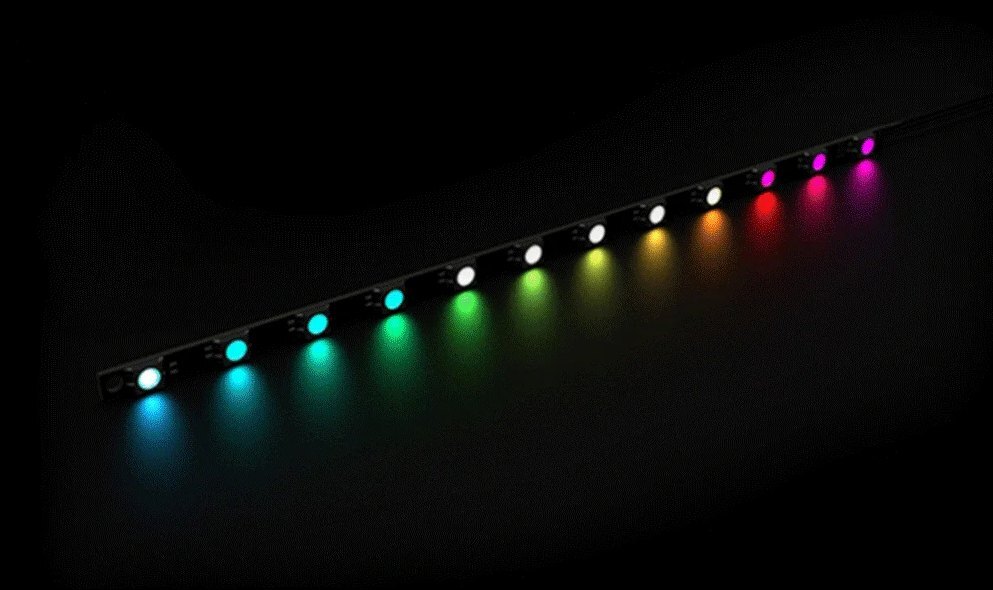
5V addressable RGB (RBW)
The 5V version can show different colors across the strip at the same time. Use it with Bykski 5V RBW lighting controls or a matching motherboard adapter.
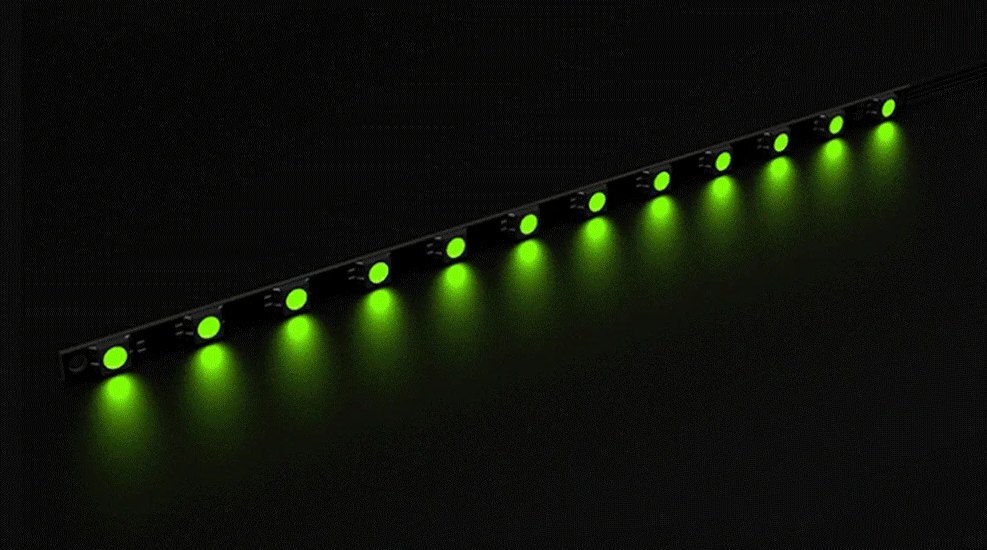
12V RGB
The 12V version displays one color across the strip at a time. Choose it for a matching 12V RGB setup.
Key Specifications
| Series | Bykski B-VCLT |
|---|---|
| Construction | Rigid PCB with surface-mounted LEDs |
| V1 length options | 70, 150, or 200 mm in either lighting type |
| V2 length options | 150 or 200 mm in either lighting type |
| 150 mm V1 · both lighting types | 150 mm overall, 145 mm between screw hole centers |
| 200 mm V1 · both lighting types | 200 mm overall, 195 mm between screw hole centers |
| 150 mm V2 · 5V RBW | 162.17 mm overall, 145 mm between screw hole centers |
| 200 mm V2 · 5V RBW | 213.75 mm overall, 195 mm between screw hole centers |
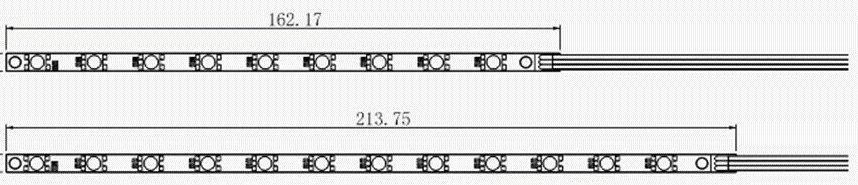
Bykski’s 5V RBW V2 drawings show the 150 mm option above the 200 mm option. Dimensions are in millimeters.
Which Version Do I Need?
Choose the strip that matches your water block, then choose how you want to control its lighting.
What's in the Box
The lighting controller and motherboard sync adapter are sold separately.
Installation & Use
You need a Bykski lighting controller or motherboard sync adapter that matches the chosen strip’s voltage.

Bykski’s 5V motherboard adapter illustration. The adapter is a separate accessory.
FAQ
How can I tell which LED bar fits my water block?
Check where the cable joins your old strip. V1 has the cable on the back of the PCB. V2 has it on the LED side. Compare the overall length and screw hole positions before ordering.
Can I connect a 5V RBW strip to a 12V RGB header?
Use a 3-pin 5V ARGB header with the matching Bykski adapter for RBW. The 4-pin 12V RGB header is for the 12V strip and its matching adapter.
How long is the 150 mm 5V RBW V2 strip?
The manufacturer drawing shows 162.17 mm overall and 145 mm between screw hole centers.
Can I sync the light strip with my motherboard?
Yes. Match the Bykski adapter and motherboard lighting header to your strip’s voltage. The adapter is sold separately.
- Not responsible for any damage caused by or when using this product. Please use at your own risk.








