


Bykski


Water Cooling Reservoir with 8.8-Inch IPS Display — Barrowch FBRE2
Water cooling reservoir with a built-in 8.8-inch display
The Barrowch FBRE2 is a 110 mL acrylic reservoir for custom PC water cooling loops. Its built-in 8.8-inch IPS screen works as a second display, taking video from a spare HDMI output and power over Micro-USB. Use it to keep an AIDA64 monitoring dashboard in view while your main display stays free.
Use With
- ✓A custom PC water cooling loop with G1/4 fittings and a separate pump.
- ✓A PC with a spare HDMI output and a 5V USB power source for the display.
- ✓A 5V 3-pin ARGB motherboard header if you want to sync the reservoir lighting.
Before ordering, compare the body dimensions and rear hole pattern with your case and leave room for fittings, tubing, and cables.
Design Highlights
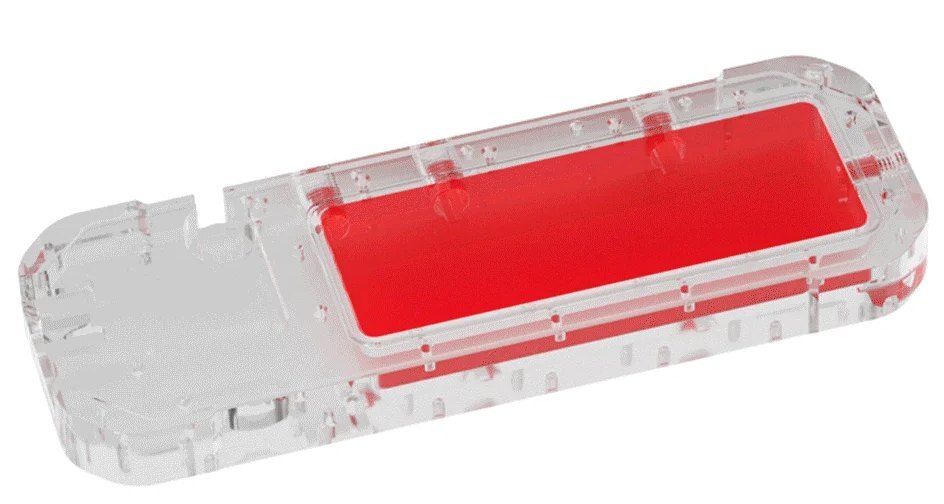
Barrowch illustration of the coolant chamber.
Acrylic coolant chamber
The acrylic body holds coolant for your custom loop. The front display sits in a CNC-machined aluminum alloy panel.
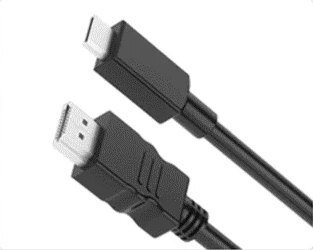
A second display for your PC
Connect the screen’s Mini HDMI input to your PC’s HDMI output with an HDMI to Mini HDMI cable. A separate Micro-USB connection supplies power.
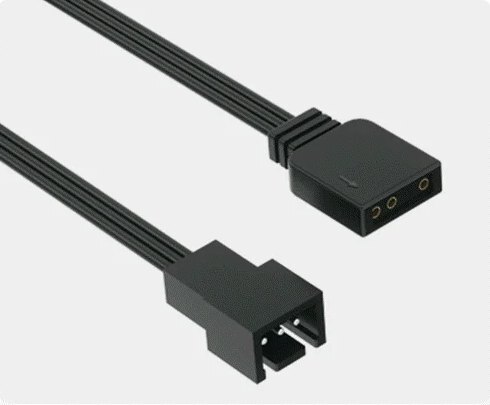
Addressable lighting in the acrylic back
Barrow’s LRC 2.0 lighting shines through the rear and sides of the acrylic body. Use a compatible adapter to connect it to a 5V 3-pin ARGB motherboard header.
Key Specifications
| Model | FBRE2 |
|---|---|
| Reservoir body | Clear acrylic |
| Front panel | CNC-machined aluminum alloy |
| Coolant capacity | 110 mL |
| Coolant ports | 4 × G1/4 |
| Body (L × W × D) | 268.90 × 95 × 37.30 mm |
| Screen | 8.8-inch TFT IPS |
| Resolution | 1920 × 480 pixels |
| Refresh rate | 60 Hz |
| Contrast ratio | 800:1 |
| Video input | Mini HDMI |
| Screen power | 5V Micro-USB |
| Lighting | Barrow LRC 2.0 |
| Motherboard lighting header | 5V 3-pin ARGB via adapter |
| Rear mounting holes | M4 |
| Mounting hole spacing | 78 mm across the rows, 35 mm along each row |
| Black panel | FBRE2_BK |
| Red panel | FBRE2_RD |
| Titanium Gray panel | FBRE2_GY |
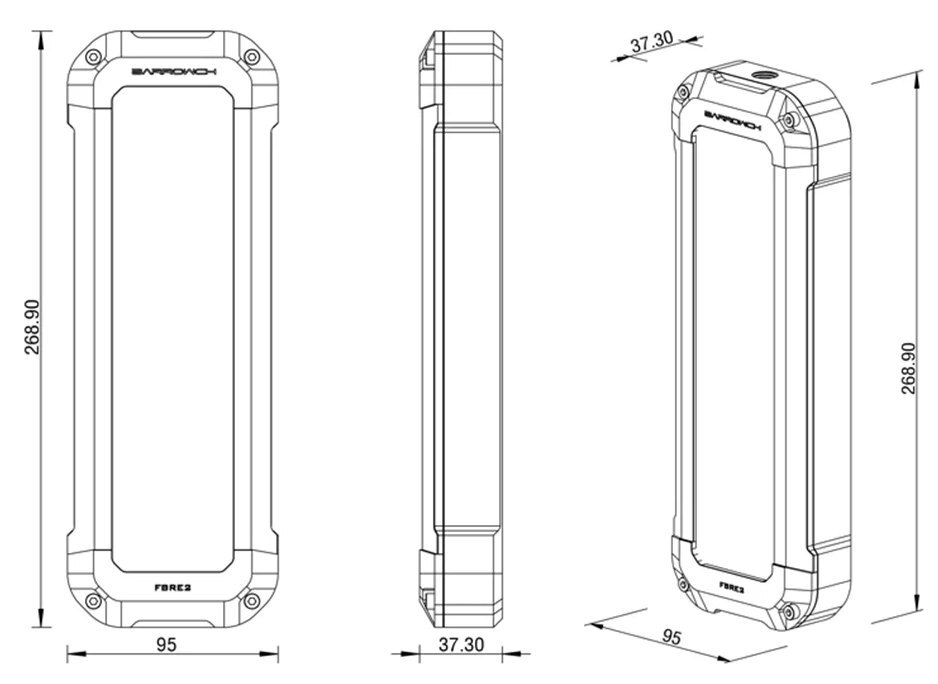
Barrowch dimension drawing. Measurements are in millimeters.
Which Version Do I Need?
What's in the Box
The optional mounting bracket and standalone lighting controller are sold separately.
Installation & Use
For the coolant loop, supply a separate pump, G1/4 fittings, tubing, coolant, and the other components your build requires.
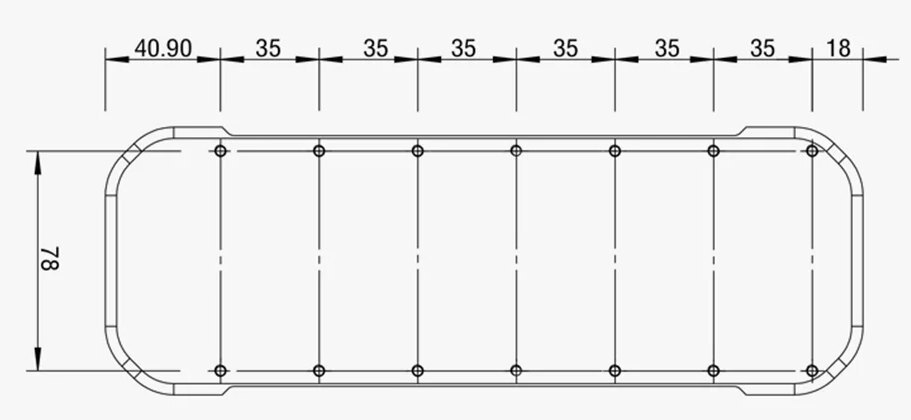
Barrowch rear mounting pattern. Measurements are in millimeters.
FAQ
Does the FBRE2 need a separate pump?
Yes. Use the FBRE2 as the reservoir in a custom water cooling loop with a separate pump.
How do I connect the screen?
Connect it to a spare HDMI output with an HDMI to Mini HDMI cable. The screen also needs 5V power through its Micro-USB port.
Can I display CPU and GPU temperatures?
Yes. AIDA64 SensorPanel runs on your PC and can show CPU and GPU temperatures when those sensors are available. Put the panel on the FBRE2 as you would on a second monitor.
How do I check that it fits my case?
Allow room for the 268.90 × 95 × 37.30 mm body plus fittings and cables. For direct screw mounting, at least three case holes must line up with the reservoir’s rear M4 holes.
Do I need a separate controller for the lighting?
A compatible adapter lets you sync the lighting through a 5V 3-pin ARGB motherboard header. A standalone lighting controller is sold separately.
- In case of product appearance structure upgrade, without further notice, in kind prevail.








