


Barrow


ASUS ROG Hyperion GR701 Waterway Board | Barrow ASSGR701-SDB, G1/4, 5V ARGB
Waterway board for a custom loop in the ROG Hyperion GR701
The Barrow ASSGR701-SDB is an acrylic waterway board for a custom liquid cooling loop in the ASUS ROG Hyperion GR701 case. It brings the tubing runs for the pump, radiators, CPU block, and GPU block together at a single mounting location. The board has a built-in coolant chamber and ports for G1/4 fittings.
Compatibility
Check your case model before ordering.
- ✓ASUS ROG Hyperion GR701
The board mounts vertically between the motherboard tray and the front of the case.
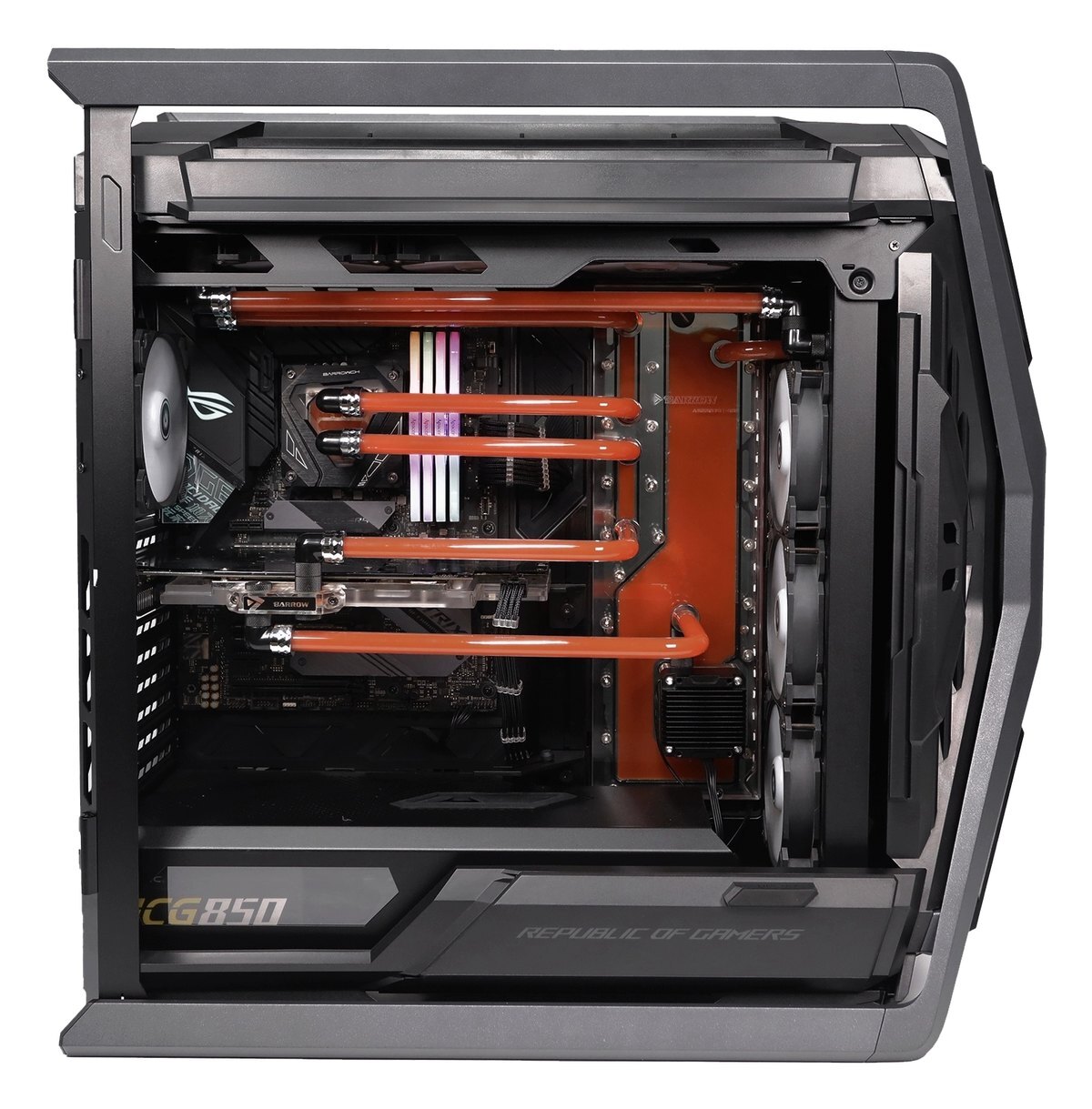
Barrow’s example build shows the board behind the front fans.
Design Highlights
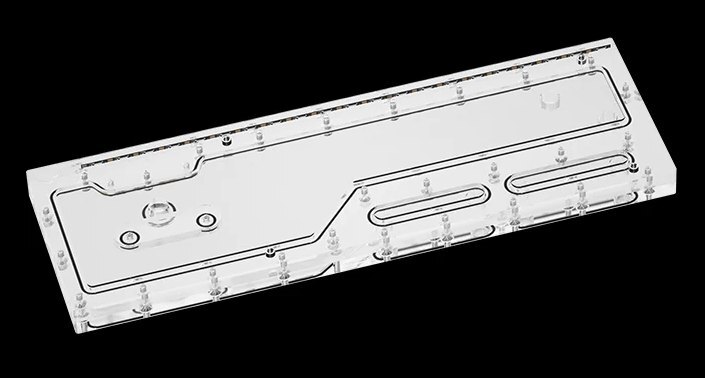
Coolant chamber and channels
The chamber and channels are built into the same plate. Run your tubing from the loop components to the corresponding ports in Barrow’s layout.
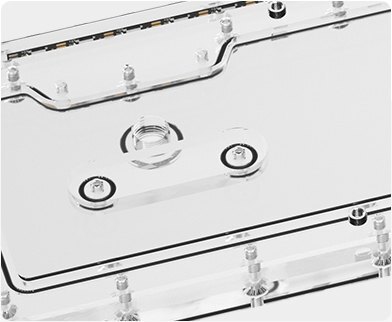
Threaded mounting inserts
Threaded inserts in the rear mounting holes take the case mounting screws and protect the acrylic threads.
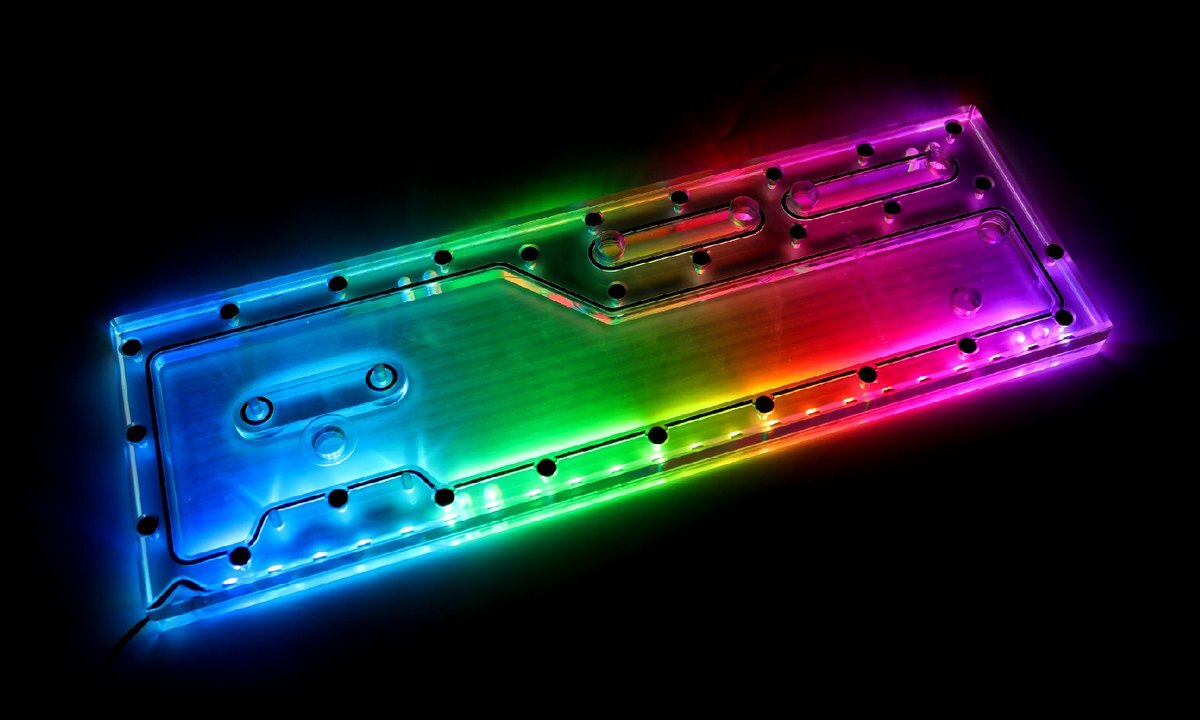
Removable ARGB lighting strip
The LRC 2.0 Aurora strip lights the edge of the plate. Use a Barrow ARGB adapter cable for motherboard control, or choose the manual controller option to adjust the lighting by hand.
Key Specifications
| Manufacturer model | ASSGR701-SDB |
|---|---|
| Plate material | Acrylic |
| Coolant port thread | G1/4 |
| Lighting system | Barrow LRC 2.0 Aurora |
| Motherboard lighting connection | 5V 3-pin ARGB via a Barrow adapter cable |
| Controller options | No Controller or With Manual Controller |
Which Version Do I Need?
Choose by how much of the GR701 loop you want to assemble from separate parts.
What's in the Box
Select “With Manual Controller” to add one manual lighting controller.
Installation & Use
For the setup shown, supply a pump, radiators, CPU and GPU water blocks, tubing, fittings, and coolant separately.
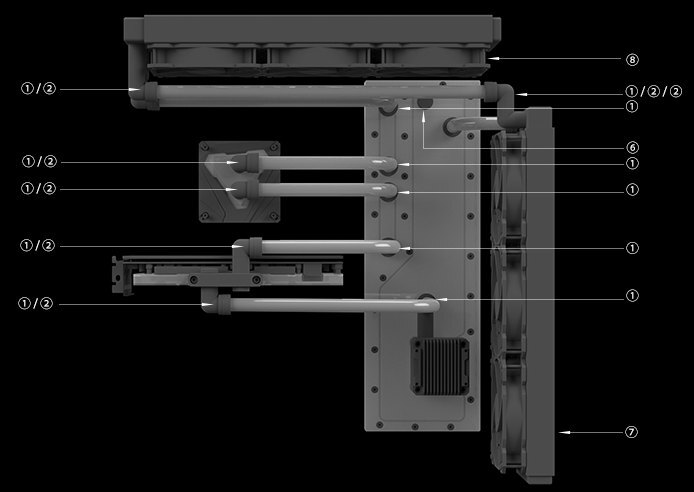
Barrow’s example routing. 1 hard-tube fitting · 2 rotary elbow · 6 vent valve · 7 radiator · 8 fan.
FAQ
Where does the board mount in the GR701?
It mounts vertically between the motherboard tray and the front of the case. Start the screws loosely and tighten them after aligning the tubing.
Which pump should I use?
Barrow’s GR701 layout shows the SPB17-T V2 through-hole pump. Supply it separately with either board option.
Can I control the lights from my motherboard?
Yes. Connect the strip through a Barrow ARGB adapter cable. For motherboard control, use only a 5V 3-pin ARGB header.
What fittings go on the board?
Use G1/4 fittings at the board’s coolant ports.
- As Barrow upgrades or adjusts the contents of the kit from time to time, such as product updates version, model or appearance, adjustments to the layout, etc., If not notified in time, the Barrow's latest real object shall prevail








