


Barrow


XFX RX 9070 XT Water Block for Overseas Ultra 16GB — Barrow BS-XFX9070XT-PA
Full-cover water block for XFX RX 9070 XT Overseas Ultra
The Barrow BS-XFX9070XT-PA replaces the stock air cooler on the XFX Radeon RX 9070 XT 16GB Overseas Ultra for use in a custom liquid cooling loop. Its copper cold plate transfers heat from the GPU core, memory, and power delivery components to the coolant. The included aluminum backplate mounts behind the card.
Compatibility
Barrow lists the black and white XFX Radeon RX 9070 XT 16GB Overseas Ultra cards as compatible. XFX uses the following English names and model numbers.
- ✓Mercury OC Gaming Edition with RGB (black), RX-97TRGBBB9
- ✓Mercury OC White Gaming Edition with RGB, RX-97TRGBBW9
Before ordering, check the model number on your card’s label and verify the PCB layout. Ask us to confirm the fit if your board revision is unclear.
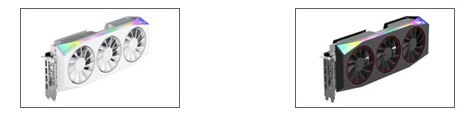
The white card is on the left and the black card on the right. Both photos show the stock air cooler.
Design Highlights
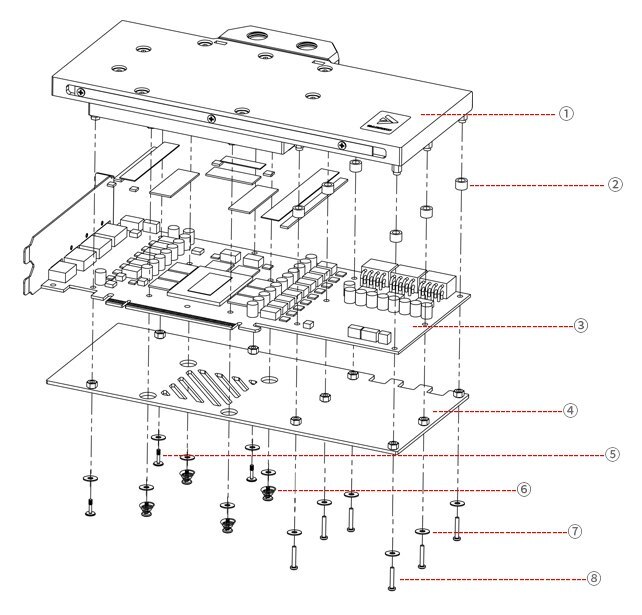
In Barrow’s assembly diagram, labels 1–4 identify the block, spacers, graphics card PCB, and backplate. Labels 5–8 identify the flat-head screws, spring screws, washers, and round-head screws.
How the block mounts
The full-cover block mounts on the component side of the graphics card to cool the GPU core, memory, and power delivery components. The included backplate mounts behind the PCB.
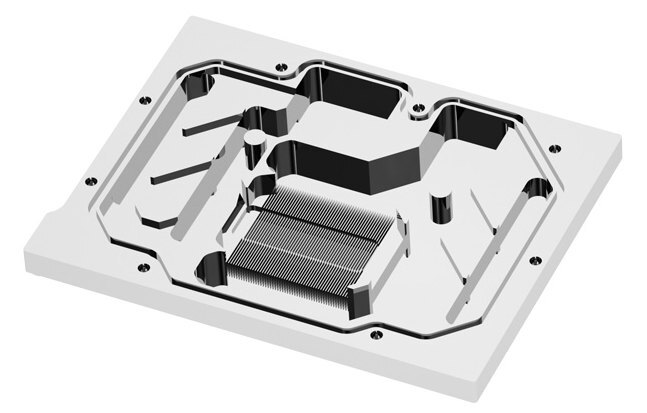
Machined copper with microchannels
Barrow specifies 10 mm copper stock, CNC machining and a nickel-plated finish for this model. Machined microchannels form part of the coolant path.
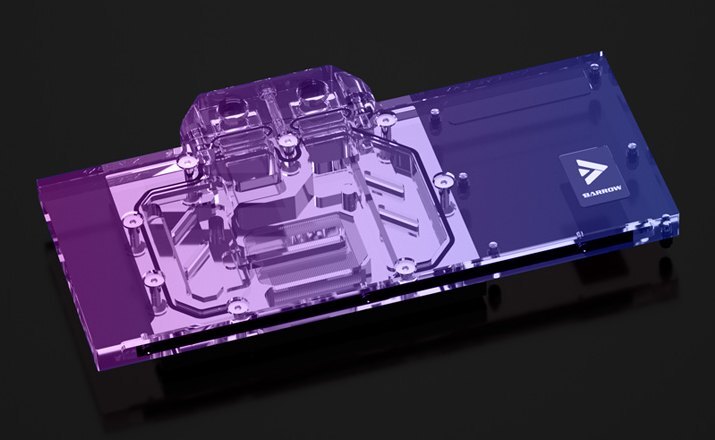
Clear acrylic with 5V ARGB
The clear top shows the coolant channels and the addressable lighting. For motherboard sync, connect the lighting through the included ARGB adapter cable to the motherboard’s 5V 3-pin ARGB header.
Key Specifications
| Model (SKU) | BS-XFX9070XT-PA |
|---|---|
| Cold plate | Copper |
| Top | Clear acrylic |
| Backplate | Aluminum alloy, passive |
| Port thread | G1/4 |
| Block dimensions (L × W × T) | 233 × 123.10 × 24 mm |
| Motherboard lighting header | 5V 3-pin ARGB via adapter |
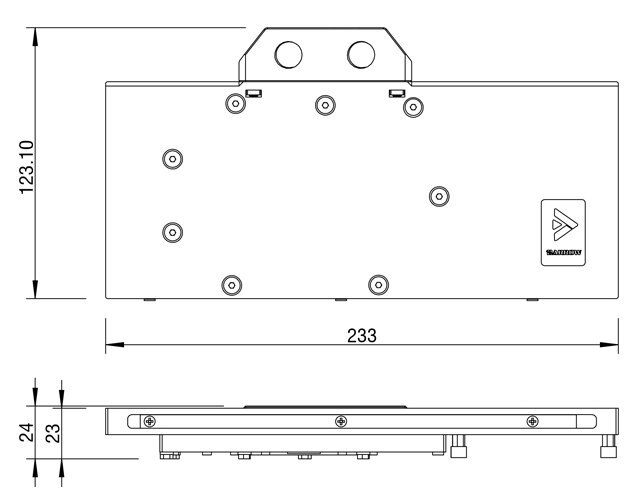
Barrow’s dimension drawing includes the port terminal in the width. The side view shows a maximum thickness of 24 mm.
Which Version Do I Need?
Start with the brand and model number on your card’s label.
What's in the Box
Thermal paste is not included (it cannot be shipped by air). Please use your own thermal paste during installation.
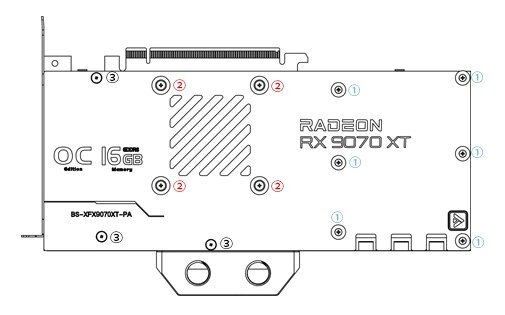
Barrow’s screw placement diagram. Label 1 marks round-head screws, label 2 marks spring screws, and label 3 marks flat-head screws.
Installation & Use
Use this block in a custom cooling loop. A typical setup includes a pump, reservoir, radiator with fans, tubing and coolant. Choose G1/4 fittings that match your tubing.
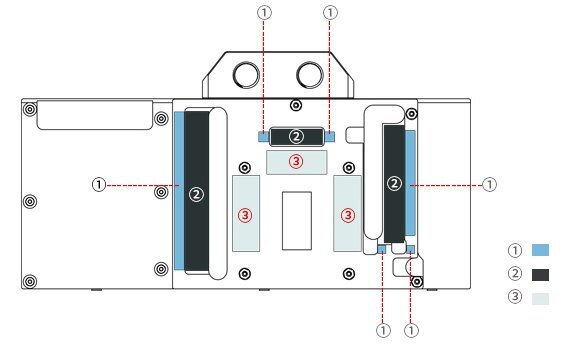
Barrow’s thermal pad diagram. 1 = 1.2 mm (blue). 2 = 0.5 mm (dark gray). 3 = 1.0 mm (light gray).
FAQ
Does this fit my XFX Mercury RX 9070 XT?
Check for RX-97TRGBBB9 or RX-97TRGBBW9 on the card label and verify the PCB layout with us before ordering.
Is a backplate included?
Yes. An aluminum backplate mounts behind the card and stays outside the coolant path.
Do I need to buy fittings separately?
Yes. The block uses G1/4 fittings, which you’ll need to choose to match your tubing. The two included plugs are for unused ports.
Can I connect the lighting to a 12V RGB header?
Use the included ARGB adapter cable with a 5V 3-pin ARGB header. A 12V 4-pin RGB header is incompatible.
- 4. We are not responsible for any damage caused during the use of this product. Please use it at your own risk.
- The copper plate of the water block is machined by a CNC machine tool.








