


Bykski


JONSBO MOD3 Water Cooling Kit – Bykski RGV-JSB-MOD3-P-V3 Distro Plate
A distro plate kit for the JONSBO MOD3
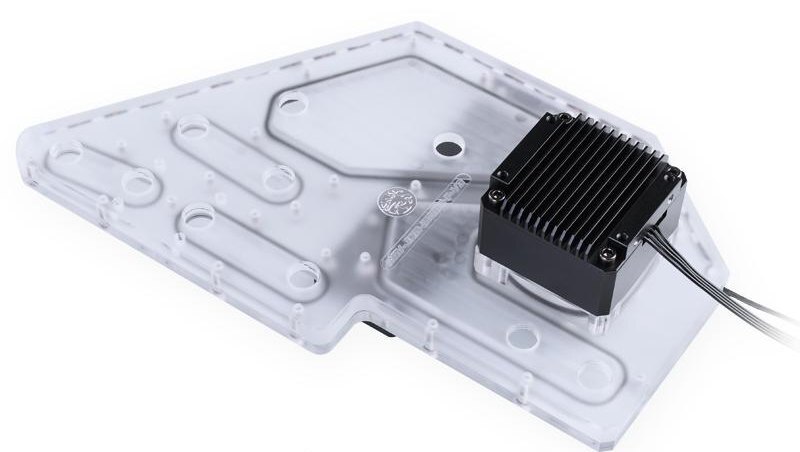
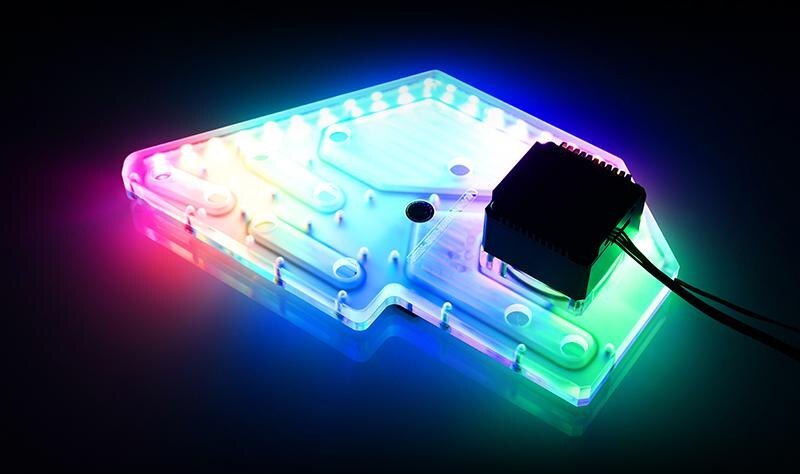
The Bykski RGV-JSB-MOD3-P-V3 is a hard-tube water cooling kit for the original full-size JONSBO MOD3 case. Its clear acrylic distribution plate brings the coolant channels and pump mount together in one panel. The layout gives builders defined connection points for the CPU block, one GPU block, and the radiators.
Compatibility
Match the distribution plate to your chassis.
- ✓JONSBO MOD3 (original full-size case)
Check the case model before ordering. JONSBO lists the MOD-3 Mini as a separate model.
Before ordering, confirm which CPU block and mounting hardware will fit your CPU socket. Have your graphics card’s exact model and PCB revision ready to check GPU block compatibility.
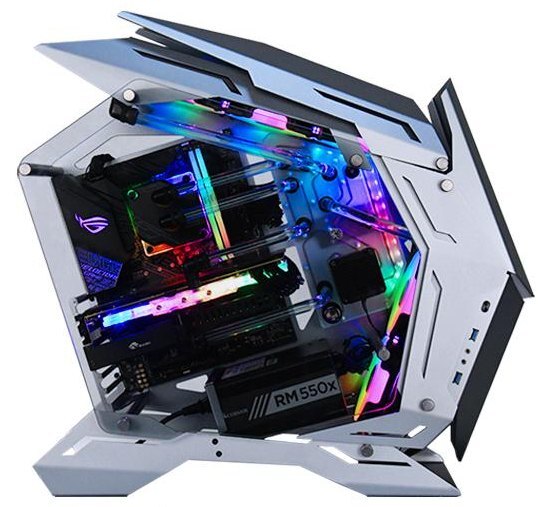
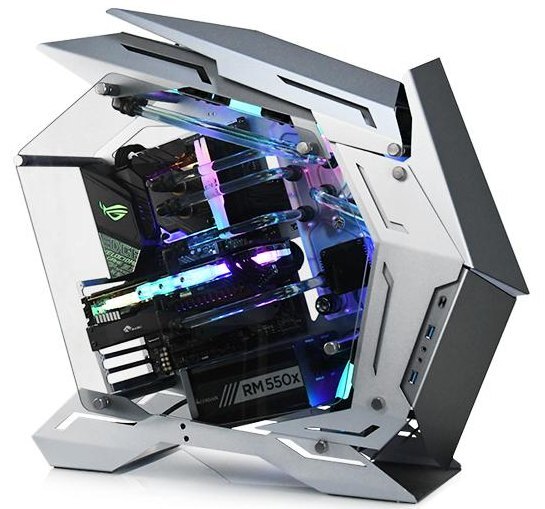
Example build in the original MOD3 case.
Design Highlights
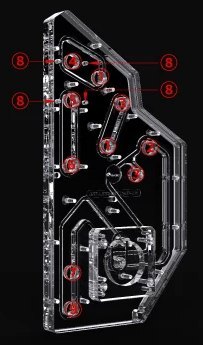
Separate ports for routing, filling, and draining
Use Bykski’s port diagram to plan the hard-tube runs and leave access to the fill and drain ports.
Port map
1 radiator connection · 2 fill and vent · 3 radiator connection · 4 CPU outlet · 5 CPU inlet · 6 GPU outlet · 7 GPU inlet · 8 adjustment module mounts · 9 drain.
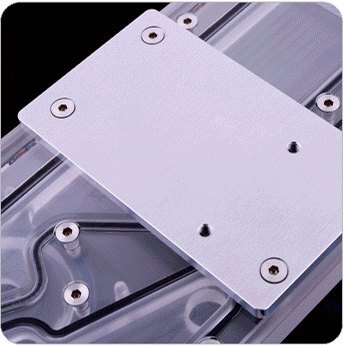
Aluminum mounting plate
The case mounting screws thread into the aluminum plate on the back of the acrylic assembly. Use the specified mounting screws when attaching the plate to the chassis.
Key Specifications
| Distro plate model | RGV-JSB-MOD3-P-V3 |
|---|---|
| Plate construction | Clear acrylic with an aluminum mounting plate |
| Port thread | G1/4 |
| Pump mount | DDC |
| Bykski’s example lighting interface | 5V 3-pin ARGB (Bykski RBW) |
| Bykski’s example tubing | 14 mm OD hard tubing |
| Bykski’s example radiator layout | 360 mm top and 240 mm front |
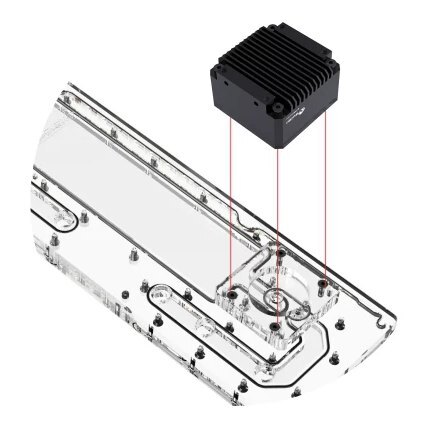
Bykski’s drawing shows how the pump seats on the plate.
Which Version Do I Need?
Choose the kit that matches the model on your JONSBO case.
What's in the Box
Contact us before ordering to confirm the current kit configuration. After ordering, contact us to confirm your graphics card model so we can match the GPU block. Supply your own case and coolant.
Installation & Use
Have compatible coolant and hard-tube cutting and deburring tools ready.
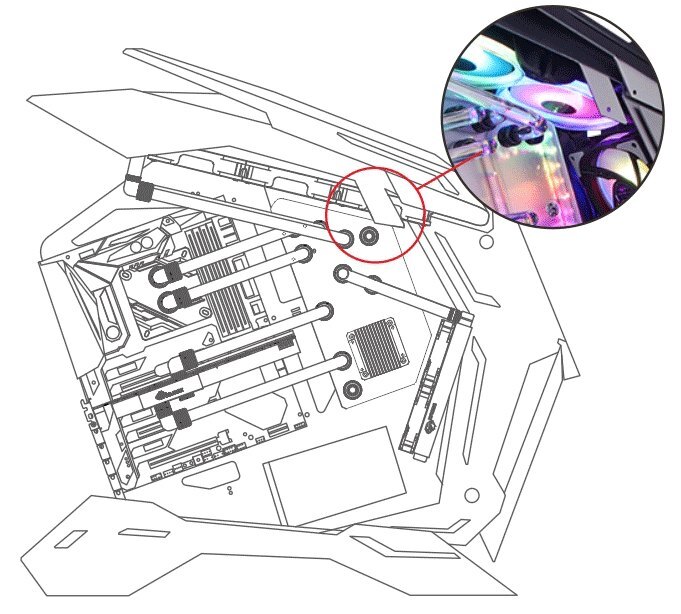
Remove the circled chassis bracket to make room for the plate.
FAQ
Which JONSBO MOD3 case does this kit fit?
Bykski specifies the original full-size JONSBO MOD-3. Check the model marked on your case before ordering.
Does the kit come with the case or coolant?
Supply your own case and coolant. The build photos show how the loop can look inside the MOD3.
How do I connect the included ARGB adapter cable?
Use a matching 5V 3-pin motherboard header and align the connector’s arrow with the 5V pin.
How do I check water block compatibility?
Use your CPU socket to check CPU block and mounting hardware compatibility before ordering. After ordering, contact us with your graphics card’s exact model and PCB revision so we can match the included GPU block.
Product Gallery
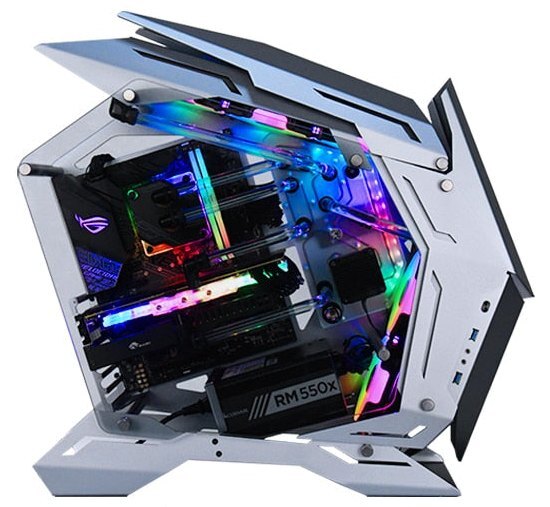
- The program kit, which only include the products in the corresponding program kit list. The products such as case, RAM blocks, motherboard etc. outside the list, only for reference and display. The kit's actual installation results will vary depending on progarm and case, builder ideas, etc.
- As Bykski upgrades or adjusts the contents of the kit from time to time, such as product updates version, model or appearance, adjustments to the kit list, etc., If not notified in time, the Bykski's latest real object and the newest list shall prevail








