


Bykski


GPU Thermometer Terminal for Water Blocks, Bykski G1/4 Color LCD
Digital coolant thermometer for GPU water blocks
This Bykski digital thermometer replaces the stock fitting terminal on a compatible Bykski GPU water block. Its built-in sensor reads the coolant temperature at the terminal, and the color LCD shows the reading in Celsius as the loop runs. The terminal accepts standard G1/4 fittings for connecting it to your cooling loop.
Fits / Use With
Bykski lists these water block models among the compatible examples.
- ✓N-RTX2080TI-X
- ✓N-TESLA-P100-X
- ✓N-RTX5000-X
Check the exact model of your water block and the clearance around its terminal before ordering.
Key Specifications
| Part type | Replacement GPU water block terminal |
|---|---|
| Display | Color LCD |
| Reading | Real-time coolant temperature in °C |
| Fitting thread | G1/4 |
| Material options | Clear acrylic or black POM |
What's in the Box
Installation & Use
Terminal Installation Examples
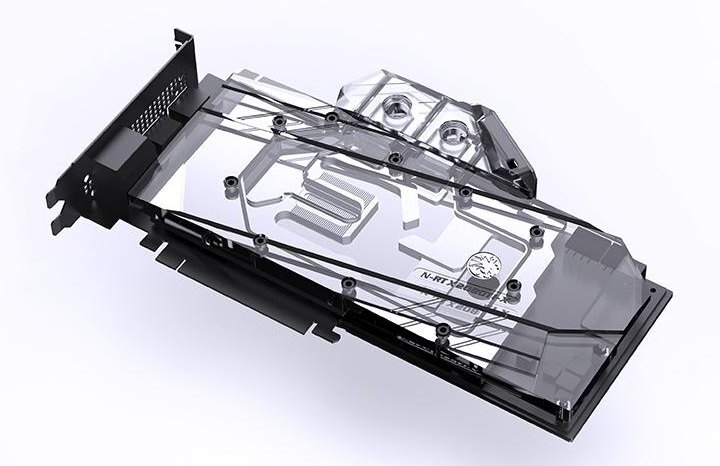
Installation example with a clear terminal.
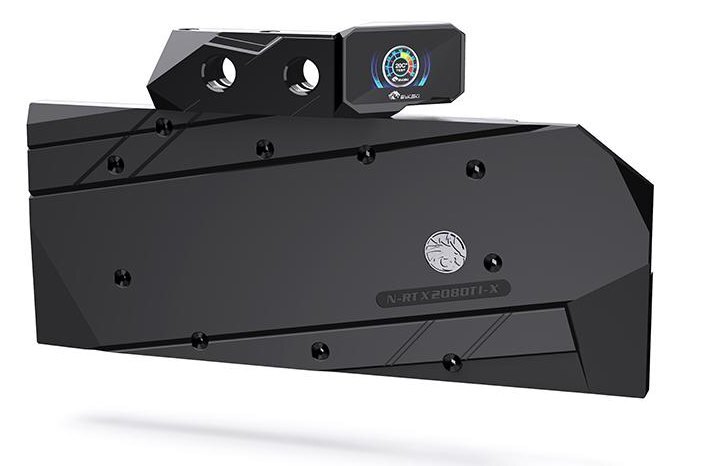
Installation example with a black terminal.
FAQ
What temperature does this GPU thermometer show?
The LCD shows the temperature of the coolant passing through the terminal, in degrees Celsius.
How do I check whether it fits?
Use your Bykski water block’s exact model number and check the space around its terminal. Use G1/4 fittings to connect the tubing.
- Bykski recommends leak-testing the loop for 24 hours after installation.








