


Bykski


FBFT08 G1/4 OLED Flow Meter with Overheat Alarm & Shutdown | Barrowch
See coolant temperature and flow at a glance
The Barrowch FBFT08 is an inline OLED flow meter and temperature sensor for a custom PC water cooling loop. Its G1/4 ports connect to the loop, and its screen shows coolant temperature and flow at the same time. Set a coolant temperature threshold to sound an alarm or trigger PC shutdown with the power-switch connection.
Fits / Use with
- ✓Custom PC water cooling loop with G1/4 male fittings.
- ✓Motherboard FAN header that can supply a steady 12 V.
- ✓Motherboard front-panel power-switch pins (PWR_SW) for automatic shutdown.
Choose fittings that fit your tubing and leave clearance for the ports, rear plug, and top buttons.
Design Highlights
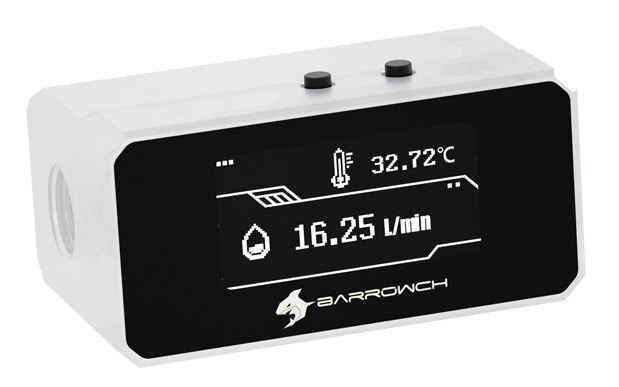
Example screen readings.
Temperature and flow on one screen
Read coolant temperature in °C and flow in L/min without switching between screens.
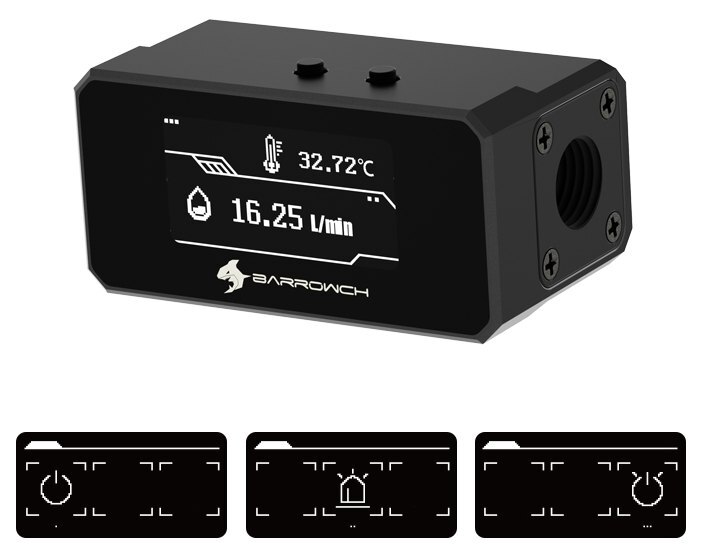
Mode icons shown in order from 1 to 3.
Choose what happens when coolant overheats
When coolant passes your set temperature, the meter acts according to the mode you select.
- Mode 1 shuts down the PC automatically.
- Mode 2 sounds the buzzer.
- Mode 3 sounds the buzzer and shuts down the PC after 60 seconds.
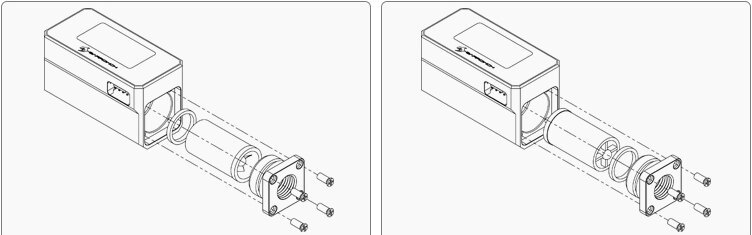
Reverse the inlet to suit your tubing route
Facing the display, the factory inlet is on the right and the outlet is on the left. To swap sides, remove the end cap, reverse the impeller and round washer as shown, then reinstall the cap.
Key Specifications
| Model (SKU) | Barrowch FBFT08 |
|---|---|
| Coolant ports | 2 × G1/4 female |
| Housing | POM body and aluminum faceplate |
| Body (W × D × H) | 64 × 36 × 31.2 mm |
| Body weight | 78.1 g (black sample shown by Barrowch) |
| Display | 1.54-inch OLED |
| Readouts | Coolant temperature (°C) and flow (L/min) |
| Power input | Stable 12 V via motherboard FAN header at Full Speed |
| Overheat setpoint adjustment | 0–99 °C |
| Colors | Black (FBFT08_BK), white (FBFT08_WT) |
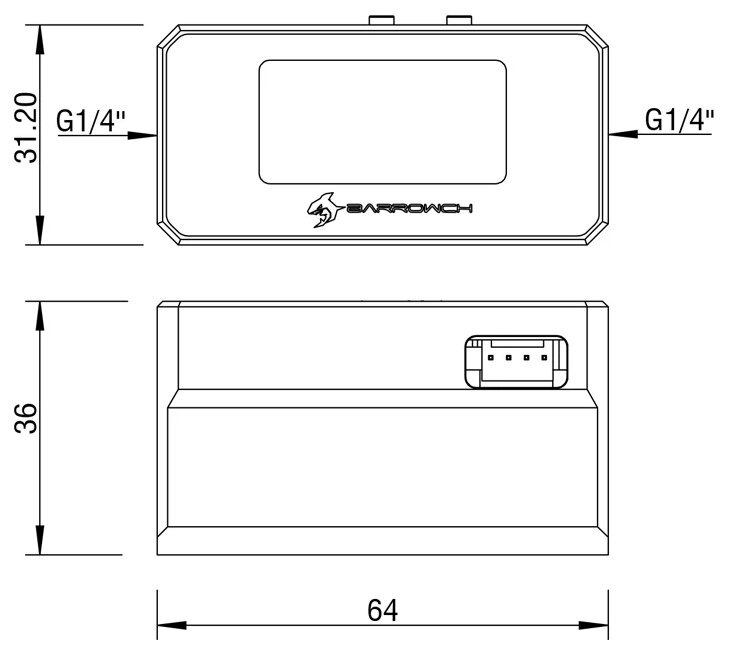
Manufacturer drawing. Dimensions in millimeters.
Which Version Do I Need?
What's in the Box
The optional external controller is sold separately.
Installation & Use
You’ll need G1/4 fittings matched to your loop tubing.
1 Monitor · 2 Motherboard FAN header · 3 Motherboard PWR_SW pins · 4 Case power-switch lead.
FAQ
How do I connect the FBFT08 for automatic shutdown?
You’ll need the FBFT08 wiring harness for this setup. With the monitor disconnected, set the FAN header to Full Speed in BIOS for a steady 12 V. Shut down the PC, connect the harness to the monitor, FAN header, and PWR_SW pins, then plug the case power-switch lead into the harness pass-through before powering on.
Can I feed coolant in from the left?
Yes. The factory setup is right in and left out when you face the screen. Reverse the internal impeller and round washer to make the left port the inlet.
Can I cancel a pending shutdown?
In Mode 3, press A during the 60-second delay to cancel shutdown. Set the warning temperature again after the protection mode triggers.
Does the 0–99 °C range refer to the alarm setting?
Yes. That is the adjustment range for the overheat threshold.
- Avoid pressing hard on the OLED screen.
- In case of product appearance structure upgrade, without further notice, in kind prevail.








