

Barrow


ASUS TUF / ROG Strix RTX 4090 Water Block with Backplate | Barrow BS-AST4090-PA
Full-cover water block for ASUS TUF and ROG Strix RTX 4090
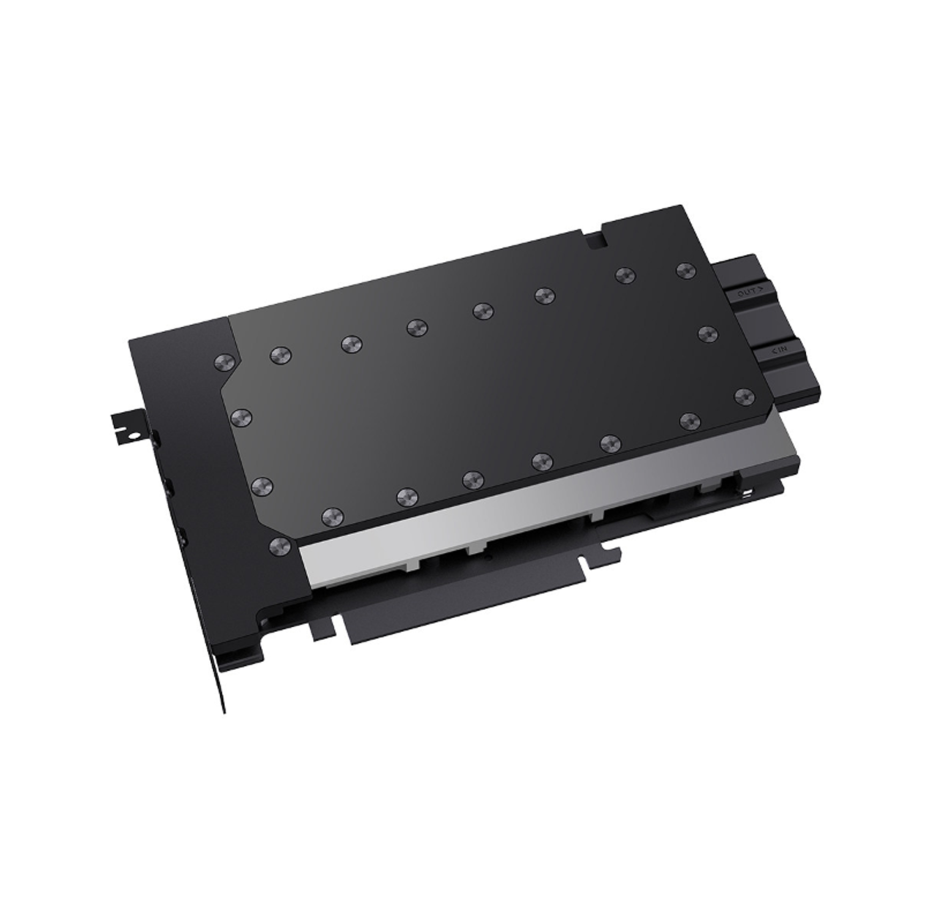
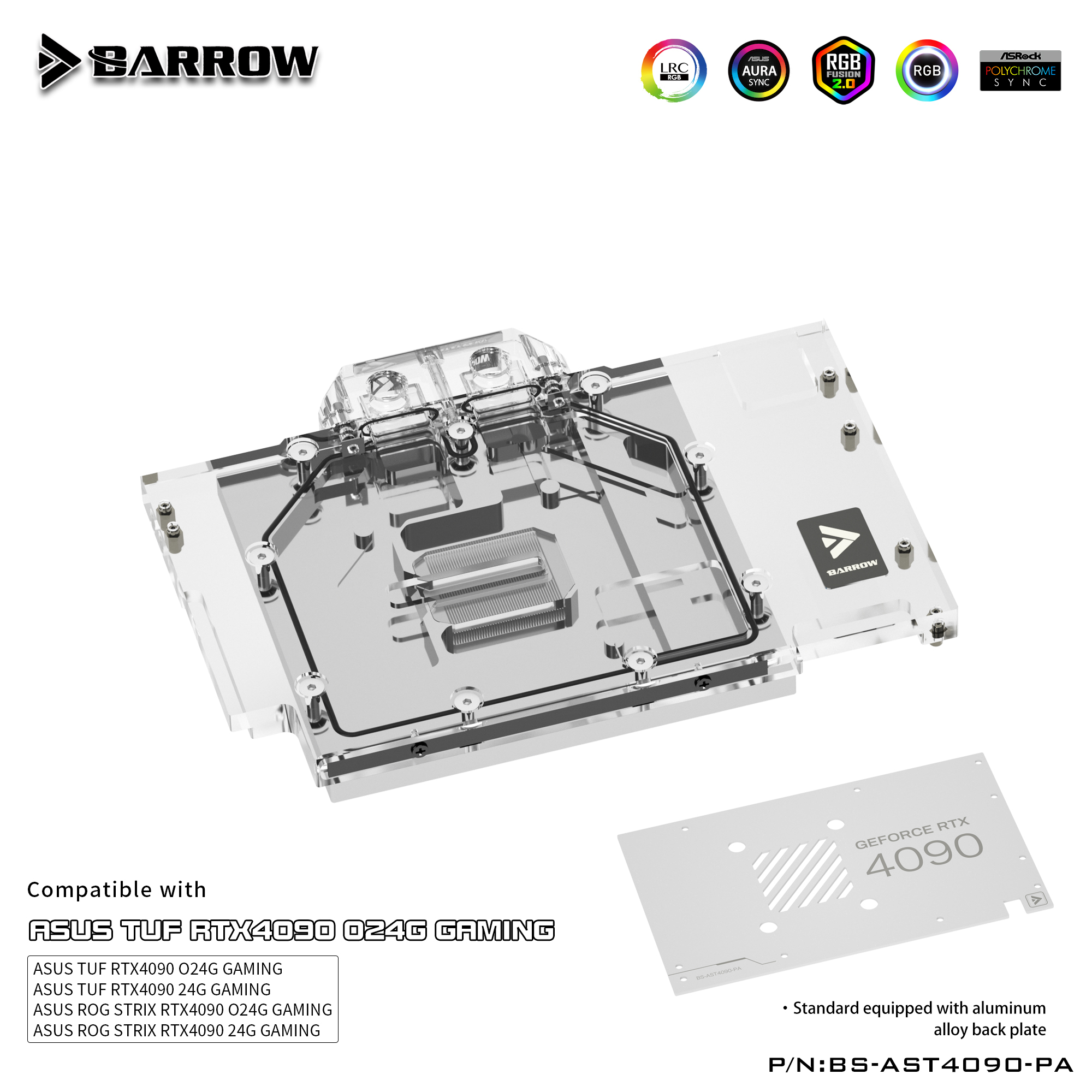
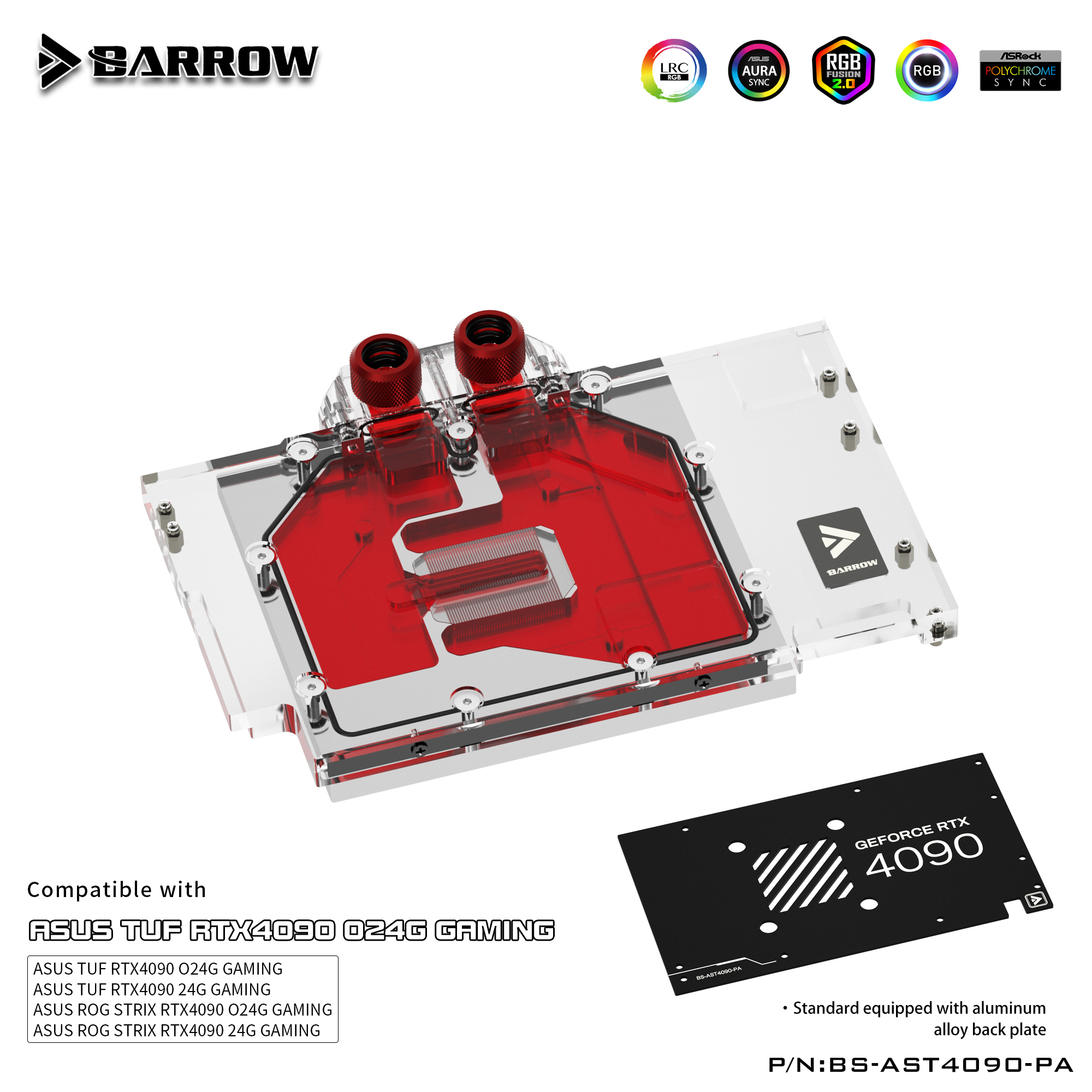
The Barrow BS-AST4090-PA replaces the stock cooler on supported ASUS TUF and ROG Strix GeForce RTX 4090 cards. It connects to a custom liquid cooling loop through G1/4 ports and cools the GPU core, memory, and power delivery components. An aluminum backplate mounts behind the graphics card PCB.
Compatibility
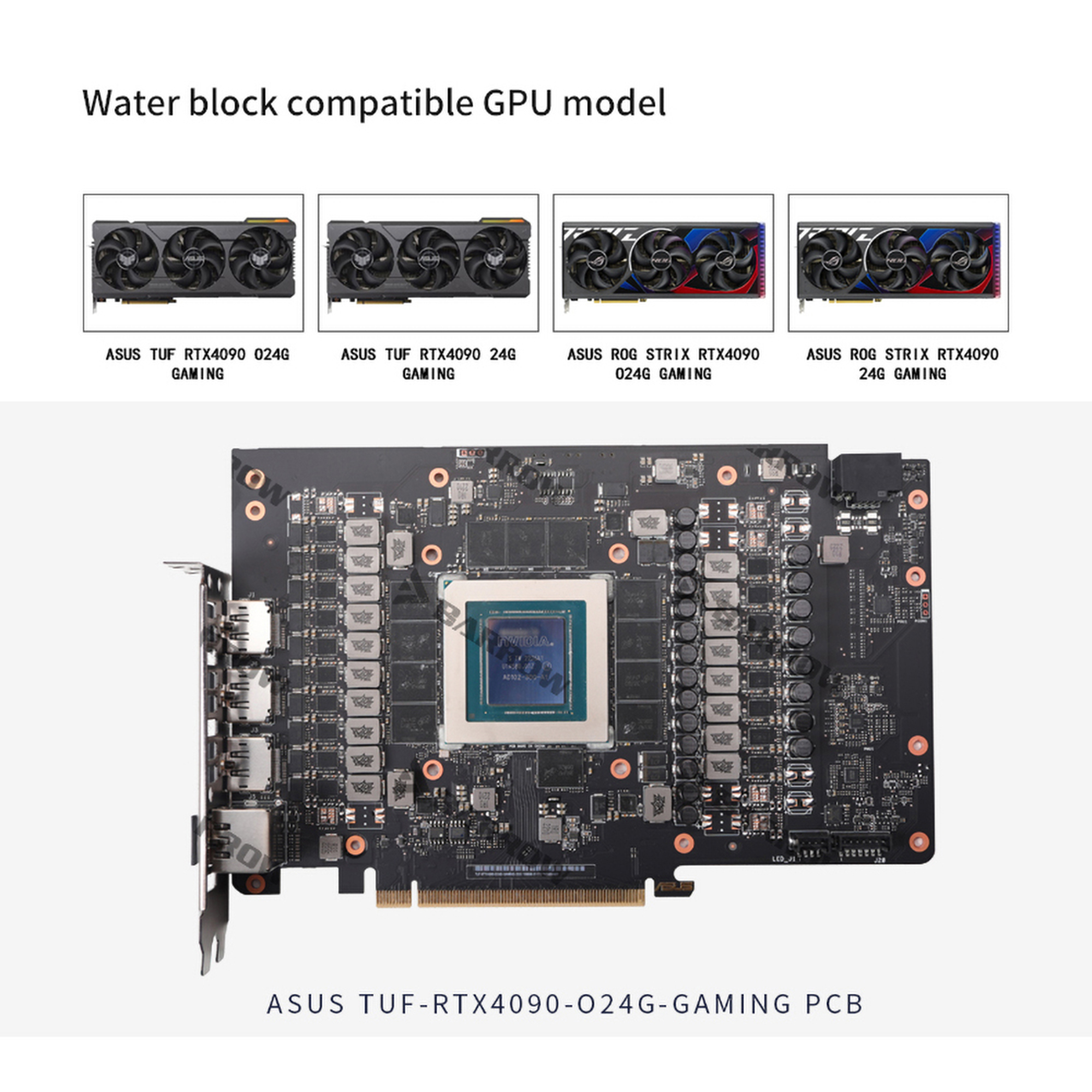
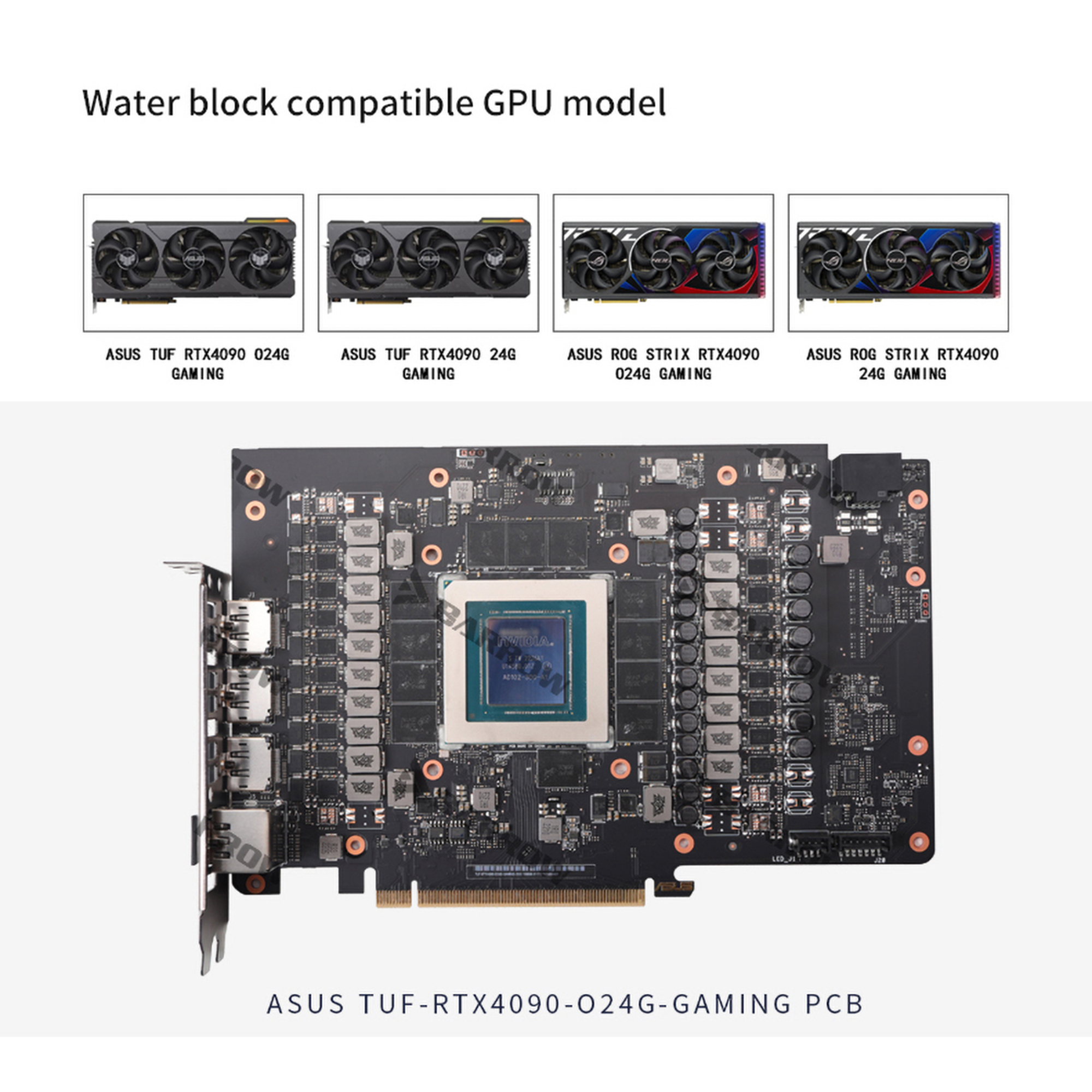
Barrow lists these four ASUS card models.
- ✓ASUS TUF-RTX4090-O24G-GAMING
- ✓ASUS TUF-RTX4090-24G-GAMING
- ✓ASUS ROG-STRIX-RTX4090-O24G-GAMING
- ✓ASUS ROG-STRIX-RTX4090-24G-GAMING
Before ordering, check the full model code on your card and verify its PCB layout with Barrow.
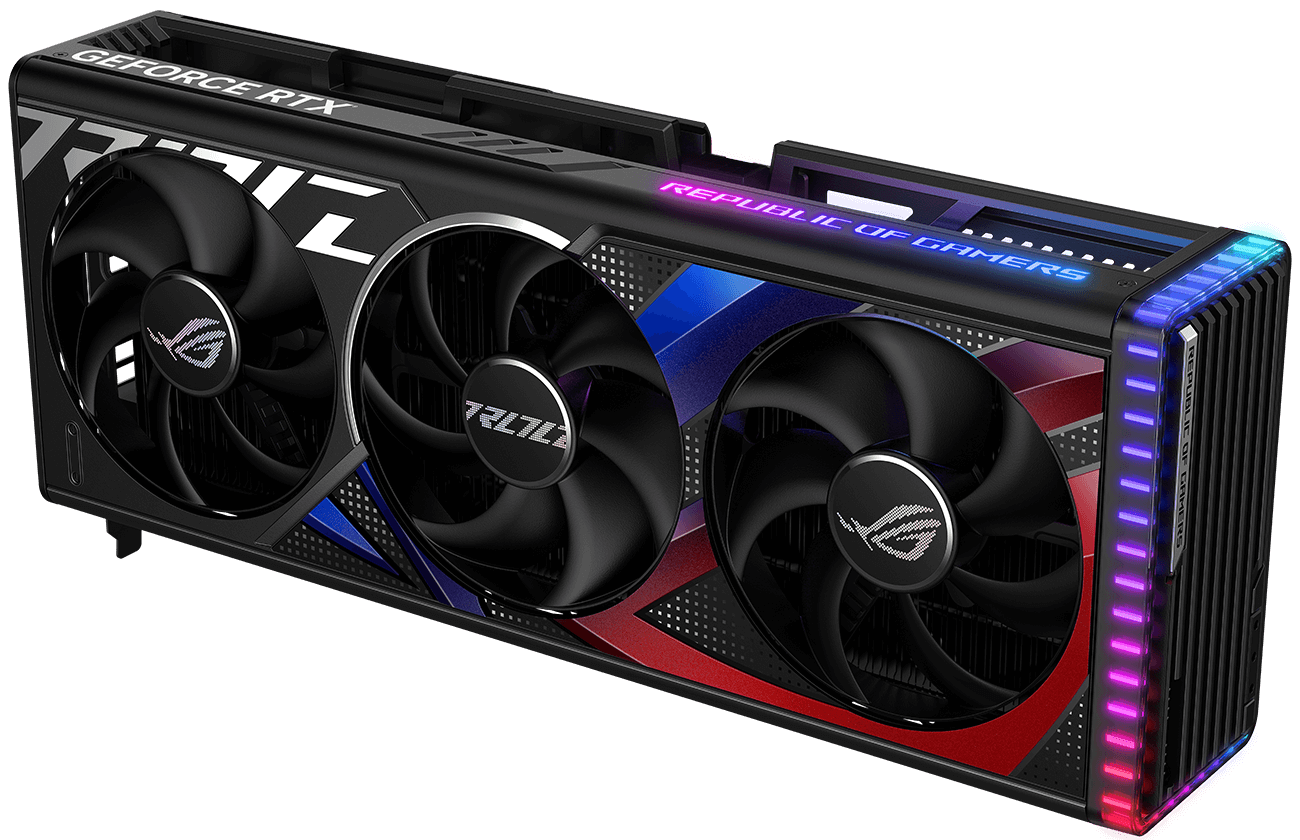
ASUS ROG-STRIX-RTX4090-O24G-GAMING with its stock cooler.
Key Specifications
| Model | BS-AST4090-PA |
|---|---|
| Cold plate | Copper |
| Top | Clear acrylic |
| Backplate | Aluminum alloy, black or white |
| Dimensions (L × W × max. T) | 217.2 × 156.8 × 23.9 mm |
| Port thread | G1/4 inlet and outlet |
| Lighting | Barrow LRC 2.0 ARGB |
| Motherboard sync | 5 V 3-pin ARGB via the sync cable |
What's in the Box
Thermal paste is not included (it cannot be shipped by air). Please use your own thermal paste during installation.
Installation & Use
Have a custom liquid cooling loop, tubing, and G1/4 loop fittings ready.
FAQ
How do I check whether my TUF or Strix RTX 4090 fits?
Match the full model code to Barrow’s compatibility list above and verify the PCB layout before ordering.
Which fittings do I need?
Use G1/4 fittings that match your loop tubing. Two G1/4 stop plugs are included.
Which motherboard header can I use to sync the lighting?
Use the sync cable with a 5 V 3-pin ARGB header. Keep it off 12 V 4-pin RGB headers.
- 2. This is a repair or replacement-only item. Returns are not accepted in principle on compatibility issues or if the block has had water/fluid run through it.
- 3. The manufacturer reserves the right to alter the block design to expand compatibility or upgrade/modify the product. The delivered item may not 100% match the pictured item.
- 4. Not responsible for any damage caused by or when using this product. Please use it at your own risk.