


Barrow


RX 7900 XTX Water Block for Gigabyte AORUS Elite, Gaming and RX 7900 XT Gaming | Barrow BS-AMD7900XTX-PA
Full-cover water block for Gigabyte RX 7900 XTX and RX 7900 XT
The Barrow BS-AMD7900XTX-PA is a full-cover water block for select Gigabyte Radeon RX 7900 XTX and RX 7900 XT graphics cards. It replaces the factory cooler and transfers heat from the GPU, memory, and voltage regulators to the coolant in a custom liquid cooling loop.
Compatibility
Barrow lists the following Gigabyte cards.
- ✓AORUS Radeon RX 7900 XTX ELITE 24G
GV-R79XTXAORUS E-24GD - ✓Radeon RX 7900 XTX GAMING 24G
GV-R79XTXGAMING-24GD - ✓Radeon RX 7900 XTX GAMING OC 24G
GV-R79XTXGAMING OC-24GD - ✓Radeon RX 7900 XT GAMING 20G
GV-R79XTGAMING-20GD - ✓Radeon RX 7900 XT GAMING OC 20G
GV-R79XTGAMING OC-20GD
Before ordering, check the full model number and verify that your card’s PCB layout matches the one Barrow supports.
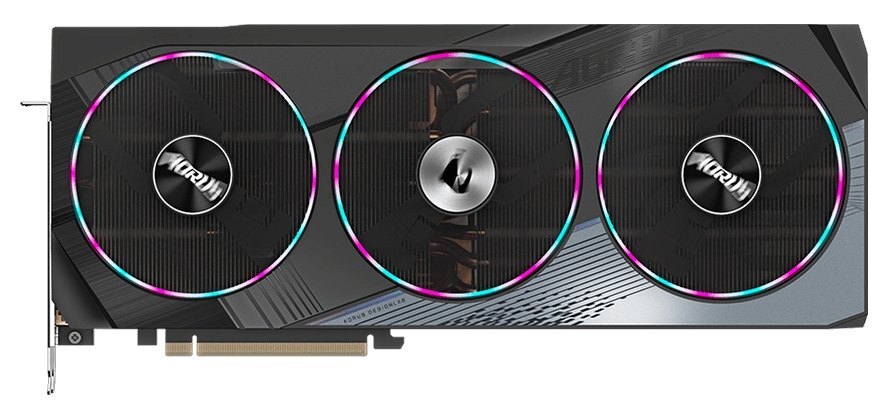
Gigabyte’s AORUS Radeon RX 7900 XTX ELITE 24G, shown for card identification.
Design Highlights
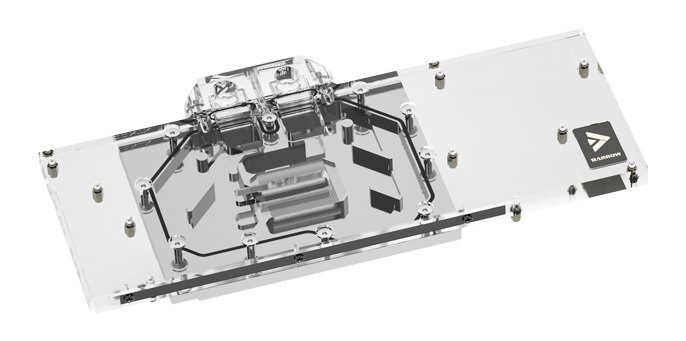
Full-cover cooling
The nickel-plated copper cold plate cools the GPU, memory, and voltage regulators. The clear acrylic top lets you see the coolant path.
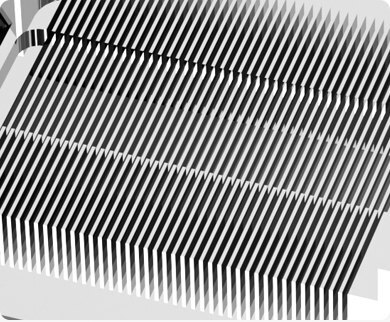
Up to 43 microchannels over the GPU
Coolant passes through the fine channels in the cold plate, increasing the surface area in contact with the liquid.
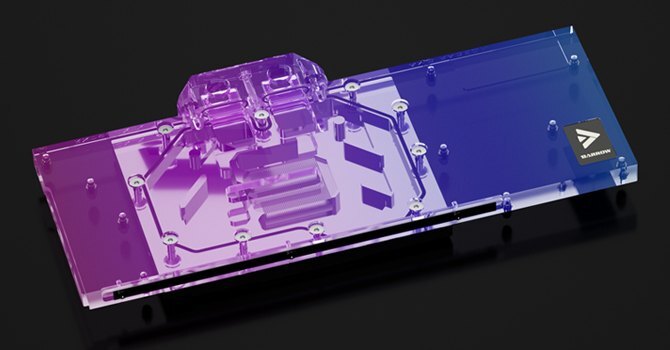
Addressable lighting
The LEDs light up the clear block. For motherboard synchronization, use the included lighting adapter to connect to a 5V 3-pin ARGB header.
Key Specifications
| Model | BS-AMD7900XTX-PA |
|---|---|
| Cold plate | Nickel-plated copper |
| Top | Clear acrylic |
| Backplate | Aluminum alloy |
| Backplate colors | Black or white |
| Block dimensions (L × W × T) | 289 × 132.90 × 23.70 mm |
| Inlet and outlet thread | G1/4 |
| Microchannels | Up to 43 |
| Lighting | Barrow LRC 2.0 ARGB, 5V 3-pin motherboard connection via the included adapter |
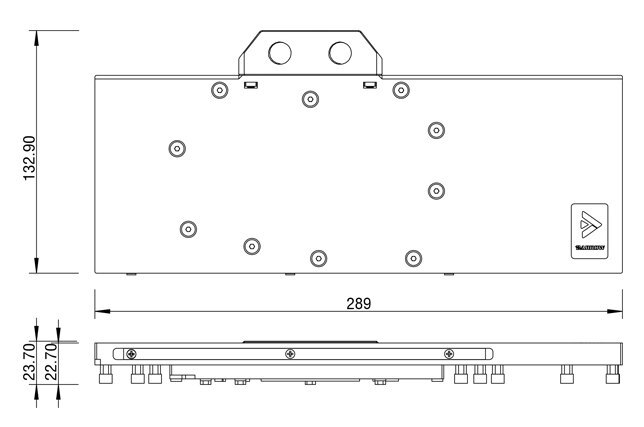
Barrow water block drawing. Dimensions are in millimeters.
Which Version Do I Need?
Start with the model number on your graphics card.
What's in the Box
Thermal paste is not included (it cannot be shipped by air). Please use your own thermal paste during installation.
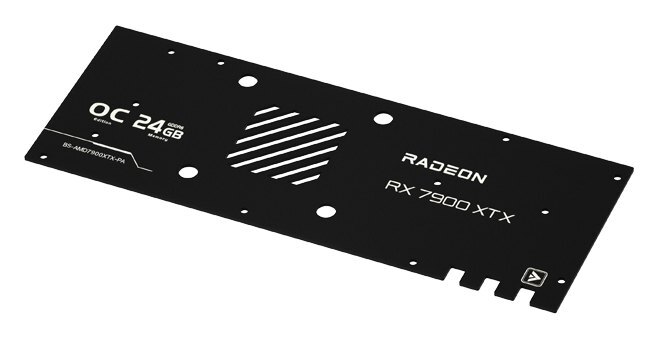
Included aluminum backplate, black option shown.
Installation & Use
A typical custom loop uses a pump, reservoir, radiator with fans, tubing, fittings, and coolant. Choose G1/4 fittings for this block that match your tubing.
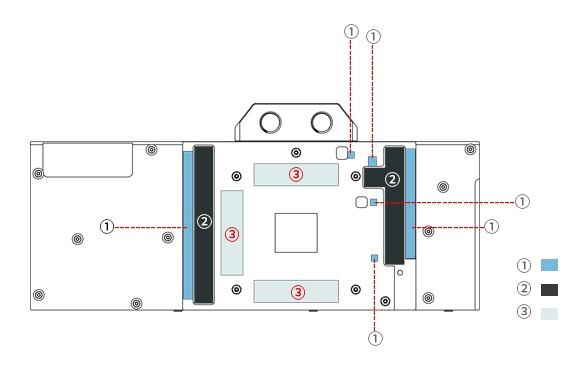
Barrow thermal pad map. ① 1.2 mm, ② 0.5 mm, ③ 1.0 mm.
FAQ
Will it fit a Gigabyte RX 7900 XT?
Barrow lists the Radeon RX 7900 XT GAMING 20G and GAMING OC 20G. Check your full card model and PCB layout before ordering.
Is this a complete RX 7900 XTX water cooling kit?
This is the GPU water block for a custom loop.
Do I need separate tube fittings?
Yes. Choose G1/4 fittings that match your tubing. The included stop plugs close unused ports.
Which RGB header should I use?
Connect through the included adapter to a 5V 3-pin ARGB header. A 12V 4-pin RGB header is incompatible.
- This is a repair or replacement-only item. Returns are not accepted in principle on compatibility issues or if the block has had water/fluid run through it.
- The manufacturer reserves the right to alter the block design to expand compatibility or upgrade/modify the product. The delivered item may not 100% match the pictured item.
- Not responsible for any damage caused by or when using this product. Please use it at your own risk.








