


Barrow


ZOTAC RTX 4090 Water Block with Backplate for Trinity OC and AMP Extreme AIRO | Barrow BS-AIC4090-PA
Full-Cover GPU Water Block with Backplate
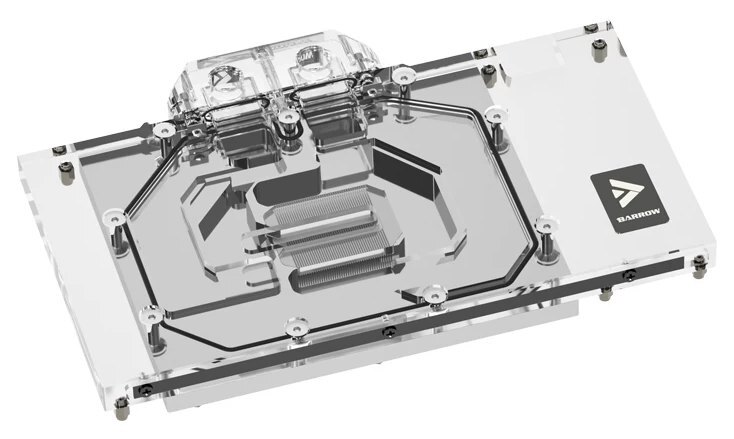
The Barrow BS-AIC4090-PA replaces the stock cooler on supported ZOTAC and Manli RTX 4090 cards so they can run in a custom liquid-cooling loop. Its copper cold plate draws heat from the GPU core, memory, and power delivery components. The block has a clear acrylic top and comes with a black or white aluminum backplate.
Compatibility
Graphics cards listed by Barrow for BS-AIC4090-PA
- ✓ZOTAC GeForce RTX 4090 Trinity OC (ZT-D40900J-10P)
- ✓ZOTAC GeForce RTX 4090 AMP Extreme AIRO (ZT-D40900B-10P)
- ✓ZOTAC GeForce RTX 4090 AMP Extreme AIRO White Edition (ZT-D40900K-10P)
- ✓ZOTAC GeForce RTX 4090 Aurora OC (天启 OC)
- ✓ZOTAC GeForce RTX 4090 D PGF
- ✓Manli GeForce RTX 4090 Gallardo
Check your exact card model and PCB layout against Barrow’s compatibility information before ordering.

Four of the compatible ZOTAC cards, shown with their stock coolers.
Key Specifications
| Model | BS-AIC4090-PA |
|---|---|
| Cold plate | Copper |
| Top | Clear acrylic |
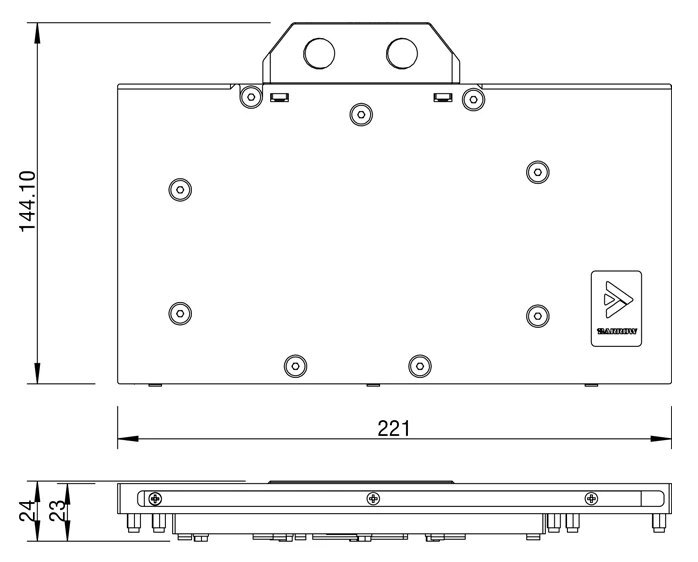
| Block dimensions | 221 × 144.1 × 24 mm (L × W × max. thickness) |
| Port thread | G1/4 |
| Backplate | Passive aluminum alloy, black or white |
| Lighting | Barrow LRC 2.0. Connects to a 5 V, 3-pin ARGB motherboard header via a sync adapter cable. |
What's in the Box
A light controller or light sync cable is included only if you select the corresponding add-on option.
Thermal paste is not included (it cannot be shipped by air). Please use your own thermal paste during installation.
Installation & Use
You’ll need a custom liquid-cooling loop and G1/4 fittings sized for your tubing.
FAQ
Does the 4090 water block include a backplate?
Yes. It includes a passive aluminum backplate in your choice of black or white.
How thick is the block?
Barrow’s drawing shows a maximum block thickness of 24 mm.
How do I connect the lighting to my motherboard?
Connect the sync adapter cable only to a 5 V, 3-pin ARGB header. The cable is an add-on option.
- This is a repair or replacement-only item. Returns are not accepted in principle on compatibility issues or if the block has had water/fluid run through it.
- The manufacturer reserves the right to alter the block design to expand compatibility or upgrade/modify the product. The delivered item may not 100% match the pictured item.
- Not responsible for any damage caused by or when using this product. Please use it at your own risk.








