


Bykski


ZOTAC RTX 3090 Trinity OC Water Block with Active Backplate | Bykski N-ST3090XG-TC-V2
Full-cover GPU water block with an active backplate
The Bykski N-ST3090XG-TC-V2 is a full-cover GPU water block kit for listed ZOTAC graphics cards, including the GeForce RTX 3090 Trinity OC. The front block replaces the stock cooler, and the bridge routes coolant through the active backplate to cool the back of the card.
Compatibility
Bykski lists these ZOTAC GeForce models for the TC-V2. Its reference image shows a short PCB with two 8-pin PCIe power sockets.
- ✓RTX 3090-24G6X X-GAMING OC
- ✓RTX 3090 Trinity OC (ZT-A30900J-10P)
- ✓RTX 3080 Ti-12G6X X-GAMING OC
- ✓RTX 3080 Ti Trinity OC (ZT-A30810J-10P)
- ✓RTX 3080 Ti AMP Holo (ZT-A30810F-10P)
- ✓RTX 3080-10G6X X-GAMING OC
- ✓RTX 3080 Trinity OC 10GB (ZT-A30800J-10P)
- ✓RTX 3080 AMP Holo 10GB (ZT-A30800F-10P)
Fit unconfirmed. These ZOTAC cards use a different power-connector layout:
RTX 3090 AMP Extreme Holo (ZT-A30900B-10P, three 8-pin sockets)
RTX 3090 AMP Core Holo (ZT-A30900C-10P, three 8-pin sockets)
RTX 3090 Ti AMP Extreme Holo (ZT-A30910B-10P, 12+4-pin socket)
Before ordering, verify the exact card model and compare the entire PCB with Bykski’s board layout.
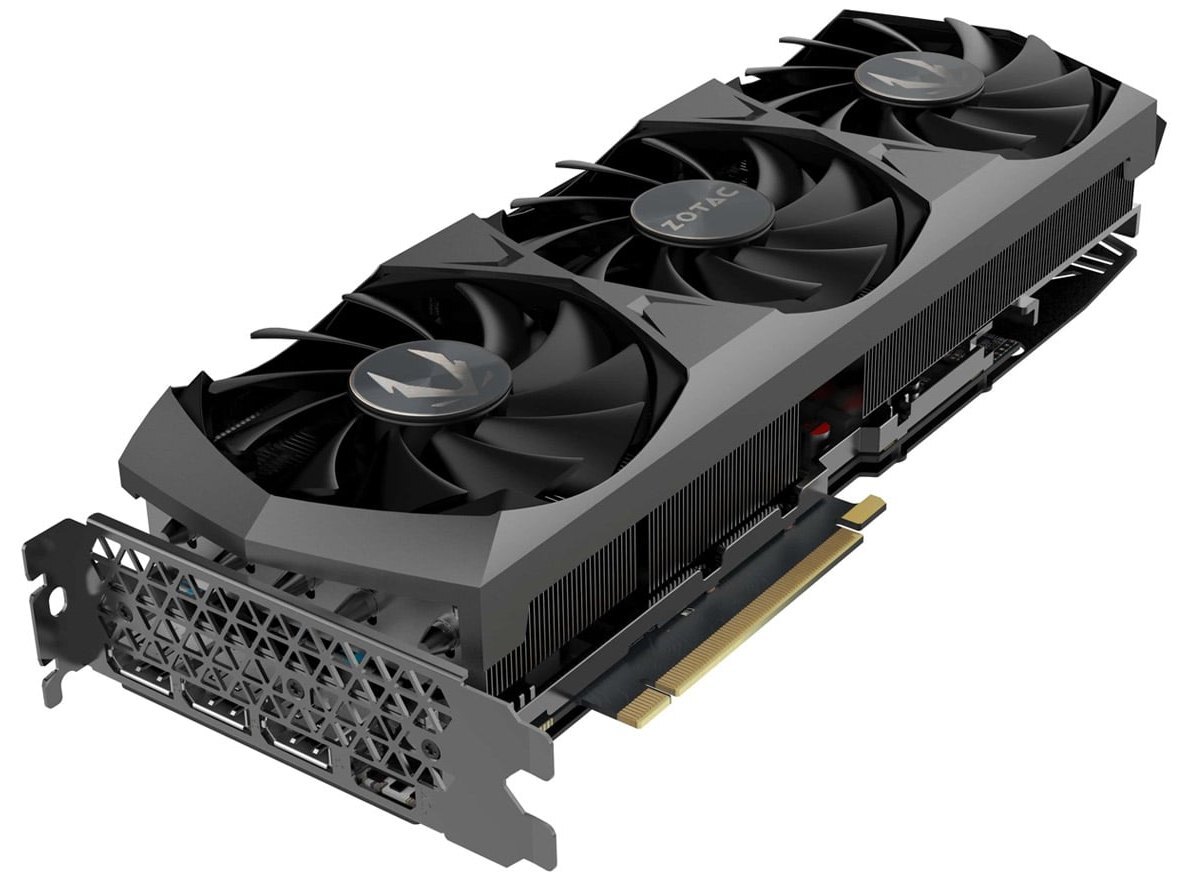
ZOTAC RTX 3090 Trinity OC with its stock cooler. Use the bare PCB to confirm fit.
Design Highlights
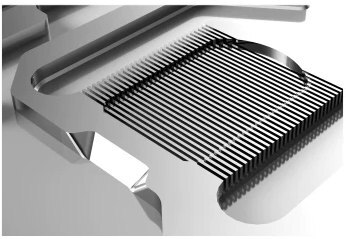
Bykski’s microchannel illustration.
Copper cold plate for the front of the card
The T2 copper cold plate draws heat from the GPU die, memory, and power delivery components. Coolant passes through a bank of fins with 0.3 mm spacing.
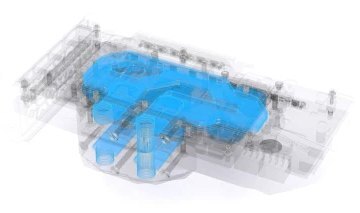
Bykski’s illustration highlights the backplate water path in blue.
Coolant flows through the backplate
The bridge connects the front block and the active backplate in series. The backplate carries coolant behind the PCB to cool components such as the rear memory on the RTX 3090.
Key Specifications
| Model | N-ST3090XG-TC-V2 |
|---|---|
| Front block | T2 copper cold plate, clear acrylic top |
| Active backplate | Copper backplate with an internal coolant channel |
| Finish | Clear and silver |
| Microchannel spacing | 0.3 mm |
| Port thread | G1/4 inlet and outlet |
| Lighting | 5V 3-pin addressable RGB (RBW) |
| Backplate (L × W × T) | 227.37 × 97.68 × 16.70 mm |
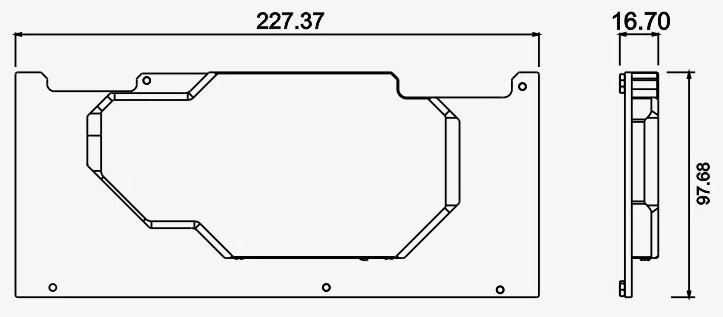
Dimensions of the active backplate in millimeters.
Which Version Do I Need?
Choose where you want coolant to flow, then check the PCB against the compatibility list for that block.
What's in the Box
Thermal paste is not included (it cannot be shipped by air). Please use your own thermal paste during installation.
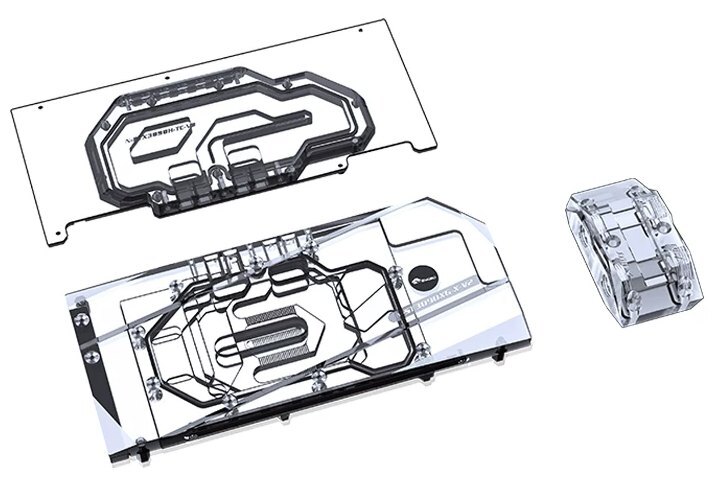
The three main parts of the kit.
Installation & Use
Have a pump, radiator, tubing, G1/4 fittings, coolant, and thermal paste ready. For lighting, use a 5V 3-pin ARGB header.
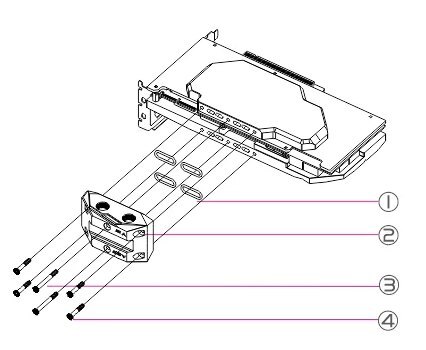
1. Seals · 2. Bridge · 3 and 4. Bridge screws
FAQ
How do I check fit if my ZOTAC card says Trinity?
Find the exact Trinity OC part number in the compatibility list. Then compare the full PCB, including the power sockets, with Bykski’s reference layout.
Does the backplate carry coolant?
Yes. The included bridge routes coolant through the front block and the active backplate in series.
What fittings does the kit need?
Use G1/4 fittings that match your tubing.
Which lighting header does this kit use?
The RBW lighting connects to a 5V 3-pin addressable RGB header.
- The copper plate of the block is processed by CNC machines. The machining marks and slightly uneven on the copper plate are normal and do not affect the use of the block. Please pay attention to this.








