


Bykski


RTX A4000 Water Block for Leadtek | Bykski N-RTXA4000-X-V2 with Backplate
Full-cover water block for the Leadtek NVIDIA RTX A4000
The Bykski N-RTXA4000-X-V2 replaces the stock cooler on the Leadtek NVIDIA RTX A4000 PCB with a full-cover water block and backplate. Its nickel-plated copper base transfers heat from the GPU core, memory and power circuitry to the coolant. Use the rear G1/4 ports to connect the block to your custom liquid-cooling loop.
Compatibility
Manufacturer-confirmed fit
- ✓Leadtek NVIDIA RTX A4000 (Leadtek RTX A4000 PCB)
Use the dimension drawing to check the space available in your case.
Check your card model and PCB layout before ordering, especially if you have a different RTX A4000 version.
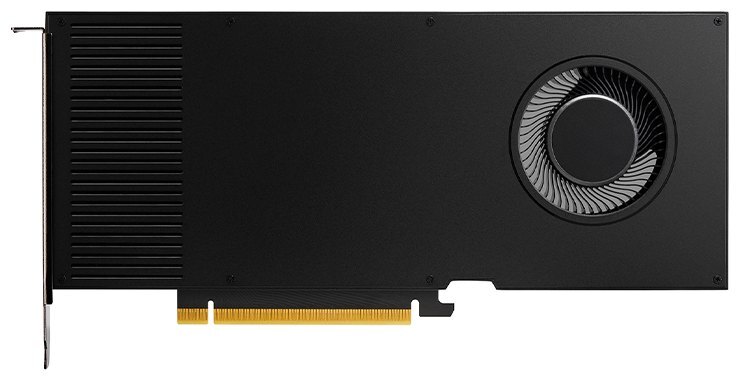
Leadtek NVIDIA RTX A4000 with its factory cooler installed.
Design Highlights
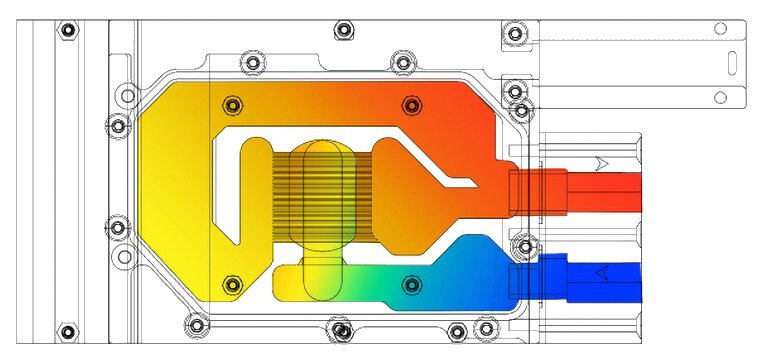
Manufacturer illustration of the coolant path.
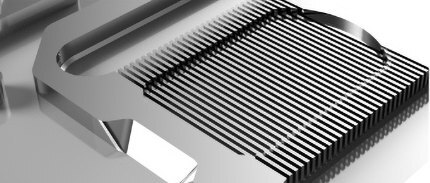
Cooling for the GPU, memory and power circuitry
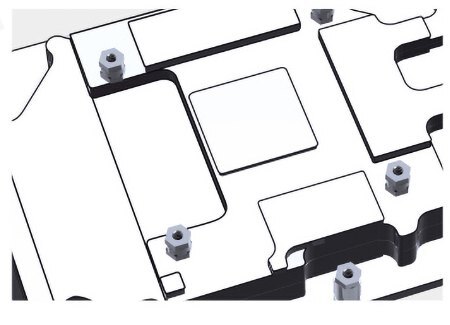
The copper base draws heat from the GPU core, memory, power MOSFETs and associated tantalum capacitors. The diagram shows how coolant passes through the cold plate.
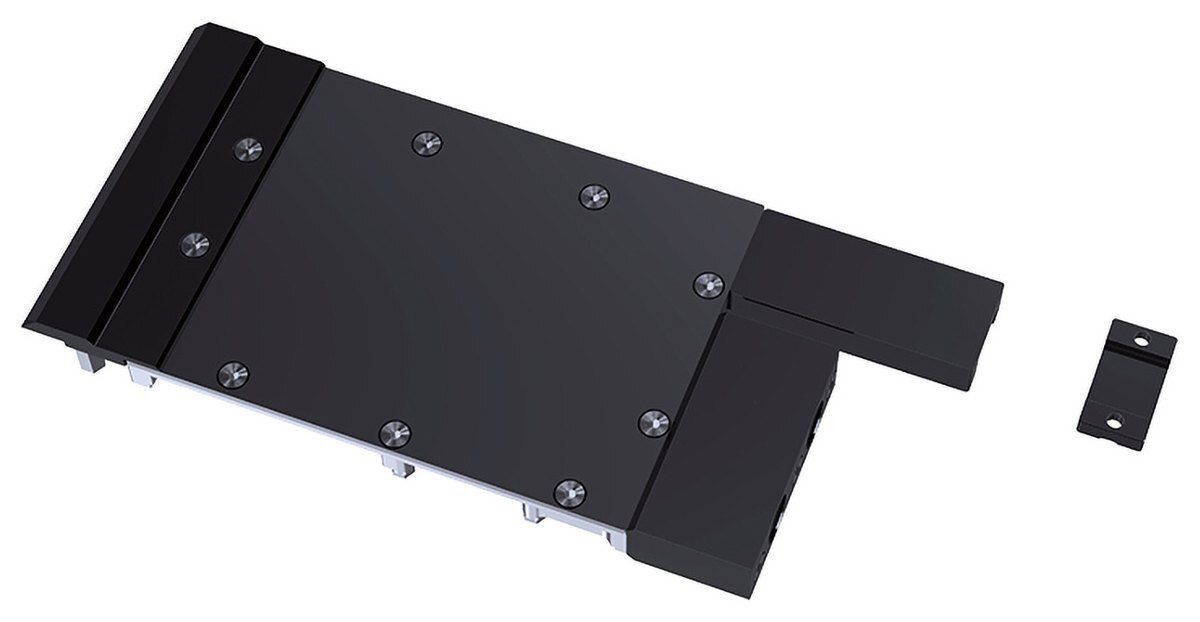
Rear ports and a separate backplate
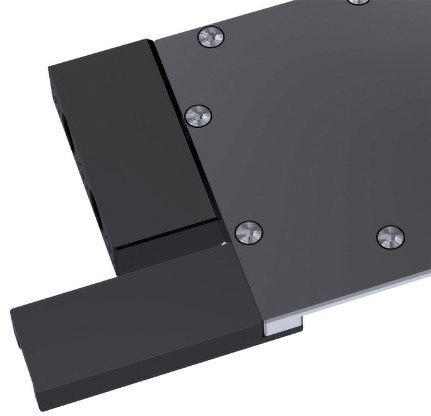
The inlet and outlet are in a black POM terminal at the rear of the block. The black anodized aluminum backplate mounts on the back of the PCB, outside the coolant path.
Key Specifications
| Model | N-RTXA4000-X-V2 |
|---|---|
| Fits card | Leadtek NVIDIA RTX A4000 (Leadtek RTX A4000 PCB) |
| Block materials | Nickel-plated high-purity copper, stainless steel, POM |
| Backplate | Black anodized aluminum, outside the coolant path |
| Coverage | GPU core, memory and VRM |
| Fitting thread | G1/4 |
| Inlet and outlet | Black POM terminal at the rear |
| Block dimensions | 221.98 × 98.43 mm |
| Block thickness | 18.00 mm at the port end, 17.90 mm as marked in the side view |
| Backplate dimensions | 144.81 × 97.58 × 6.0 mm |
| Lighting | None |
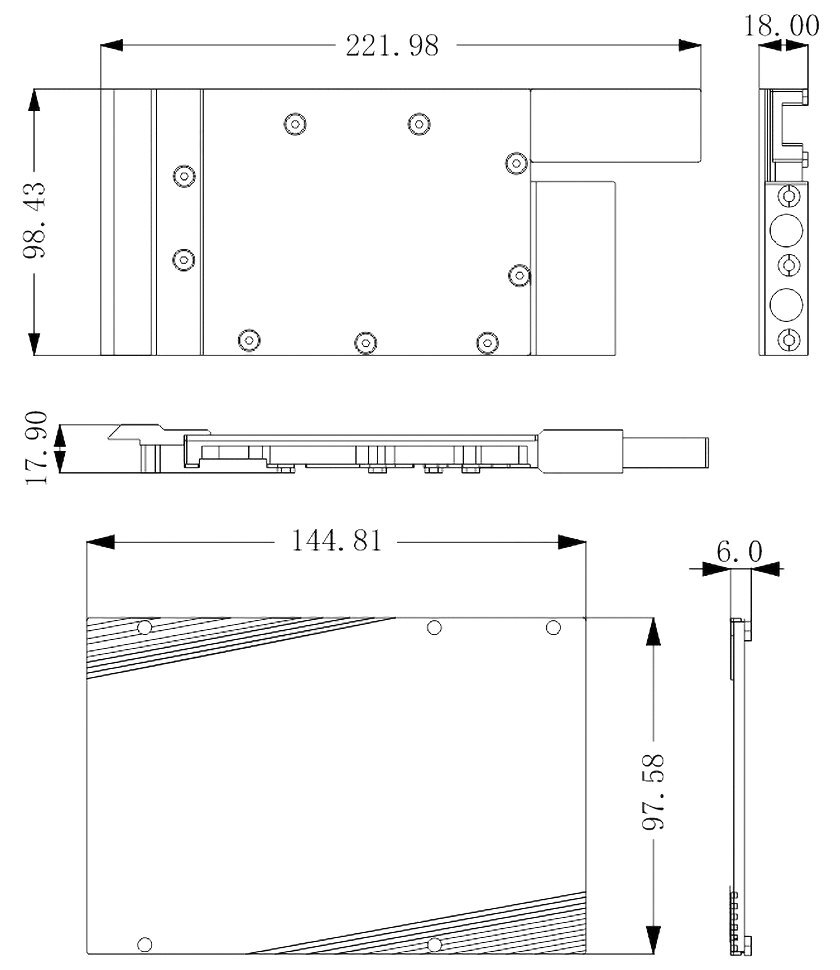
Manufacturer drawing. Dimensions are in millimeters.
Which Version Do I Need?
What's in the Box
Thermal paste is not included (it cannot be shipped by air). Please use your own GPU thermal paste during installation.
Installation & Use
For the custom loop, have a pump, radiator, G1/4 fittings, tubing and coolant on hand.
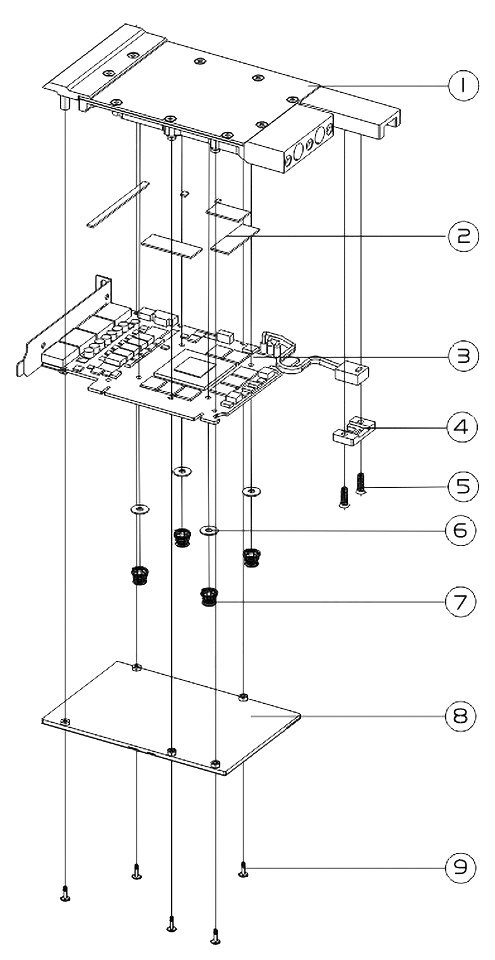
1 water block · 2 thermal pads · 3 graphics card PCB · 4 aluminum mounting bracket · 5 countersunk mounting screws · 6 0.5 mm washers · 7 spring screws · 8 backplate · 9 backplate screws
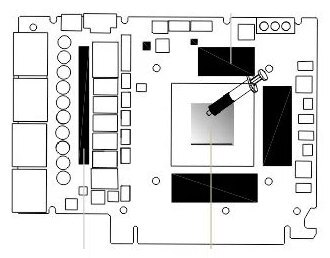
Thermal pad placement
The dark areas show where the thermal pads sit on the memory and MOSFETs. The syringe marks the GPU core where thermal paste goes.
FAQ
Which fittings do I need?
Use G1/4 fittings for the inlet and outlet.
Will it fit another version of the RTX A4000?
Bykski lists the Leadtek RTX A4000 PCB. For another version, confirm the board layout before ordering.
Where can I find the installation instructions?
See Installation & Use above for the mounting steps and numbered assembly diagram.
What do I need to complete the liquid-cooling loop?
Have a pump, radiator, G1/4 fittings, tubing and coolant ready.
- This is a repair or replacement-only item. Returns are not accepted on compatibility issues or if the block has had water/fluid run through it.
- The manufacturer reserves the right to alter the block design to expand compatibility. The delivered item may not 100% match the pictured item.
- Not responsible for any damage caused by or when using this product. Please use it at your own risk.








