


Bykski
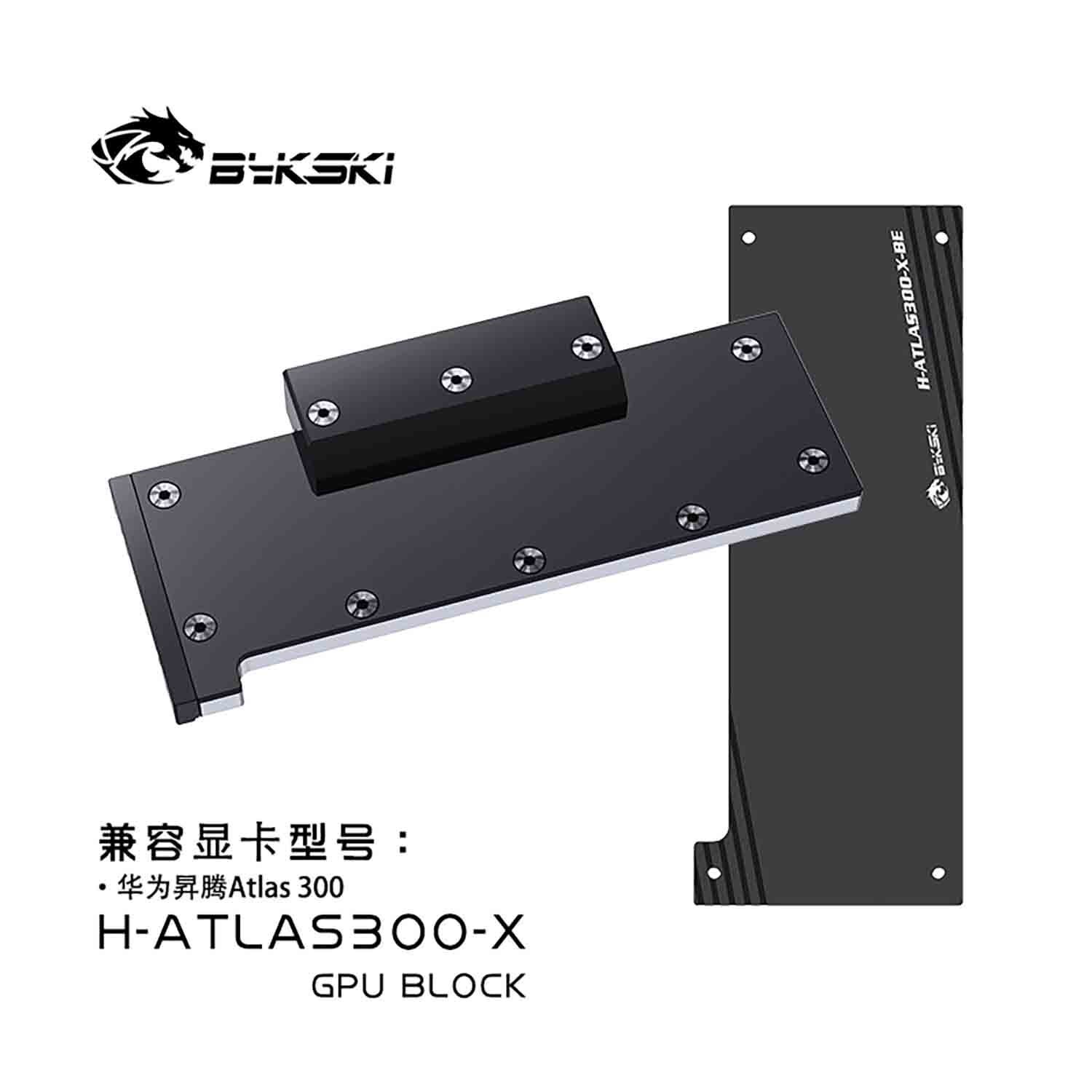


Huawei Atlas 300 Water Block with Backplate | Bykski H-ATLAS300-X
Full-cover water block for the Huawei Atlas 300
The Bykski H-ATLAS300-X is a full-cover water block with an aluminum backplate for the half-height, half-length Huawei Atlas 300 AI accelerator PCB shown below. The stock heatsink relies on chassis airflow. This block replaces it and transfers heat from the accelerator chips, memory, and power components into a custom liquid cooling loop.
Compatibility
Bykski lists this board layout
- ✓Huawei Atlas 300 AI Accelerator Card (IT21DMPA PCB shown)
Before ordering, check the card label and compare the PCB edge connector, mounting holes, and component layout with both reference photos.
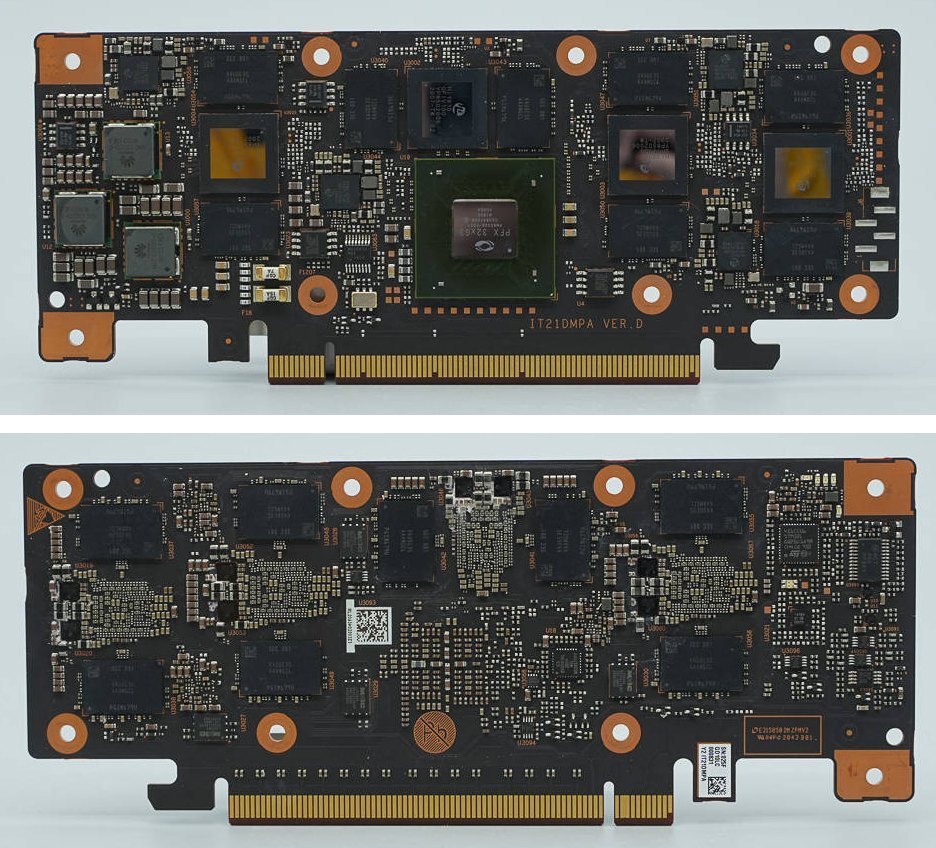
IT21DMPA VER.D PCB, front and back. Photos by Chongdiantou.
Design Highlights
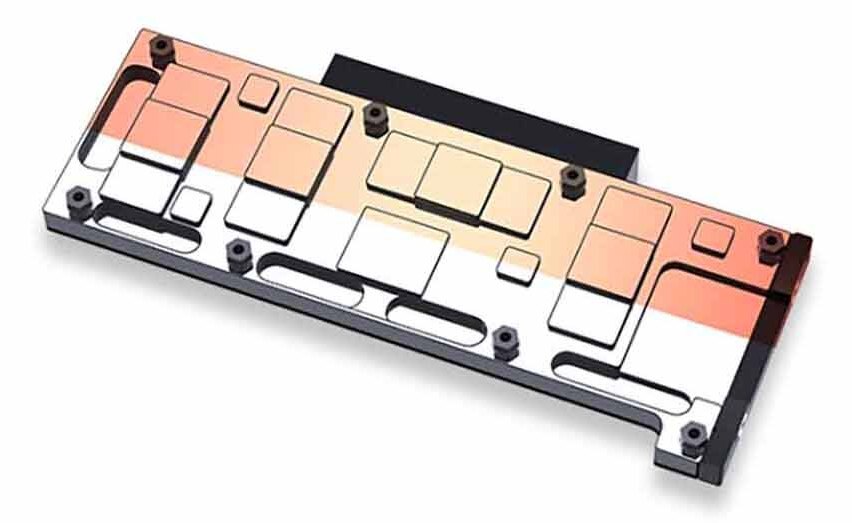
A cold plate shaped for the board
The nickel-plated T2 copper plate has contact areas for the accelerator chips, memory, and power circuitry. The aluminum backplate mounts separately behind the PCB.
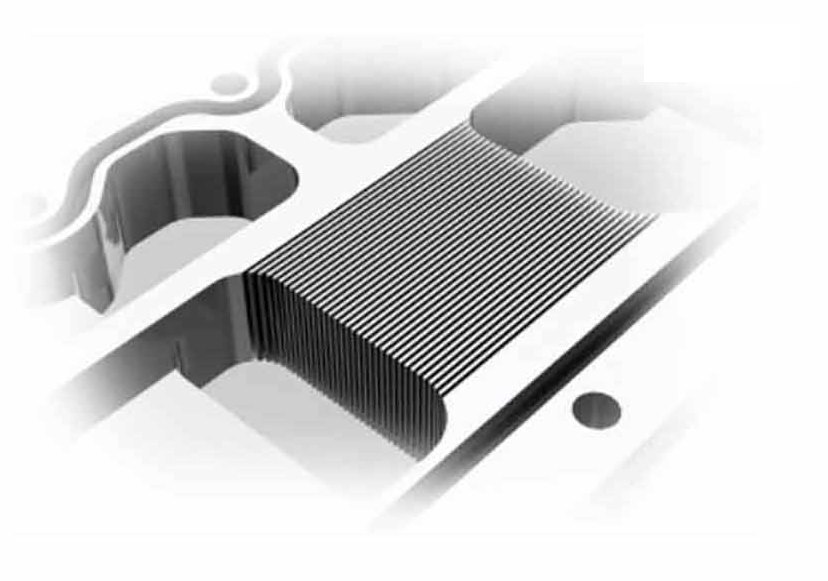
0.3 mm microchannels
Coolant moves through fine channels in the copper plate. Bykski specifies up to 24 flow passages.
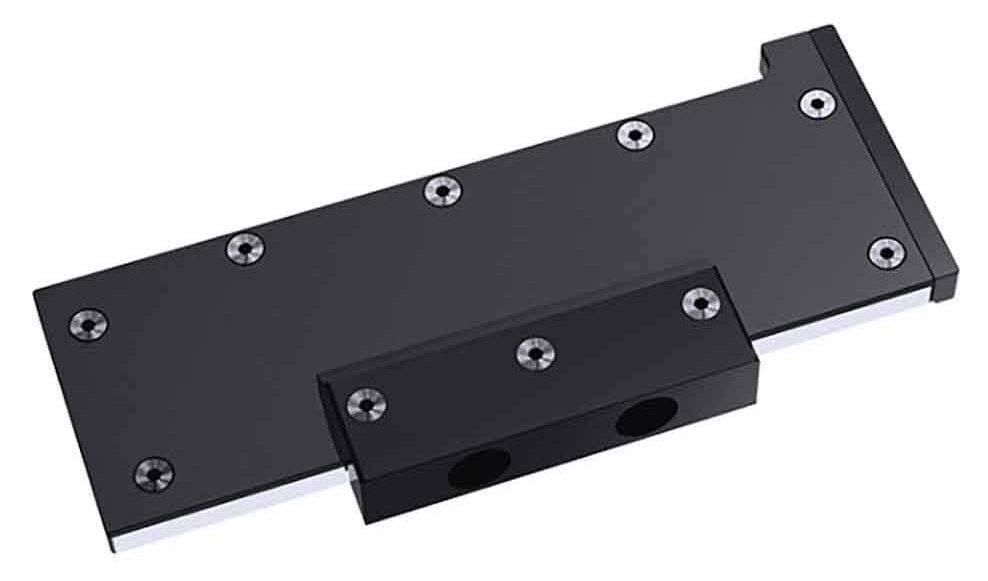
Two ports on one terminal
The raised terminal holds both coolant ports. Leave room around it for your fittings and tubing.
Key Specifications
| Model | H-ATLAS300-X |
|---|---|
| Block type | Full-cover block for a custom liquid cooling loop |
| Cold plate | T2 copper with electroless nickel plating |
| Copper plate length | 163.10 mm |
| Copper thermal conductivity | 401 W/(m·K), Bykski material value |
| Nickel coating thickness | 0.001–0.002 mm |
| Backplate | Aluminum |
| Water block (L × W × T) | 168.60 × 75.47 × 21.20 mm |
| Backplate (L × W × T) | 167.63 × 64.45 × 5.00 mm |
| Coolant ports | Two on the raised terminal |
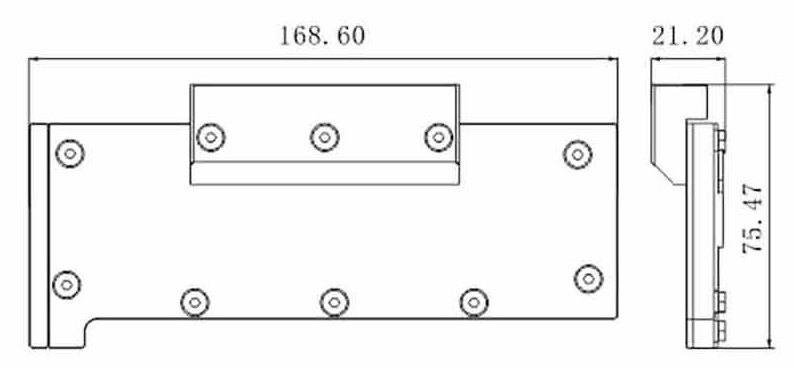
Bykski water block drawing. Dimensions are in millimeters.
Which Version Do I Need?
Check the full name on your card label. The Huawei Atlas 300, Atlas 300I Duo, and Atlas 300I A2 have different board layouts.
What's in the Box
Thermal paste is not included (it cannot be shipped by air). Please use your own GPU thermal paste during installation.
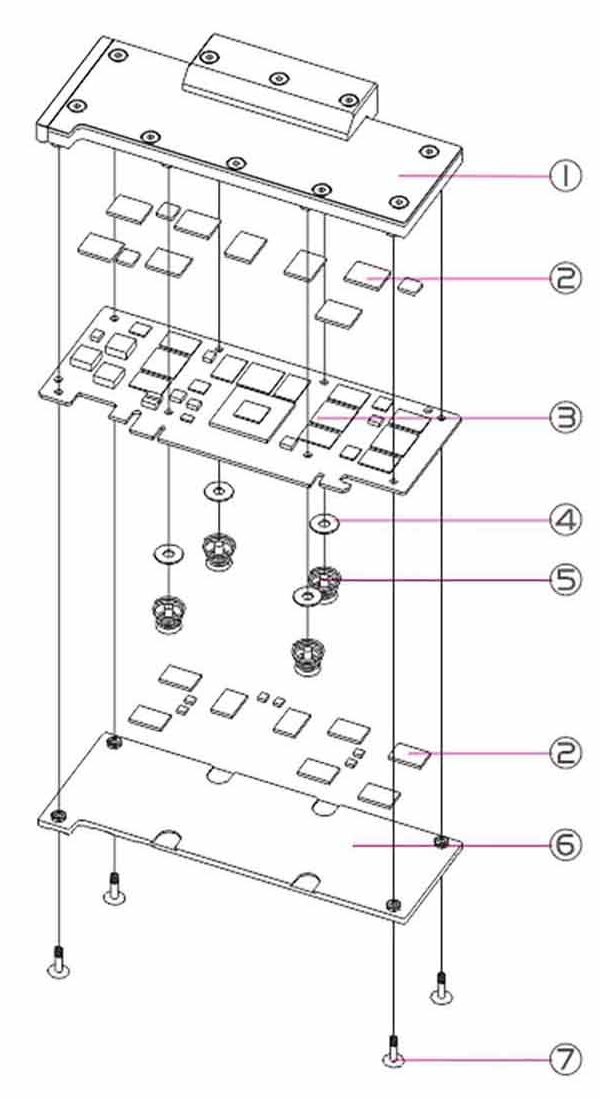
1 Block · 2 Thermal pads · 3 Your accelerator PCB · 4 Washers · 5 Spring screws · 6 Backplate · 7 Backplate screws
Installation & Use
You also need a pump, reservoir, radiator with fans, compatible fittings and tubing, and coolant.
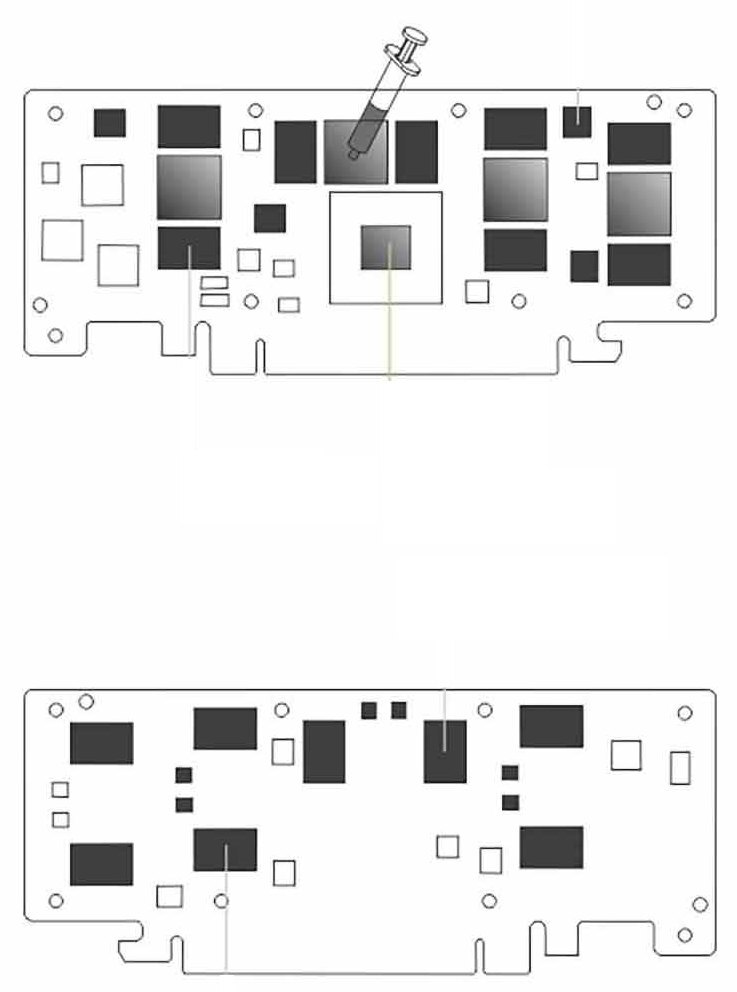
Bykski thermal interface diagram. Solid dark areas mark pad positions. Shaded chip surfaces on the front take paste.
FAQ
How is the Huawei Atlas 300 cooled from the factory?
Its stock heatsink relies on airflow through the chassis. The Bykski block replaces that heatsink and transfers the heat to a custom liquid cooling loop.
Do I need a separate pump and radiator?
Yes. Use this block with a separate pump, reservoir, radiator and fans, fittings, tubing, and coolant.
How can I check whether it fits my case?
Use the block and backplate dimensions to check card clearance. Allow extra room for fittings, tubing bends, and your radiator and fans.
What thickness are the thermal pads?
The kit includes five 1.5 mm strips. Cut them to cover the memory and power components marked in the installation drawing.








