


Bykski


NVIDIA A100 80GB / A800 80GB PCIe AIO Liquid Cooler, Bykski B-FRD-TESLA-A100-80G, 360 mm
360 mm AIO liquid cooling for NVIDIA A100 and A800
The Bykski B-FRD-TESLA-A100-80G is a full-cover all-in-one liquid cooler for supported NVIDIA A100 and A800 80GB PCIe cards. It replaces the passive heatsink and carries heat to a fan-cooled radiator through a preconnected loop with an inline pump. Choose the standard 360 mm unit for one card or the thick-radiator version for two.
Compatibility
Bykski lists these 80GB PCIe boards.
- ✓NVIDIA A100 80GB PCIe (Bykski’s A100 board layout)
- ✓NVIDIA A800 80GB PCIe (Bykski’s A800 board layout)
Confirm the model and compare your card’s PCB layout and mounting holes with Bykski’s diagram before ordering.
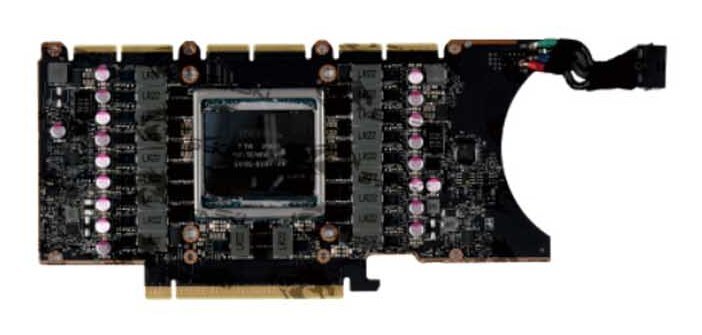
NVIDIA A100 80GB PCIe PCB from Bykski’s compatibility guide.
Design Highlights
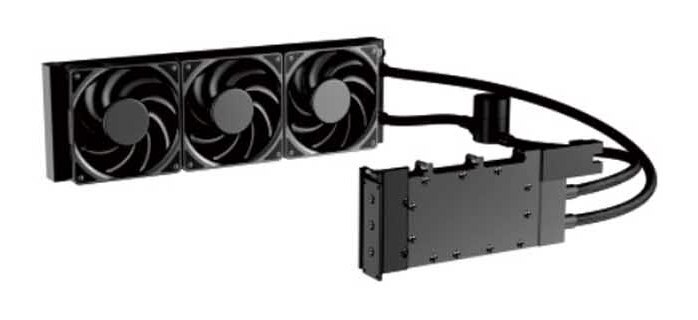
Radiator, tubing, and pump in one assembly
The pump sits in the braided tubing between the GPU block and the aluminum radiator. The standard 360 mm version uses three radiator fans.
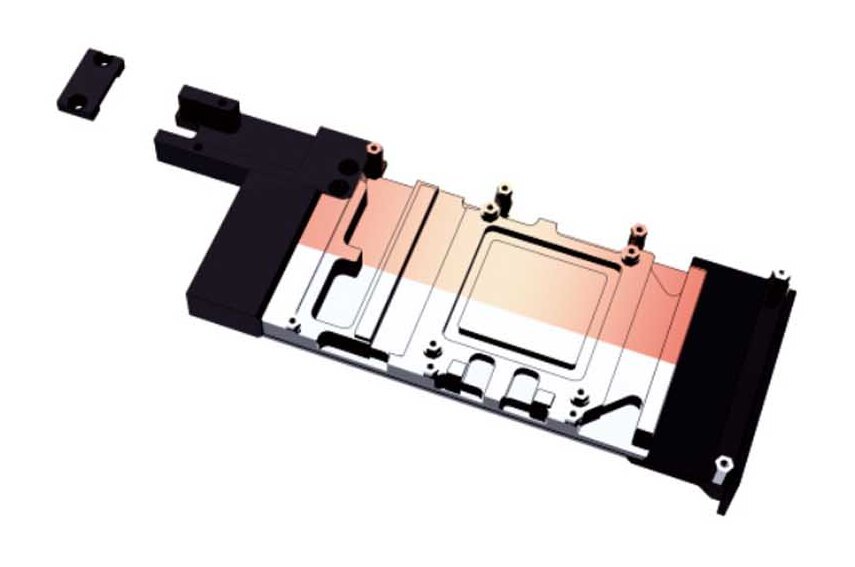
Copper cold plate with jet microchannels
The nickel-plated T2 copper base makes contact with the GPU and power circuitry through thermal interface materials. Coolant flows through 0.3 mm jet microchannels over the cold plate.
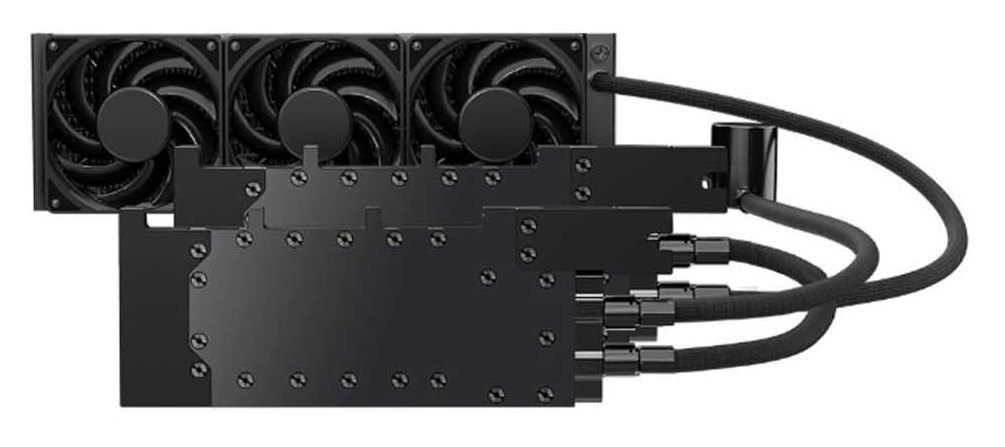
Dual-GPU assembly shown in Bykski’s product illustration.
Two GPU blocks on one radiator
The 360H pairs two GPU blocks with one thick 360 mm radiator. Check the space for both cards and plan the tubing route before mounting the radiator.
Key Specifications
| Model | Bykski B-FRD-TESLA-A100-80G |
|---|---|
| Standard 360 mm SKU | B-FRD-TESLA-A100-80G-360 |
| Thick 360 mm SKU | B-FRD-TESLA-A100-80G-360H |
| Cold plate | T2 copper with electroless nickel plating |
| Cold plate microchannels | 0.3 mm jet channels, up to 44 |
| Radiator | 360 mm class, aluminum, 12 coolant channels in the standard radiator design |
| Standard radiator length | 396 mm overall |
| Standard radiator thickness with fans | 52 mm |
| Standard 360 mm fans | 3 |
| GPU block drawing | 264.45 mm long, 35.54 mm thick as shown in the end view |
| Pump and tubing | Inline pump and braided tubing |
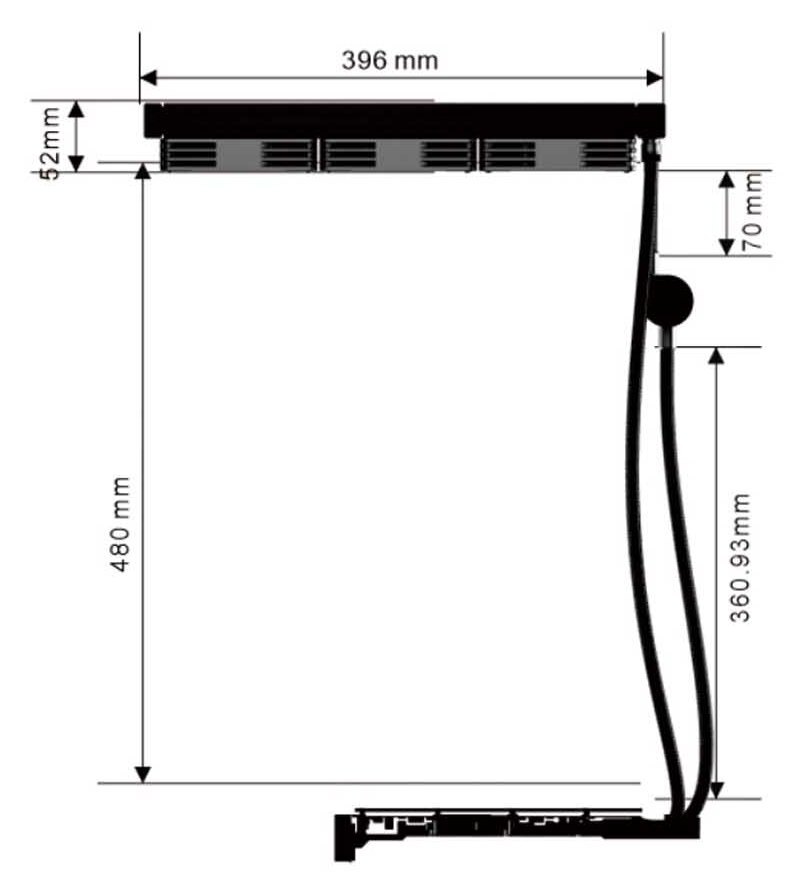
Bykski’s standard single-GPU 360 mm drawing. Measurements are in millimeters.
Which Version Do I Need?
Check the card’s memory size and form factor first. Then choose whether you need the whole cooling assembly or a block for your own loop.
What's in the Box
Thermal paste is not included (it cannot be shipped by air). Please use your own GPU thermal paste during installation.
Installation & Use
You will also need GPU thermal paste, the thermal pads specified for your kit, and a case with a compatible 360 mm radiator mount.
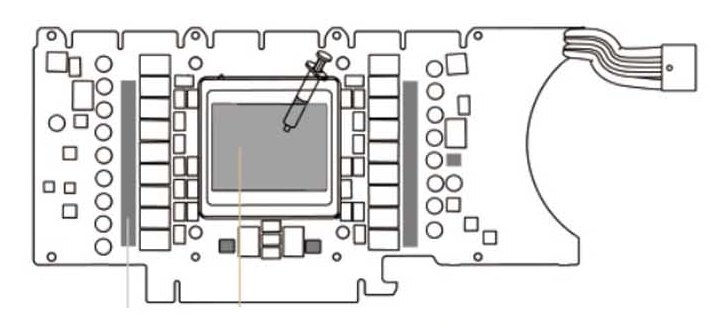
Bykski’s installation diagram. The shaded central die takes paste. The shaded power components take thermal pads.
FAQ
How is the NVIDIA A100 80GB PCIe cooled from the factory?
NVIDIA’s air-cooled A100 80GB PCIe uses a passive heatsink and relies on chassis airflow. The AIO replaces that heatsink and moves heat to its own fan-cooled radiator.
Will the standard 360 mm kit fit my case?
Check for a 360 mm radiator mount with room for 396 mm of overall length and 52 mm of depth with the fans installed. Leave space for the tubing to bend between the radiator and the card.
Do I need to buy a separate pump?
The AIO already has a pump in the tubing between the GPU block assembly and the radiator.
Can I use this on an 80GB SXM module?
This cooler fits the 80GB PCIe layouts listed above. Choose a cooler designed for your SXM module if your GPU uses that form factor.
What should I check for leaks before first boot?
Inspect the tubing connections for moisture with the graphics card unpowered. Power the card only after the leak check passes.
- If the block and PCB mounting holes do not line up, stop and recheck the board layout before tightening anything.








