


Bykski

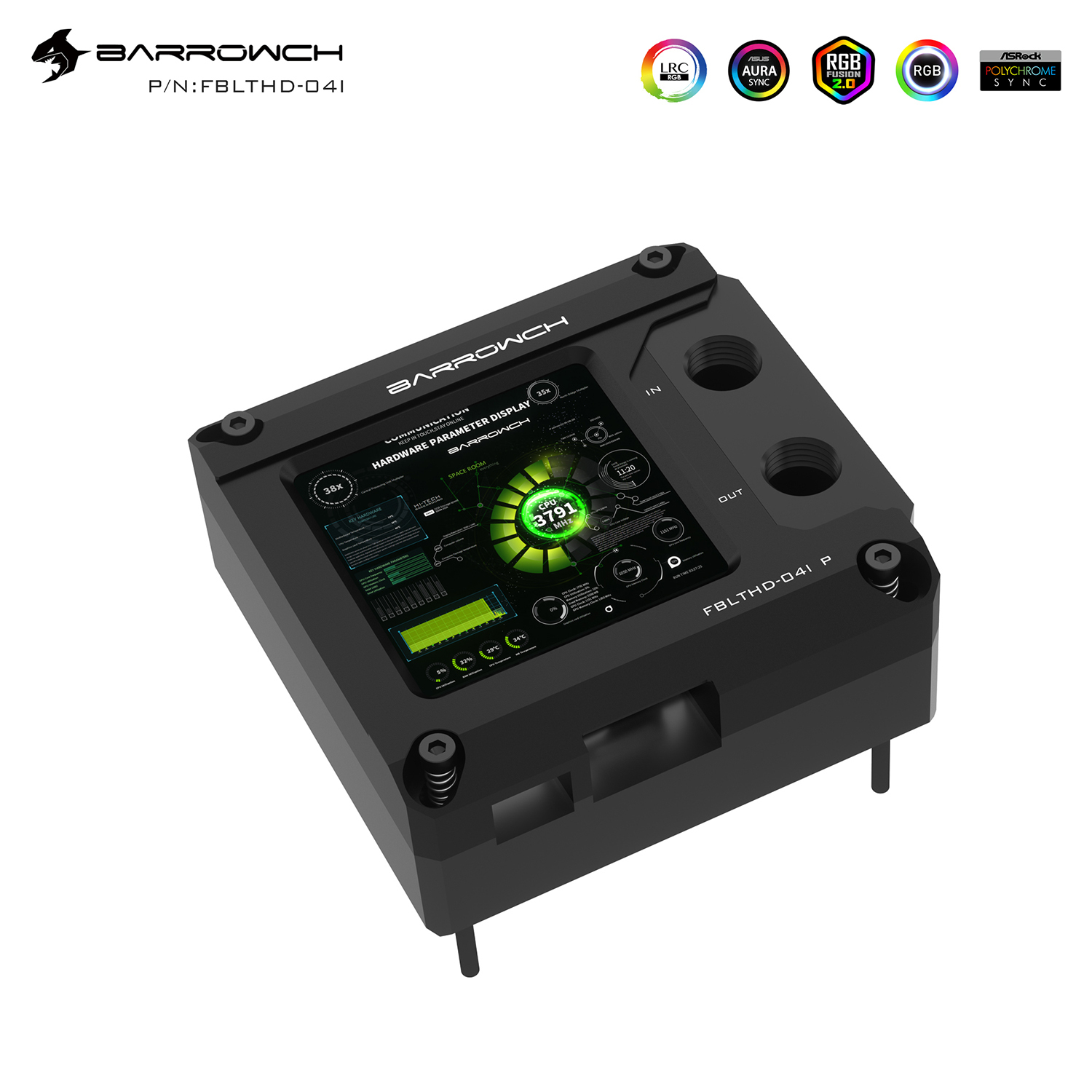


CPU Water Block with 2.9-Inch HDMI Display for Intel or AMD | Barrowch FBLTHD-04I V2 / FBLTHDA-04N V2
CPU water block with a 2.9-inch HDMI display
The Barrowch FBLTHD-04I V2 for Intel and FBLTHDA-04N V2 for AMD cool a desktop CPU in a custom liquid cooling loop. Each has a nickel-plated copper cold plate and a 2.9-inch, 1440 × 1440 LCD. Connect the screen to a spare HDMI output to keep a monitoring dashboard or other PC content visible inside your build.
Compatibility
Match your motherboard to the CPU Platform option before ordering.
- ✓Intel FBLTHD-04I V2 — LGA 115x, X99, and X299
- ✓AMD FBLTHDA-04N V2 — AM4 and AM5
- ✓AMD FBLTHDA-04N V2 — AM3+, AM3, and FM2, as listed in Barrowch’s mounting notes
Check clearance around the block for the display cables and coolant fittings.
Design Highlights
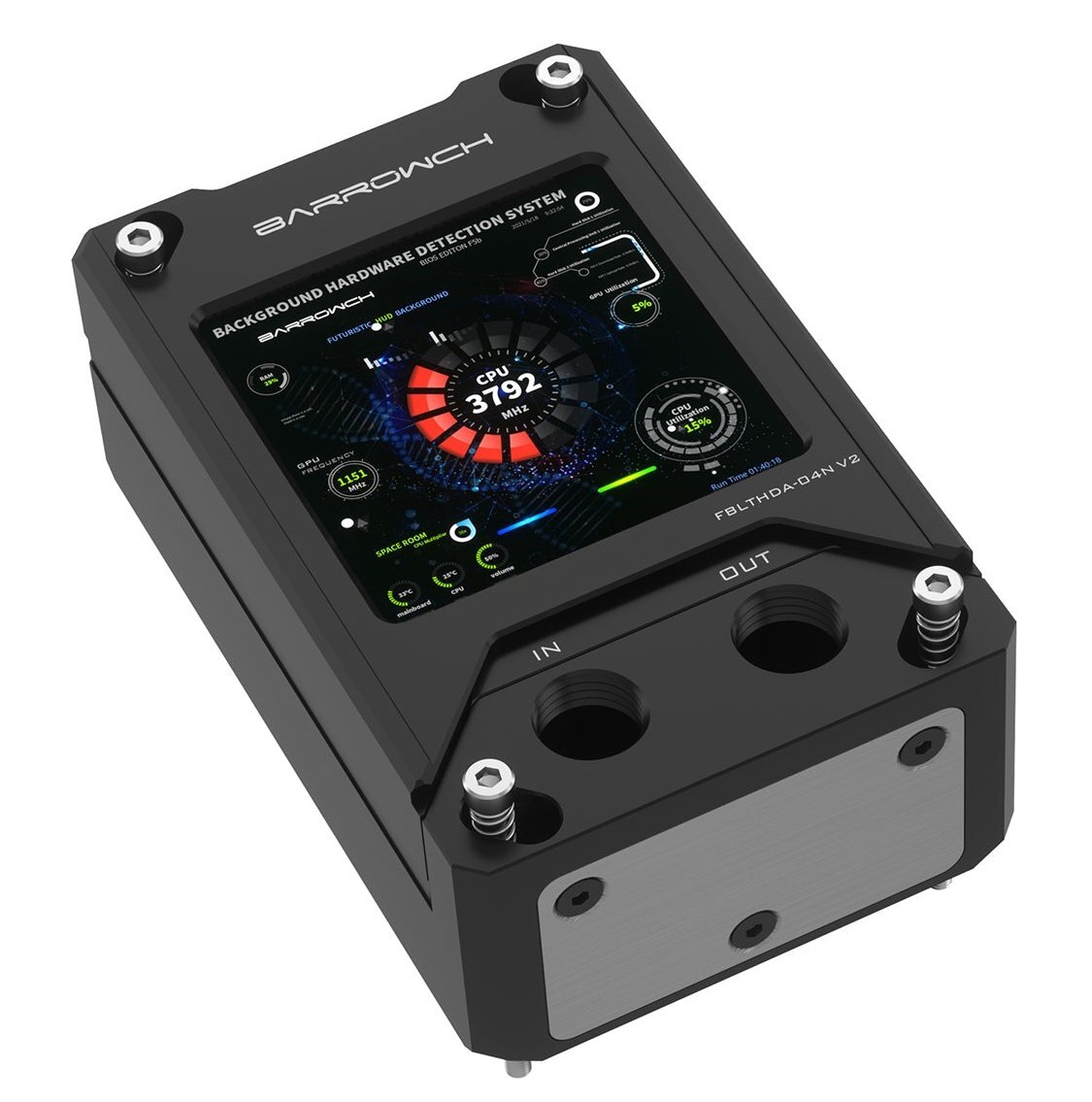
A dashboard on the water block
Use the square LCD as a secondary display for an AIDA64 dashboard or other content from your PC. The black POM AMD version is shown here.
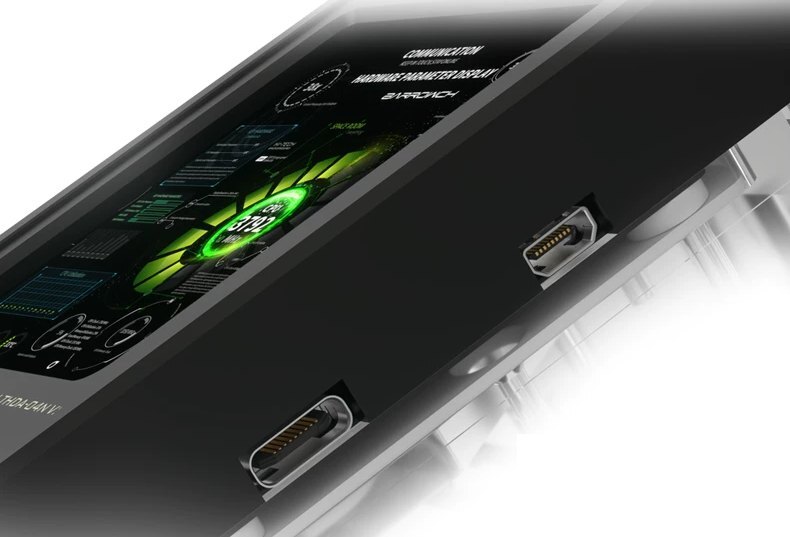
Separate video and USB power
Both screens take HDMI video and use a separate 5 V USB power connection. The AMD version shown here uses Micro HDMI and USB-C at the block. The Intel version uses Micro-USB for screen power.
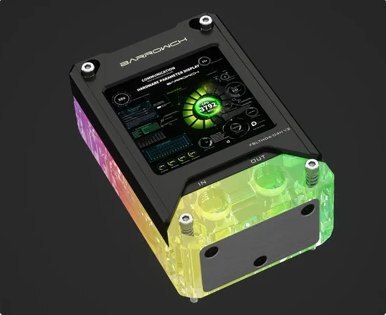
Motherboard lighting sync
The block’s LRC 2.0 lighting connects through the included sync cable to a compatible 5 V 3-pin ARGB motherboard header.
Key Specifications
| Intel model | FBLTHD-04I V2 |
|---|---|
| AMD model | FBLTHDA-04N V2 |
| Cold plate | Nickel-plated copper |
| Coolant path | Microchannels |
| Coolant ports | 1 × G1/4 inlet, 1 × G1/4 outlet |
| Port spacing (center to center) | Intel 26 mm, AMD 24.20 mm |
| AMD block (L × W × H) | 105.25 × 68.20 × 45 mm |
| Display | 2.9-inch LCD |
| Resolution | 1440 × 1440 pixels |
| Refresh rate | 60 Hz |
| Contrast ratio | 1100:1 |
| Video input | Intel HDMI, AMD Micro HDMI |
| Display power | Intel 5 V Micro-USB, AMD 5 V USB-C |
| Lighting | LRC 2.0 ARGB, 5 V 3-pin motherboard sync via the included cable |
| Intel body and finish | Acrylic or POM, in black or silver |
| AMD body and finish | Black acrylic, silver acrylic, or black POM |
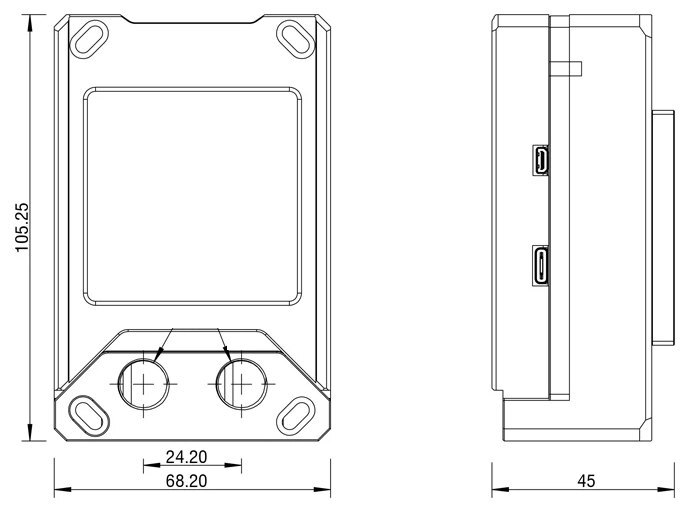
AMD version. Dimensions are in millimeters.
Which Version Do I Need?
Check your motherboard model before choosing a block with a built-in display.
What's in the Box
Thermal paste is not included (it cannot be shipped by air). Please use your own thermal paste during installation.
Installation & Use
You’ll also need a pump, reservoir, radiator, tubing, G1/4 fittings sized for the tubing, and coolant.
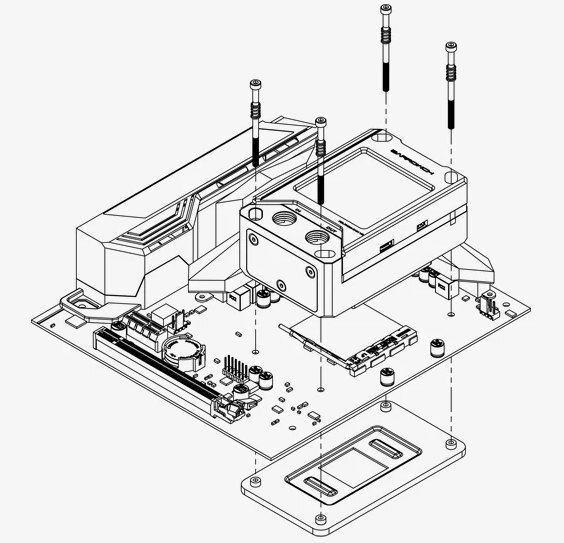
Barrowch’s AMD mounting example. Follow the mounting instructions for your motherboard platform.
FAQ
Does the display need its own HDMI output?
Yes. Use a spare HDMI output on your PC for video and a separate 5 V USB connection for screen power.
Can the screen show CPU temperatures?
Yes. You can display an AIDA64 monitoring dashboard running on the PC by placing it on the block’s extended display.
Can I rotate the image if I mount the block sideways?
Yes. Select the block’s LCD in your system’s display settings, then change its display orientation.
Do the Intel and AMD screens use the same power connector?
The Intel screen uses Micro-USB. The AMD screen uses USB-C. Both take 5 V USB power.
What fittings do I need?
The inlet and outlet take G1/4 fittings. Choose fittings that match the tubing in your loop.
- In case of product appearance structure upgrade, without further notice, in kind prevail.








