

BARROW


ASUS Prime / TUF RX 9070 XT Water Block with Backplate | Barrow BS-AST9070XT-PA
Full-cover water block for ASUS Prime and TUF RX 9070 XT
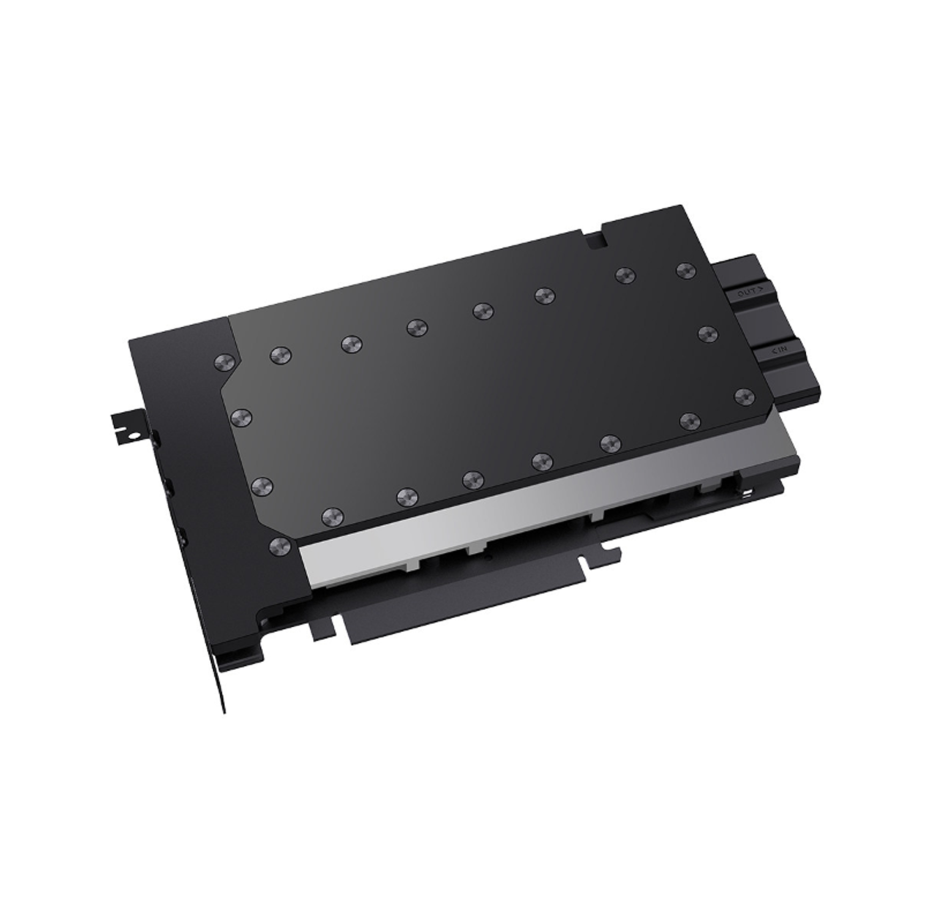
The Barrow BS-AST9070XT-PA is a full-cover GPU water block for the ASUS Prime and TUF Gaming Radeon RX 9070 XT OC 16GB cards listed below. It replaces the stock cooler and transfers heat from the GPU core, memory, and power delivery components into a custom liquid cooling loop.
Compatibility
Barrow lists these ASUS graphics cards for the BS-AST9070XT-PA.
- ✓ASUS Prime Radeon RX 9070 XT OC Edition 16GB (PRIME-RX9070XT-O16G)
- ✓ASUS TUF Gaming Radeon RX 9070 XT OC Edition 16GB (TUF-RX9070XT-O16G-GAMING)
Before ordering, check your card’s full model number and PCB layout. Barrow provides a bare PCB reference photo for the TUF Gaming card.
If you’re unsure about your card’s PCB layout, have the full model number and a PCB photo ready for a fit check.
Key Specifications
| Model | BS-AST9070XT-PA |
|---|---|
| Cold plate | Nickel-plated copper with microchannels over the GPU core |
| Top | Clear acrylic |
| Backplate | Aluminum alloy |
| Cooling coverage | GPU core, memory, and power delivery |
| Port thread | G1/4 |
| Block length × width | 216.50 × 141.90 mm |
| Block thickness | 24 mm maximum |
| Motherboard lighting header | 5V 3-pin ARGB via an adapter cable |
What’s in the Box
Thermal paste is not included (it cannot be shipped by air). Please use your own thermal paste during installation.
Installation & Use
Your loop needs a pump, radiator, tubing, coolant, and G1/4 fittings. For motherboard lighting control, use an ARGB adapter cable and a 5V 3-pin ARGB header.
FAQ
Which model ships with the black or white backplate option?
Both options ship with the Barrow BS-AST9070XT-PA.
Does this water block fit the ASUS Prime RX 9070 XT?
Barrow lists the ASUS Prime OC Edition 16GB (PRIME-RX9070XT-O16G) and the TUF Gaming OC Edition 16GB (TUF-RX9070XT-O16G-GAMING). Check your exact card model and PCB layout before ordering.
What fittings does the block use?
Use G1/4 fittings that match your tubing. Use the included stop plugs to close unused ports.
How do I connect the block’s lighting?
Use a compatible adapter cable to connect to a 5V 3-pin ARGB header. Match the connector orientation to the header.
- Barrow’s product images show hard-tube compression fittings for illustration. Supply your own fittings for the loop.