


Astralcooler


NVIDIA H200 NVL 141GB PCIe Water Block with Backplate | Astralcooler AC-GB-NVH200
Full-cover water block for the NVIDIA H200 NVL PCIe
The Astralcooler AC-GB-NVH200 is a full-cover water block for the NVIDIA H200 NVL 141 GB PCIe GPU. It replaces the card’s passive heatsink and transfers heat from the GPU core, memory, and power circuitry to flowing coolant. A separate pump and radiator in your custom loop circulate the coolant and dissipate that heat.
Compatibility
Supported card
- ✓NVIDIA H200 NVL Tensor Core GPU, 141 GB HBM3e, PCIe (PCB layout shown in the installation diagram)
The H200 NVL PCIe card and the H200 SXM module both have 141 GB of memory. Check the full model name and form factor.
Before ordering, compare your PCB’s mounting holes and component layout with the board drawing in the product gallery.
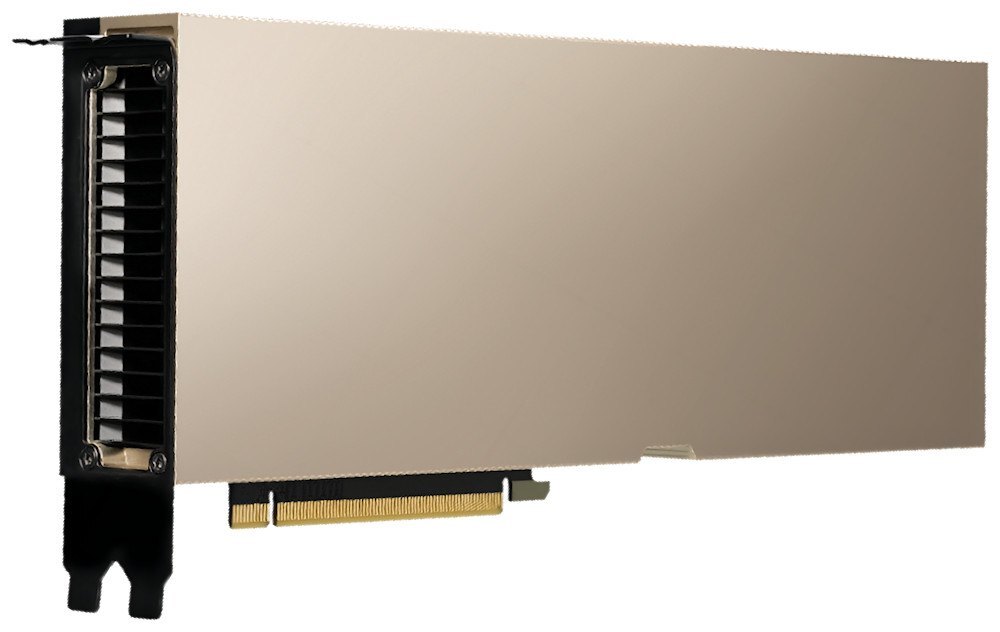
NVIDIA H200 NVL with its factory heatsink. Photo from Lenovo Press.
Design Highlights
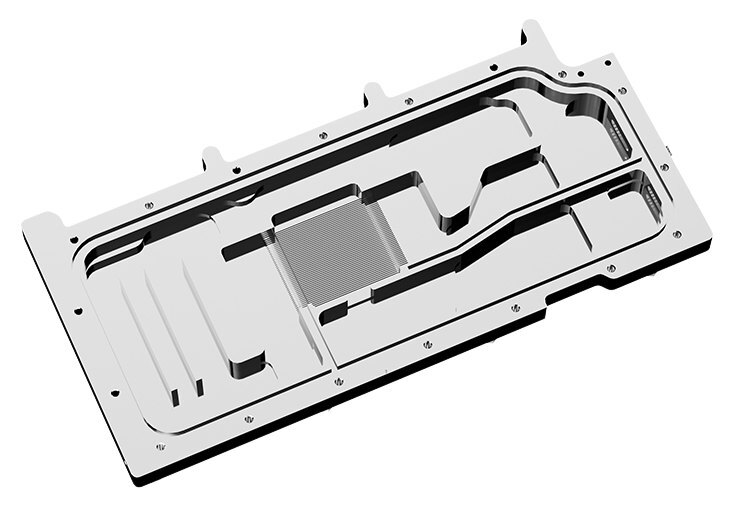
Copper cold plate with grooved microchannels
Coolant flows through up to 176 grooved microchannels in the copper cold plate. The plate extends 157 mm across the block to carry heat away from the core, memory, and power circuitry.
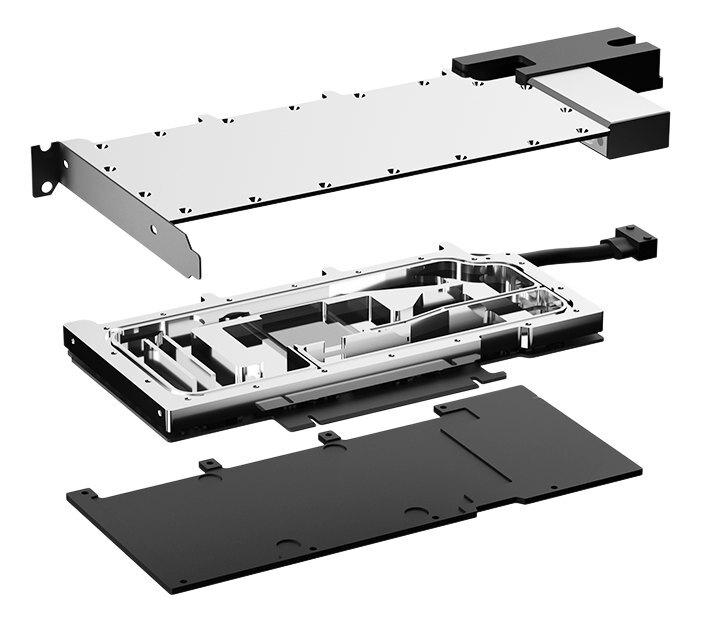
All-metal block with a separate backplate
The copper cold plate removes heat from the GPU core, memory, and power circuitry, including MOSFETs, inductors, and tantalum capacitors. The backplate mounts on the reverse side of the PCB.
Key Specifications
| Model | Astralcooler AC-GB-NVH200 |
|---|---|
| Product type | Full-cover GPU water block for a custom loop |
| Block construction | All-metal with copper cold plate |
| Cooling coverage | GPU core, memory, and power circuitry |
| Copper plate length | 157 mm |
| Microchannels | Up to 176 |
| Water block (L × H × T) | 266 × 97 × 16.8 mm |
| Backplate (L × H × T) | 188 × 96 × 4.2 mm |
| Thermal pad thickness | 1.5 mm |
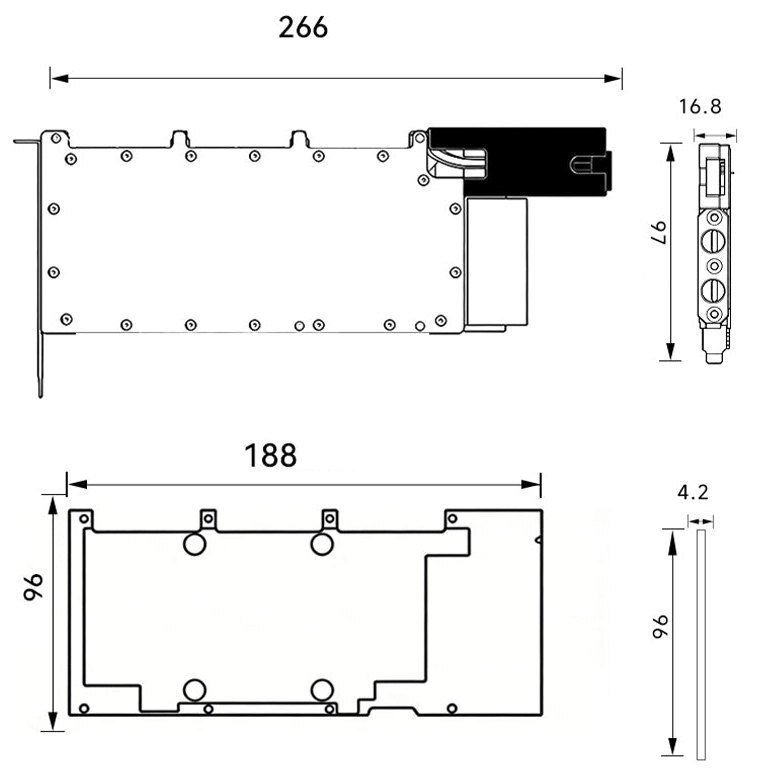
Manufacturer drawing. Water block above, backplate below. Dimensions in millimeters.
Which Version Do I Need?
Start with your exact PCB layout, then choose the cooler that matches the loop you plan to use.
What's in the Box
Thermal paste is not included (it cannot be shipped by air). Please use your own GPU thermal paste during installation.
Installation & Use
For the rest of the loop, have a pump, reservoir, radiator with fans, compatible fittings, tubing, and coolant ready.
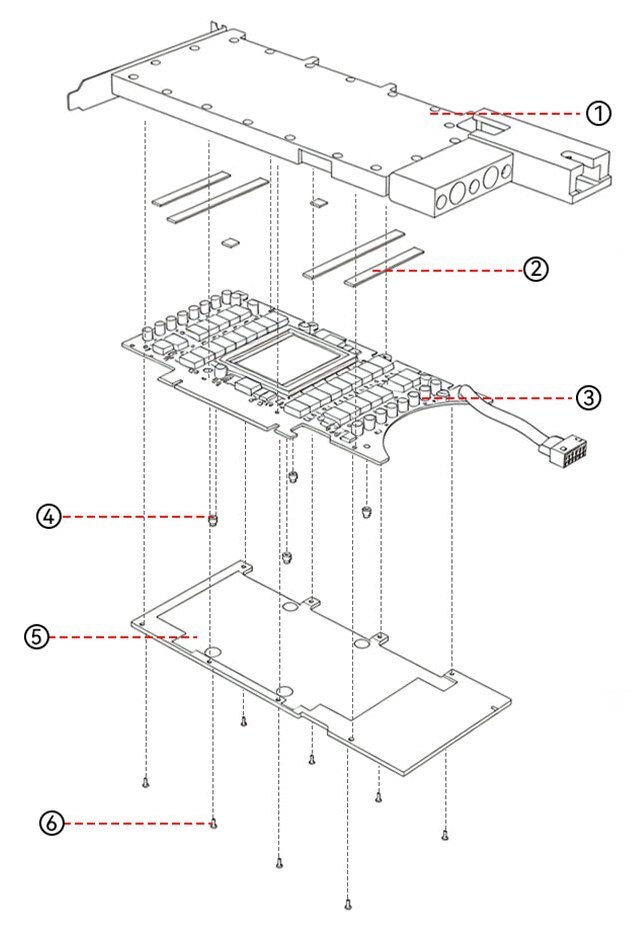
1 Water block · 2 Thermal pads · 3 GPU PCB · 4 Spring screws · 5 Backplate · 6 Backplate screws
FAQ
How is the H200 NVL cooled from the factory?
The H200 NVL PCIe uses a passive heatsink and depends on airflow supplied by the system. The water block replaces that heatsink and transfers heat to the coolant in a custom loop.
How can I tell the H200 NVL from the H200 SXM?
The H200 NVL is a PCIe add-in card. The H200 SXM is a module for HGX systems. Both have 141 GB, so use the full model name and PCB layout to check fit.
Do I need a separate pump and radiator?
Yes. This is a standalone block and backplate for a custom loop, so the pump, radiator, and other loop components are separate.
What thermal pad thickness should I use?
Use 1.5 mm pads at the locations shown in the installation diagram. The GPU die uses your own GPU thermal paste.
- Use the dimension drawing to check chassis clearance for the block and backplate, and leave room for the fittings and tubing.








