


Bykski


NVIDIA A100 80GB PCIe / A800 80GB PCIe Water Block with Backplate | Bykski N-TESLA-A100-80G-SR
Full-cover water block for 80GB PCIe A100 and A800 cards
The Bykski N-TESLA-A100-80G-SR is a full-cover water block for NVIDIA A100 80GB PCIe and A800 80GB PCIe cards with the matching board layout. It replaces the stock passive heatsink and transfers heat from the GPU package and surrounding power components to a custom liquid cooling loop. The kit includes a separate aluminum backplate.
Compatibility
Fits the original passive-cooled PCIe cards listed below when the board layout matches.
- ✓NVIDIA A100 80GB PCIe
- ✓NVIDIA A800 80GB PCIe
The photo shows the A100 with its original cooler. Before ordering, compare your bare PCB’s mounting holes, components and power connector with the board diagram under Installation & Use.
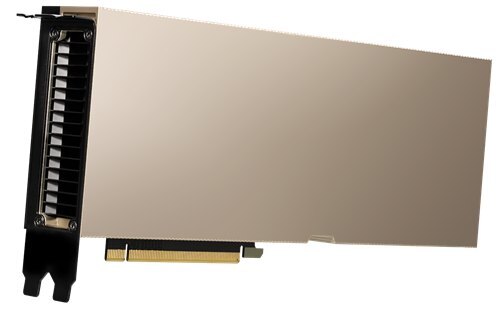
NVIDIA A100 80GB PCIe with its original passive heatsink.
Design Highlights
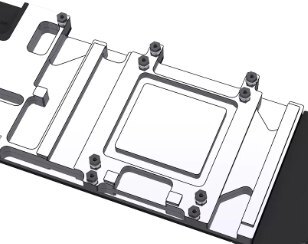
Cold plate shaped around the PCB
Raised contact areas line up with the GPU package and the power components marked in the installation diagram.
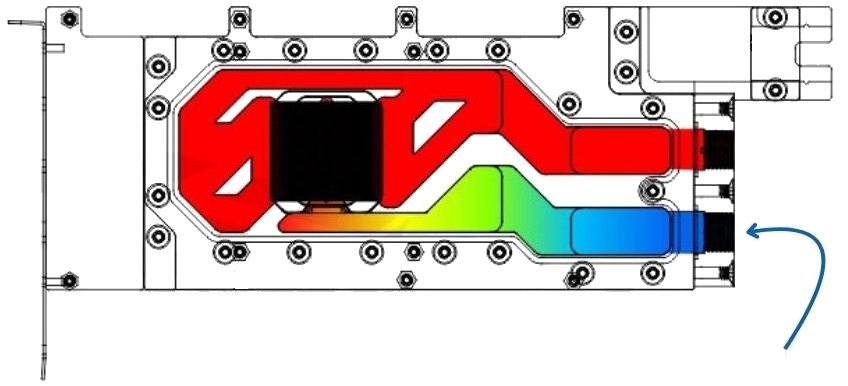
The arrow identifies the inlet.
End-mounted coolant connections
The inlet and outlet sit at one end of the block. Follow the inlet marking when connecting your tubing.
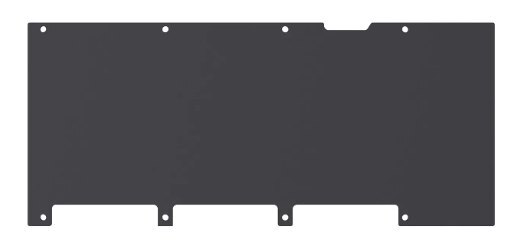
Separate aluminum backplate
The backplate mounts behind the card, opposite the water block.
Key Specifications
| Model (SKU) | N-TESLA-A100-80G-SR |
|---|---|
| Cooling format | Full-cover GPU block for a custom loop |
| Port location | End-mounted inlet and outlet |
| Backplate | Aluminum |
| Thermal pad thickness | 1.5 mm |
| Washer thickness | 0.5 mm |
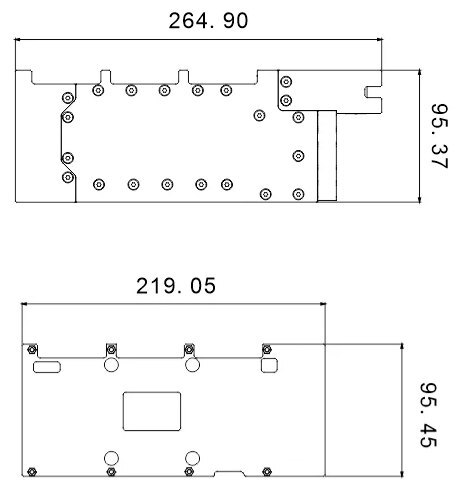
Plan views of the water block (top) and backplate (bottom).
Which Version Do I Need?
Check the memory capacity and form factor on your card. The A100 40GB PCIe and 80GB SXM versions are different from the 80GB PCIe cards listed above.
What's in the Box
Thermal paste is not included (it cannot be shipped by air). Please use your own GPU thermal paste during installation.
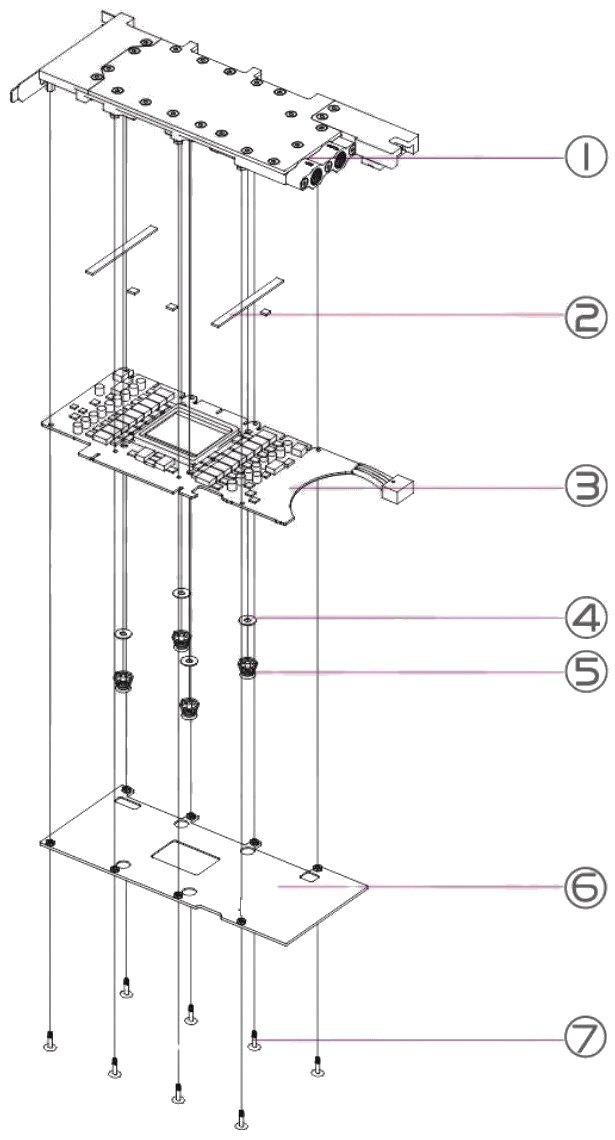
1 Water block · 2 Thermal pads · 3 GPU board (your card) · 4 Washers · 5 Spring screws · 6 Backplate · 7 Backplate screws
Installation & Use
You also need a pump, reservoir, radiator and fans, tubing, compatible fittings and coolant. A pump and reservoir combo can serve both roles.
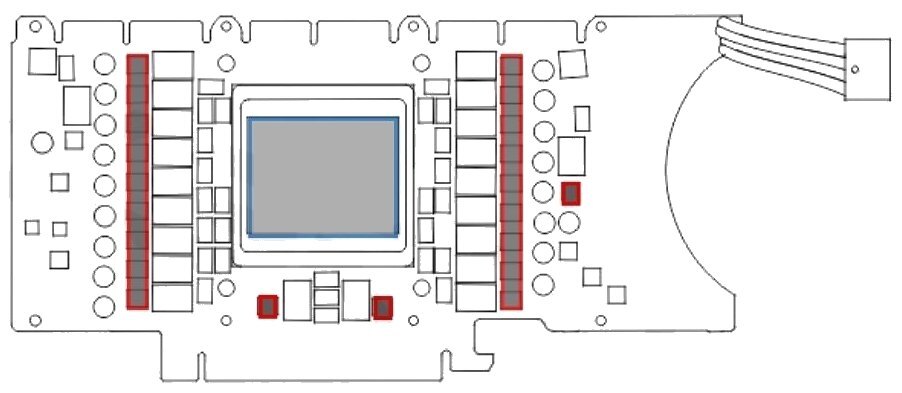
Red marks the thermal pad positions. The blue outline marks the only area for your own GPU thermal paste.
FAQ
How is the NVIDIA A100 80GB PCIe cooled from the factory?
The stock passive heatsink relies on airflow from the chassis. With this block, coolant carries the heat to the radiator in your custom loop.
Does the block fit the A100 or A800 80GB SXM module?
Fit is limited to the listed A100 80GB PCIe and A800 80GB PCIe cards with the matching PCB layout.
Do I need a separate pump and radiator?
Yes. The block is one part of a custom loop. You also need a reservoir, radiator fans, tubing, fittings and coolant.
How do I check whether it will fit my case?
Compare the block and backplate drawings with the space around your PCIe slot. Check the radiator mounting position in your case.
How do I check for leaks before startup?
Run the pump with the GPU and the rest of the system unpowered. Check the connections for leaks before turning the system on.
- Leave room for the fittings and tubing at the end of the block when checking clearance at the chassis panel or around other hardware.








