


Bykski


RTX 5090 Water Block for INNO3D iCHILL X3, iCHILL Frostbite & 5090 D Night X3 | Bykski N-ICH5090DX3-X
Full-cover RTX 5090 water block with end ports
The Bykski N-ICH5090DX3-X is a full-cover GPU water block for the INNO3D GeForce RTX 5090 D Night X3 and select INNO3D iCHILL boards. It replaces the stock cooler so a custom liquid cooling loop can cool the GPU core, memory, and power delivery components. The block connects through G1/4 end ports and comes with an aluminum backplate.
Compatibility
Match your exact GPU and PCB layout.
- ✓INNO3D GeForce RTX 5090 D Night X3
- ✓INNO3D GeForce RTX 5090 iCHILL X3 (C50903-32D7X-175967H)
- ✓INNO3D GeForce RTX 5090 iCHILL Frostbite (C50903-32D7X-1759FB)
Before ordering, check your full graphics card model and compare the entire PCB layout with Bykski’s reference photo.
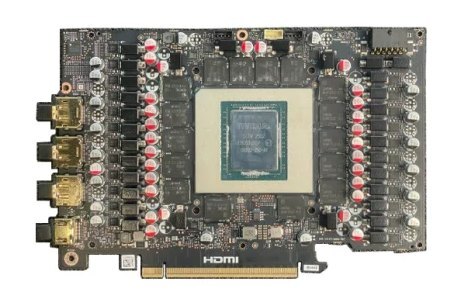
Bykski’s PCB reference photo for the INNO3D RTX 5090 D Night X3.
Design Highlights
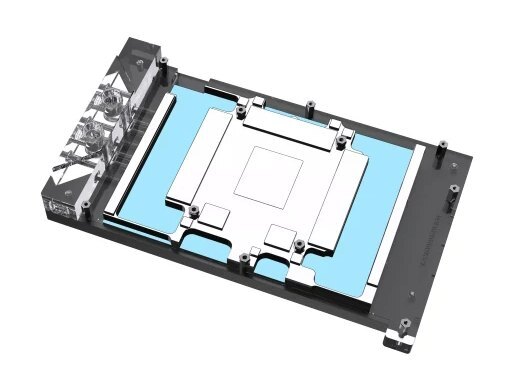
One cold plate for the core, memory, and VRM
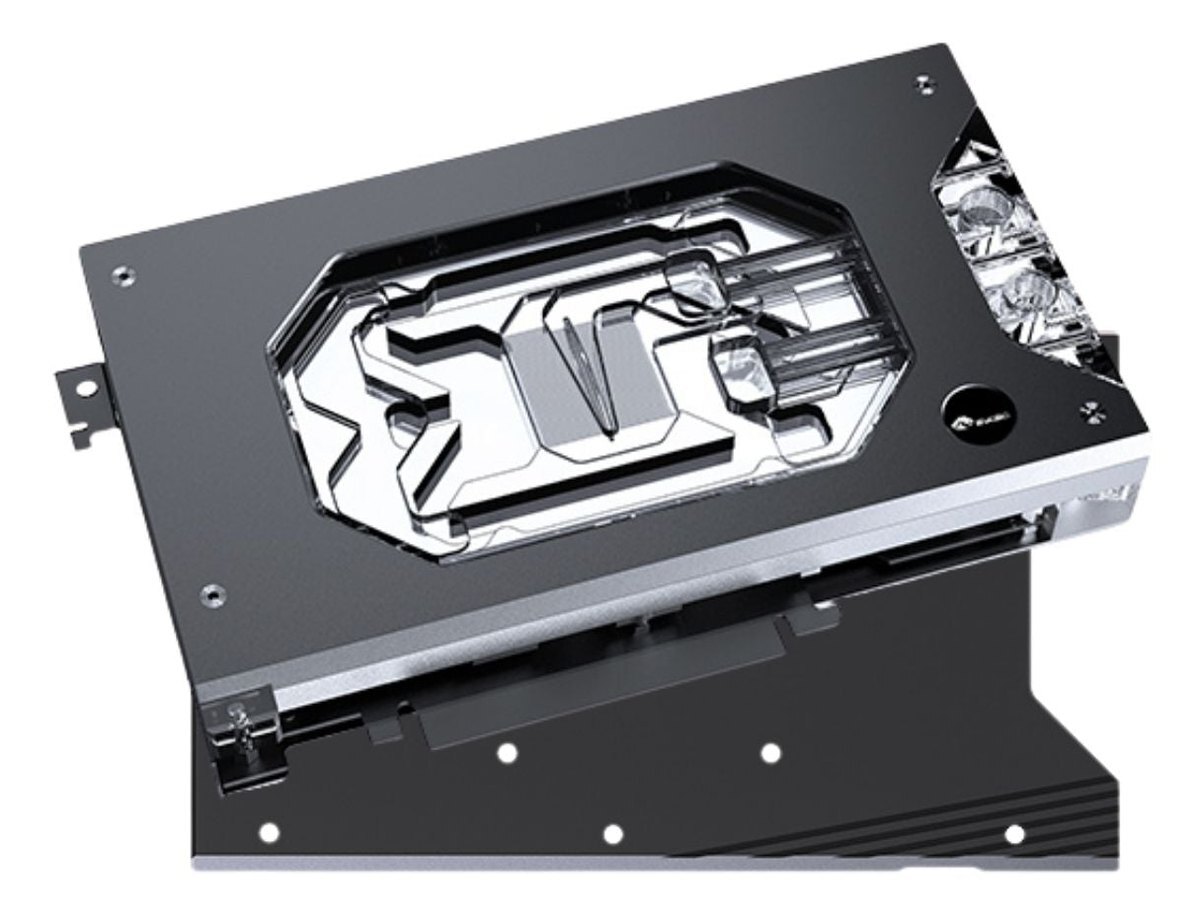
The shaped copper cold plate lines up with the GPU die and the memory and power delivery contact areas. The black aluminum backplate mounts behind the PCB and stays outside the coolant path.
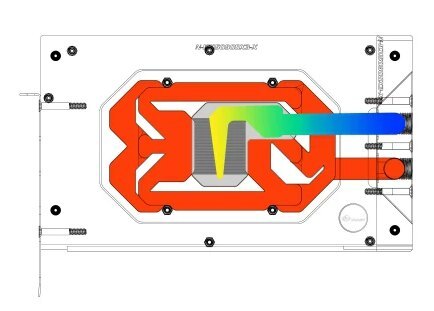
Bykski’s illustration of the coolant path.
End ports and 0.3 mm microchannels
The G1/4 terminal puts the inlet and outlet at the end of the block. Coolant passes through 0.3 mm jet microchannels in the copper cold plate.
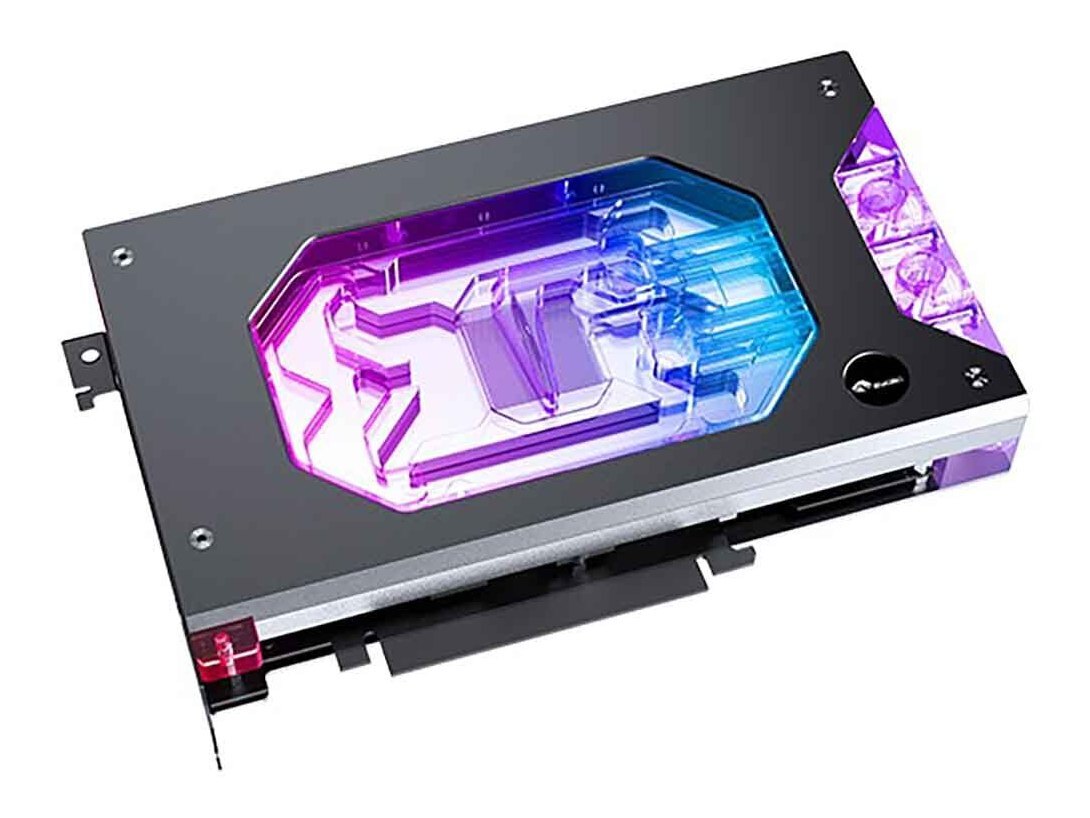
Acrylic window with 5V ARGB
The clear PMMA top shows the coolant channels through the black frame. Sync the lighting through a 5V 3-pin motherboard header or use a compatible 5V ARGB controller.
Key Specifications
| Model | N-ICH5090DX3-X |
|---|---|
| Cold plate | T2 copper |
| Top | Clear PMMA acrylic under a black frame |
| Backplate | Black aluminum, passive |
| Cooling coverage | GPU die, memory, and VRM |
| Coolant ports | G1/4 inlet and outlet at the end of the block |
| Jet microchannels | 0.3 mm |
| Block plan size | 221.30 × 128.71 mm |
| Block port-side view | 136.09 mm high × 34.02 mm thick |
| Lighting | 5V 3-pin ARGB (RBW) |
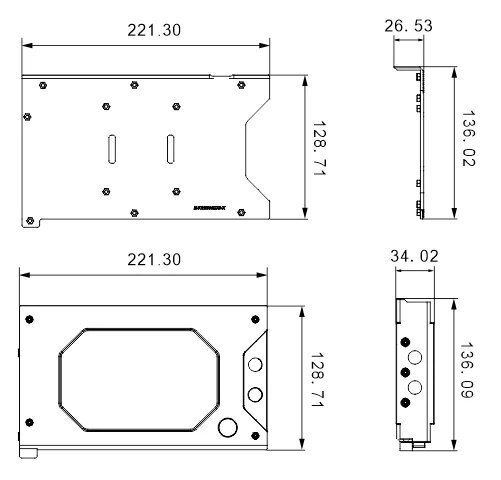
Manufacturer drawing in millimeters. Use the lower side view to check clearance at the port end.
Which Version Do I Need?
Start with your card’s PCB, then compare the port location and case clearance for each block.
What's in the Box
Thermal paste is not included (it cannot be shipped by air). Please use your own thermal paste during installation.
Installation & Use
For the loop, you’ll also need G1/4 fittings, tubing, a pump, a radiator, a reservoir, and coolant.
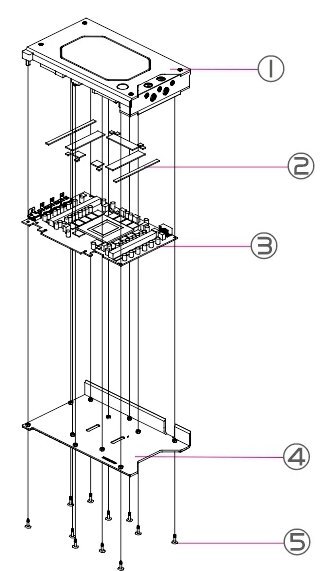
1 Water block · 2 Thermal pads · 3 Your graphics card PCB · 4 Backplate · 5 Backplate screws.
FAQ
Can I use this block for an RTX 5090 Founders Edition?
For the NVIDIA GeForce RTX 5090 Founders Edition, choose a block made for its PCB, such as the Bykski N-RTX5090FE-SR.
Does this block have an active backplate?
It includes a passive aluminum backplate that sits outside the coolant path.
Which motherboard lighting header should I use?
Use a 5V 3-pin ARGB header with the sync cable. Keep the cable off 12V 4-pin RGB headers.
Where can I find the installation diagram?
The exploded drawing in Installation & Use shows how the block, thermal pads, your PCB, and the backplate fit together.
- This is a repair or replacement-only item. Returns are not accepted in principle on compatibility issues or if the block has had water/fluid run through it.
- The manufacturer reserves the right to alter the block design to expand compatibility or upgrade/modify the product. The delivered item may not 100% match the pictured item.
- Not responsible for any damage caused by or when using this product. Please use it at your own risk.








