


Bykski


Colorful iGame GeForce RTX 5080 Ultra W OC 16GB Water Block with Backplate – Bykski N-IG5080ULOC-X
Colorful RTX 5080 Ultra W OC full-cover water block
The Bykski N-IG5080ULOC-X replaces the stock cooler on the Colorful iGame GeForce RTX 5080 Ultra W OC 16GB with the PCB layout shown below. Its nickel-plated copper cold plate transfers heat from the GPU core, memory, and voltage regulators into a custom liquid cooling loop. The block comes with a black aluminum backplate.
Compatibility
The block fits the following card with the PCB layout shown.
- ✓Colorful iGame GeForce RTX 5080 Ultra W OC 16GB
Before ordering, check the full model on your card label and compare the component layout and mounting holes with Bykski’s PCB photo.
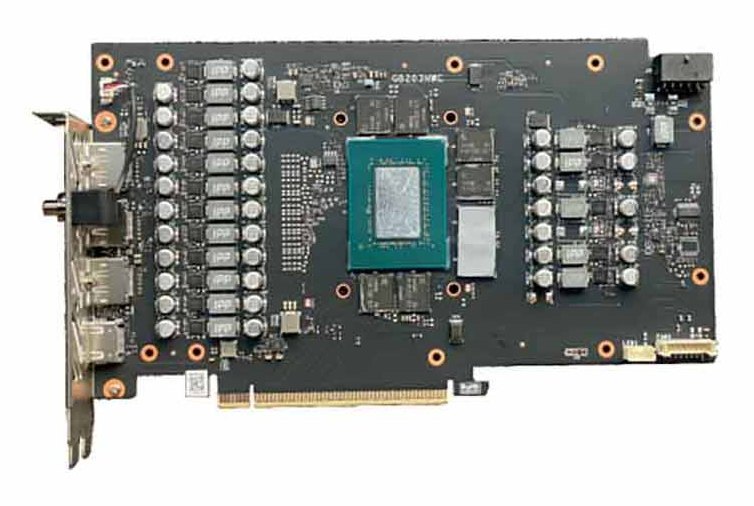
Bare PCB shown in Bykski’s compatibility guide.
Design Highlights
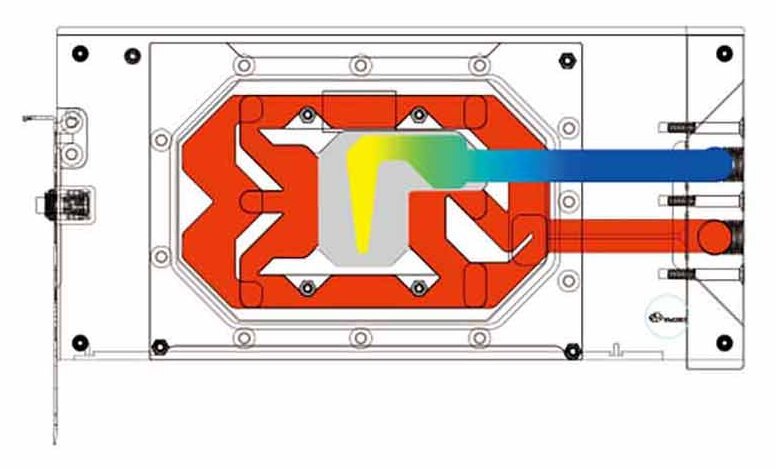
Bykski’s flow illustration. The blue path starts at the inlet.
End ports and microchannels
The G1/4 terminal sits at the end of the block. Coolant runs through 0.3 mm microchannels over the GPU area before leaving through the outlet.
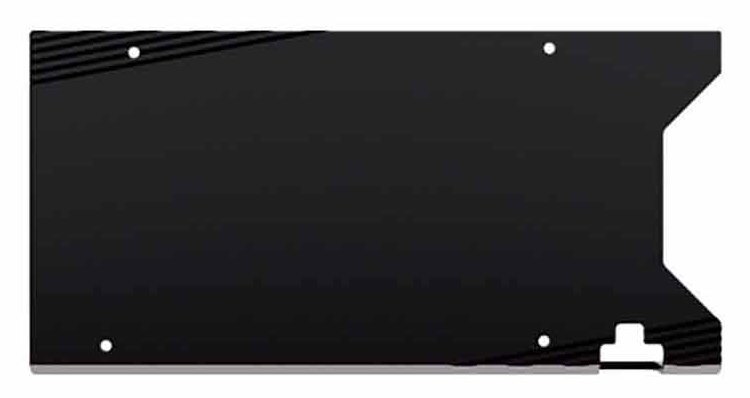
Black aluminum backplate
The included aluminum backplate mounts behind the PCB and stays outside the coolant path.
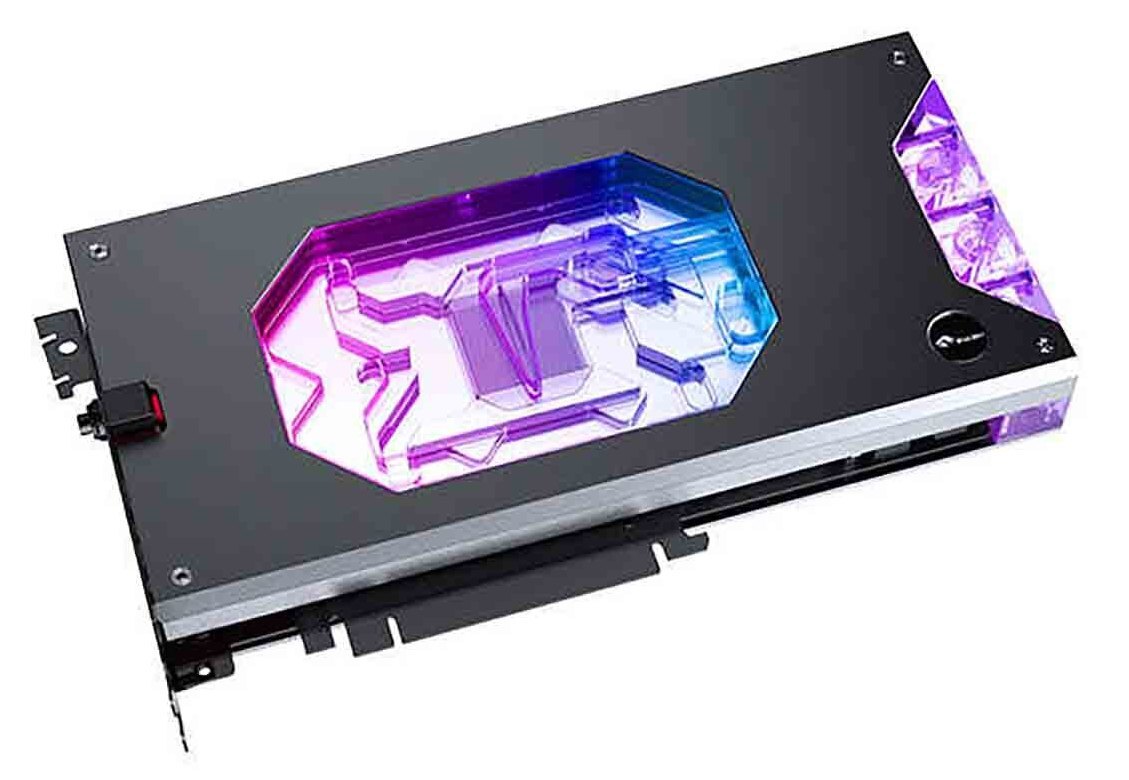
5V addressable lighting
Use the included lighting sync cable with a 5V 3-pin ARGB motherboard header. Select the optional lighting controller for independent control.
Key Specifications
| Model | N-IG5080ULOC-X |
|---|---|
| Coverage | GPU core, memory, and voltage regulators |
| Cold plate | Nickel-plated T2 copper |
| Clear cover | PMMA acrylic |
| Backplate | Black aluminum |
| Port thread | G1/4 inlet and outlet |
| Microchannels | 0.3 mm |
| Lighting | 5V 3-pin ARGB (RBW) |
| Water block (L × W × D) | 253.24 × 126.22 × 33.10 mm |
| Backplate profile (L × W × D) | 253.24 × 126.22 × 25.70 mm |
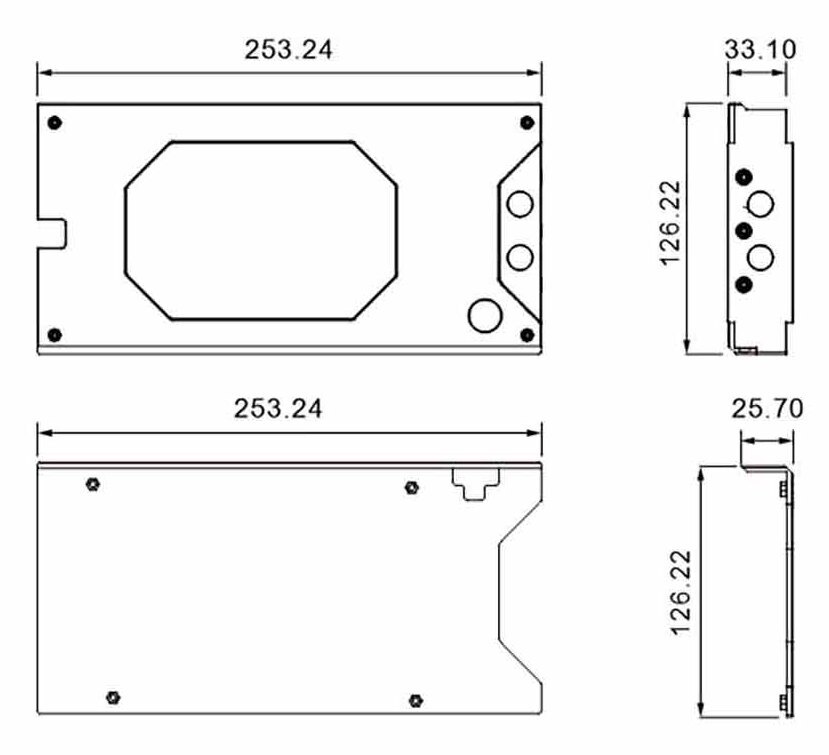
Bykski’s drawing shows the block above the backplate. Measurements are in millimeters. Backplate depth includes the side flange.
Which Version Do I Need?
Check the full model on your card label. The Ultra W OC and Vulcan OC have separate water block listings.
What's in the Box
The lighting controller comes with the additional-controller option.
Thermal paste is not included (it cannot be shipped by air). Please use your own thermal paste during installation.
Installation & Use
For the loop, prepare a pump, radiator, coolant, tubing, and G1/4 fittings sized for your tubing.
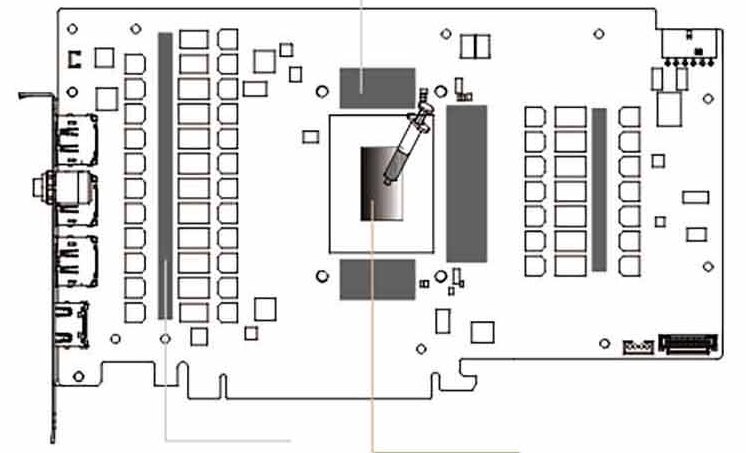
Bykski’s placement guide. The shaded strips mark thermal pad locations. Apply paste to the GPU die in the center.
FAQ
Will this fit any RTX 5080?
Bykski lists the Colorful iGame GeForce RTX 5080 Ultra W OC 16GB with the PCB pictured above. Match the full model and the board layout before ordering.
Which fittings do I need?
Use G1/4 fittings sized for your tubing.
Can I connect the lighting to a 12V RGB header?
Use a 5V 3-pin ARGB header or the optional controller. A 12V 4-pin RGB header can damage the lighting.
Can I run the lighting without a motherboard ARGB header?
Select the additional-controller option to control the block’s lighting independently.
Where do the thermal pads go?
Bykski’s installation guide specifies 1.5 mm pads for the shaded memory and voltage regulator components. Apply your own thermal paste to the GPU die.
- This is a repair or replacement-only item. Returns are not accepted on compatibility issues or if the block has had water/fluid run through it.
- The manufacturer reserves the right to alter the block design to expand compatibility. The delivered item may not 100% match the pictured item.
- This product is designed for self-installation. The manufacturer is not liable for any damages resulting from misuse, including, but not limited to, improper installation or the use of incompatible hardware or fluids. By using this product, you accept all related risks.








